We, web-scraping enthusiasts, curious learners, and professionals, know the pain of dealing with website changes… Every time a target site updates its layout (and it happens far too often), your selectors break, and your entire parsing logic needs to be fixed.
You must dig through logs, debug the issue, and patch the logic. That’s tedious, time-consuming, and one of the main reasons maintaining production scrapers is so expensive. The solution? Adaptive web scraping!
In this post, I’ll walk you through the best approaches that let your scrapers keep working even as websites evolve (spoiler: AI isn’t always required!).
Before proceeding, let me thank Decodo, the platinum partner of the month, and their Scraping API.
Decodo just launched a new promotion for the Advanced Scraping API, you can now use code SCRAPE30to get 30% off your first purchase.
Website Changes: The Biggest and Oldest Web Scraping Challenge
As you already know, web scraping comes with its fair share of challenges: anti-bot measures, fingerprinting, IP bans, rate limiters—you name it. But honestly, the oldest and most common headache for scraping developers is still website changes!
That’s because data parsing generally relies on static rules like CSS selectors and XPath expressions to locate HTML elements and extract data from (or interact with them in a browser automation tool). (I wrote “generally” because AI is shaking things up now, but I’ll cover that later.)
Anyway, when a page’s structure changes, your scraper suddenly can’t do the most important thing it’s meant to do: locate HTML elements and pull data from them.
The real issue is that websites keep changing. Why? Because, according to a recent study, web design drives first impressions, with 94% of potential customers judging a page within seconds.
Companies and site owners want users to feel welcome, have a smooth experience, and enjoy an intuitive interface. Thus, they keep updating layouts, trends, and how data is displayed.
This episode is brought to you by our Gold Partners. Be sure to have a look at the Club Deals page to discover their generous offers available for the TWSC readers.
The solution to the “website keeps changing” problem is adaptive web scraping. If you’re not familiar with it, this technique helps scrapers survive layout updates by adapting to frequently changing HTML structures.
Instead of relying on fixed CSS selectors that break over time, adaptive scraping uses specialized algorithms or AI/ML models to locate the right data even when the page changes.
Now, there are several ways to implement it (and AI is only required for a few of these methods!) Below, I’ll walk you through five trusted approaches.
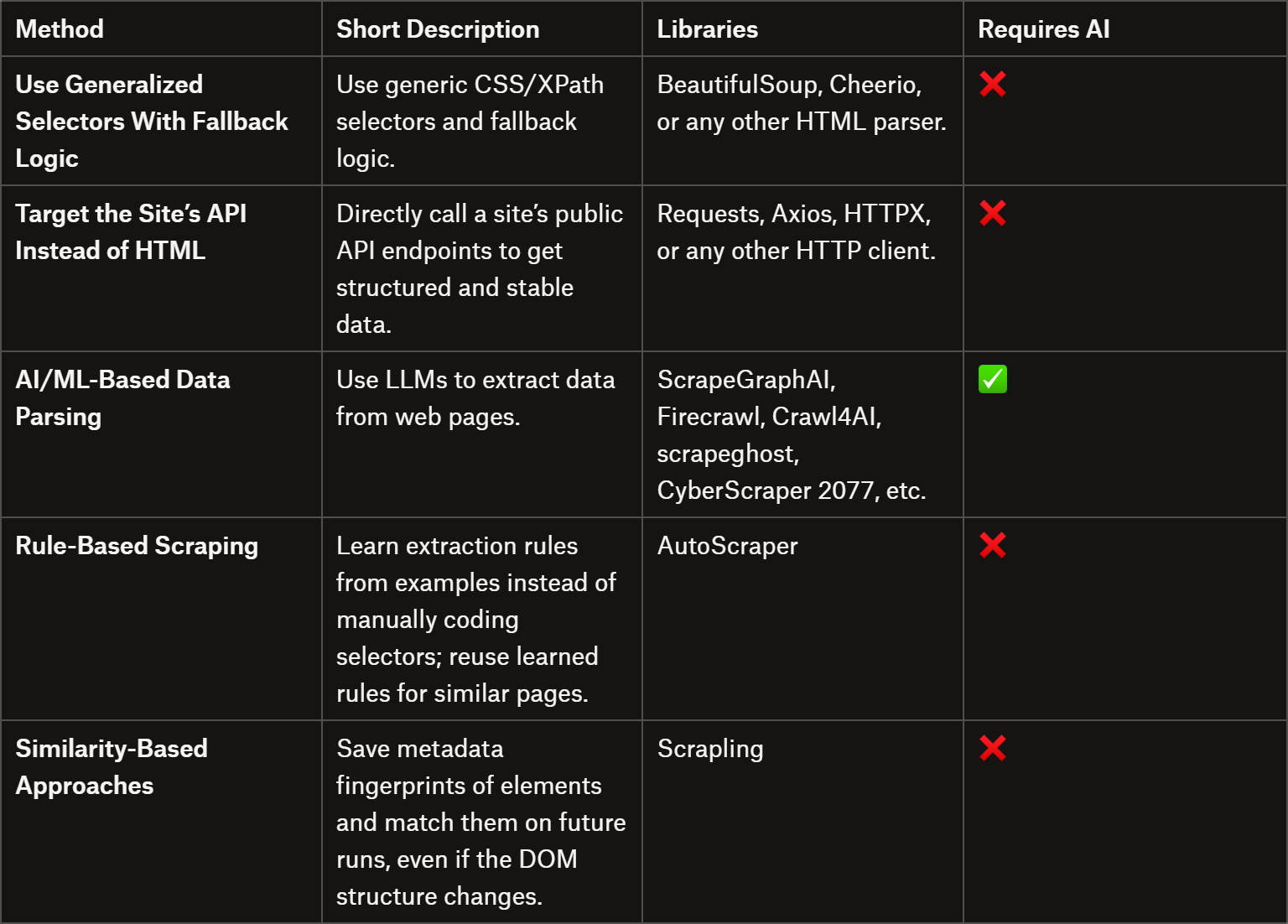
If you’re curious, start with the summary table right below:
Comparing adaptive web scraping methods in a summary table
1. Use Generalized Selectors With Fallback Logic
The first and easiest way to avoid issues with website changes is to target key HTML elements with selectors that are as generic as possible.
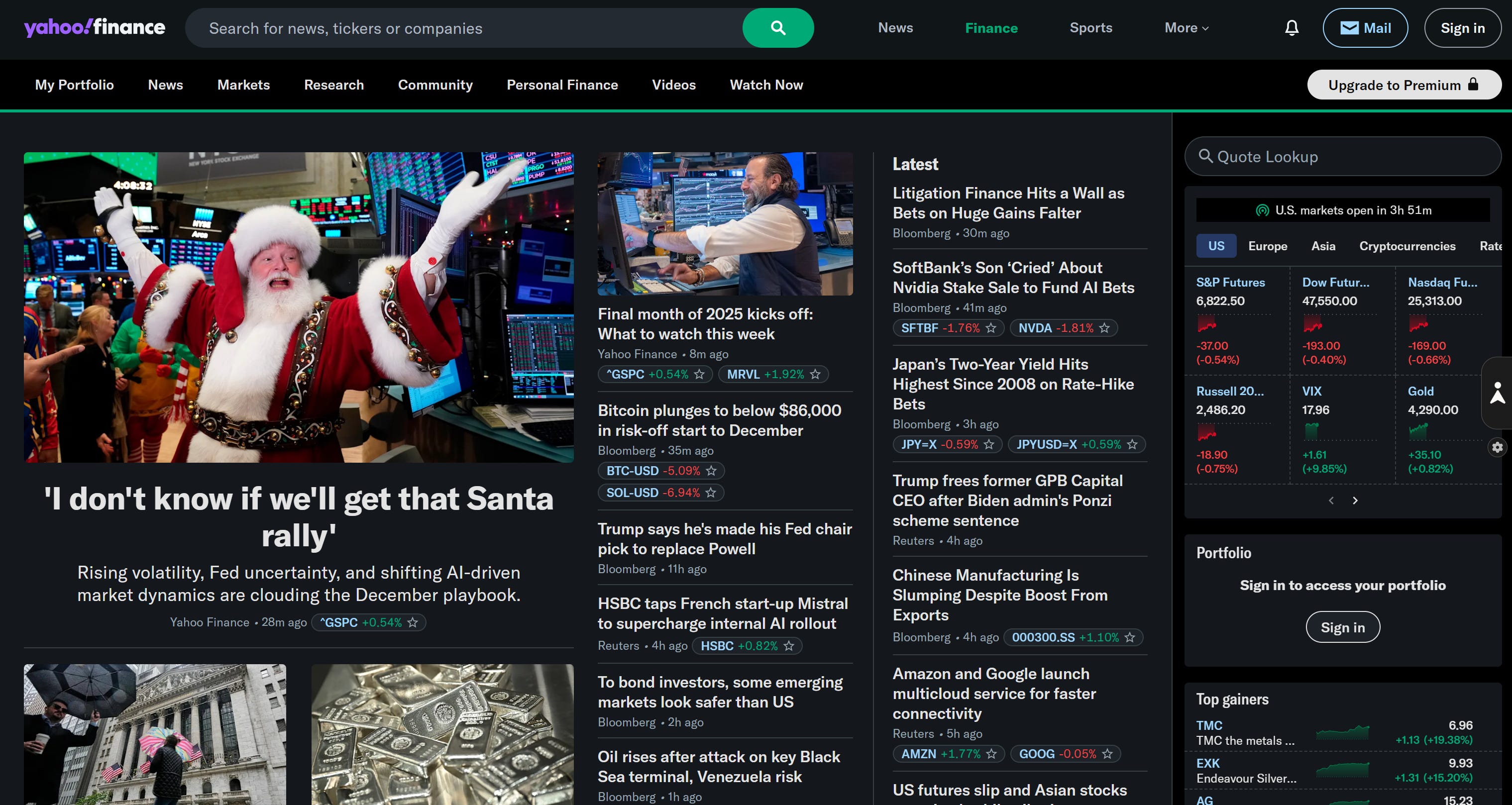
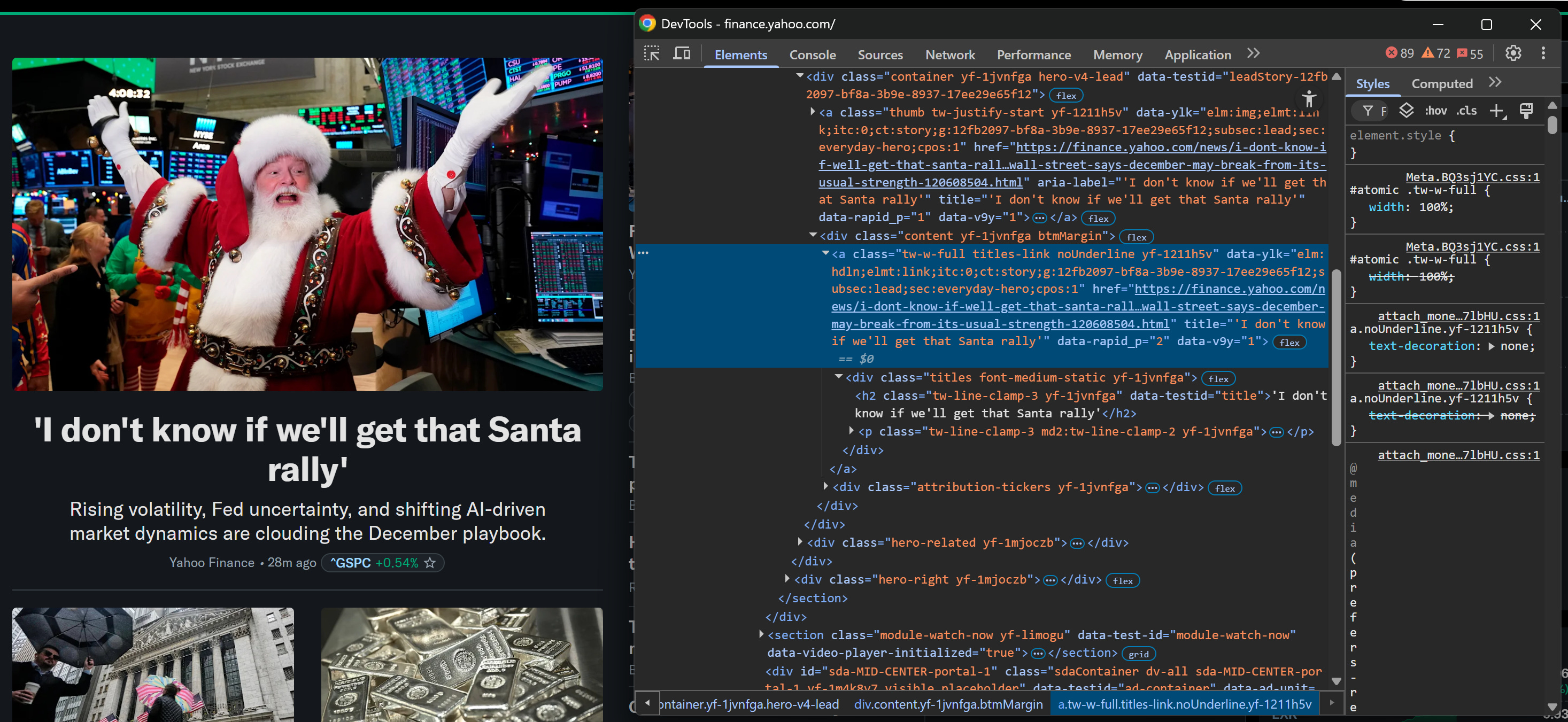
Inspect a news card element on Yahoo Finance:
Inspecting a news card HTML element on Yahoo Finance
You might be tempted to grab the article URL using a CSS selector like:
a.titles-link
The problem is that classes like “titles-link” tend to change over time. A more reliable approach is to either:
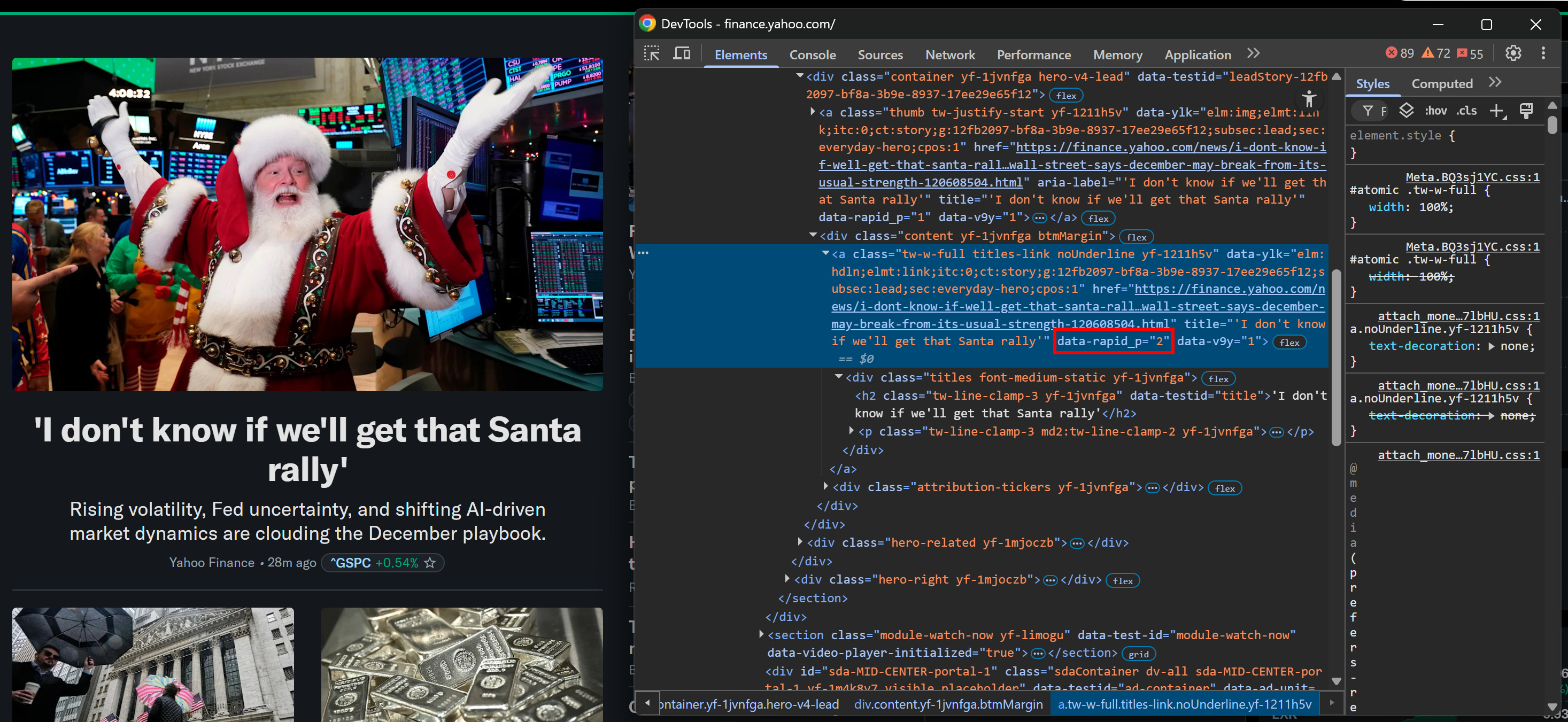
Even better, look for special data-* HTML attributes if they exist. These custom attributes are often added for E2E testing and usually remain consistent over time.
For instance, the element above has a data-rapid_p attribute:
Note the data-rapid_p HTML attribute
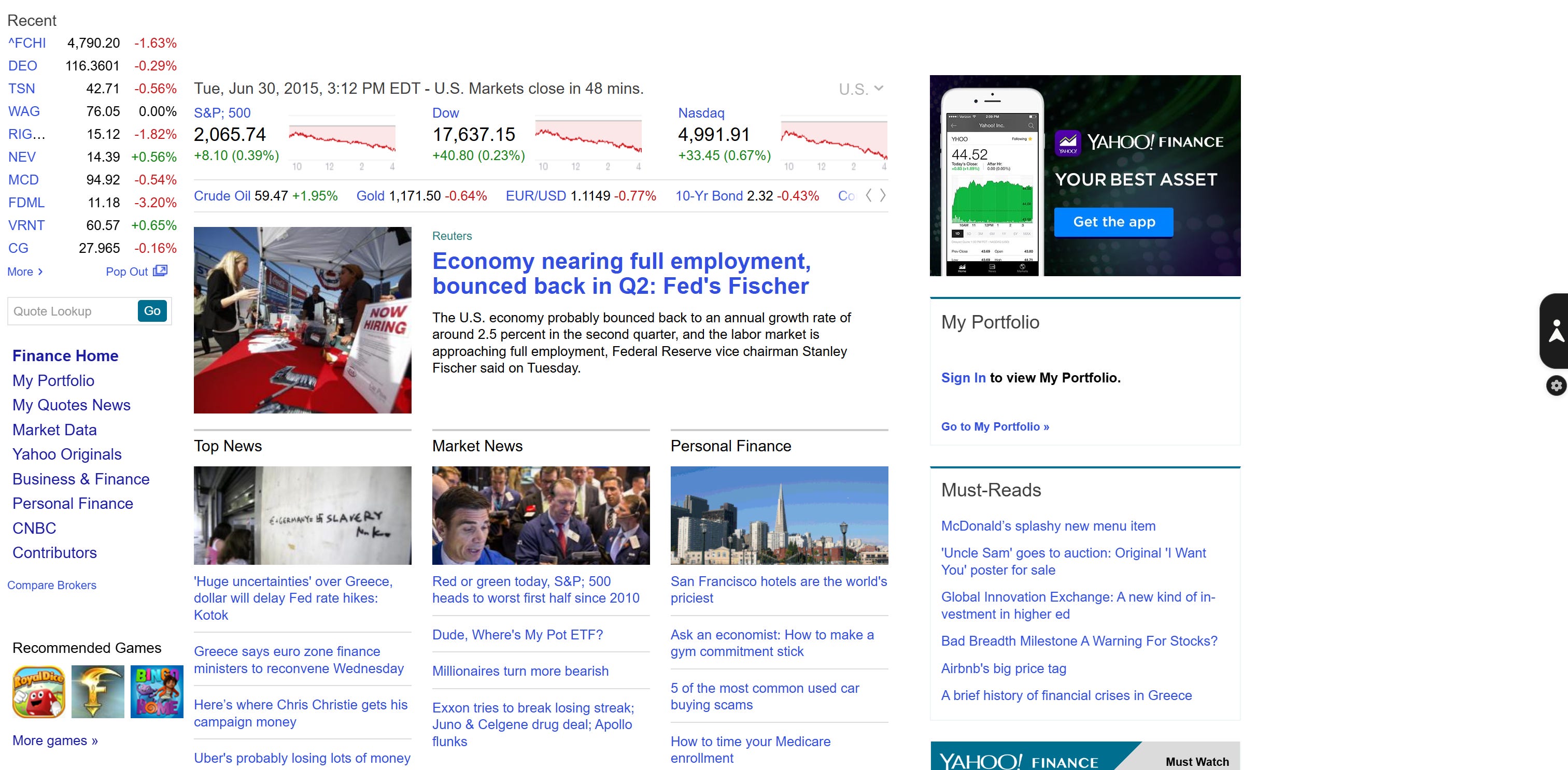
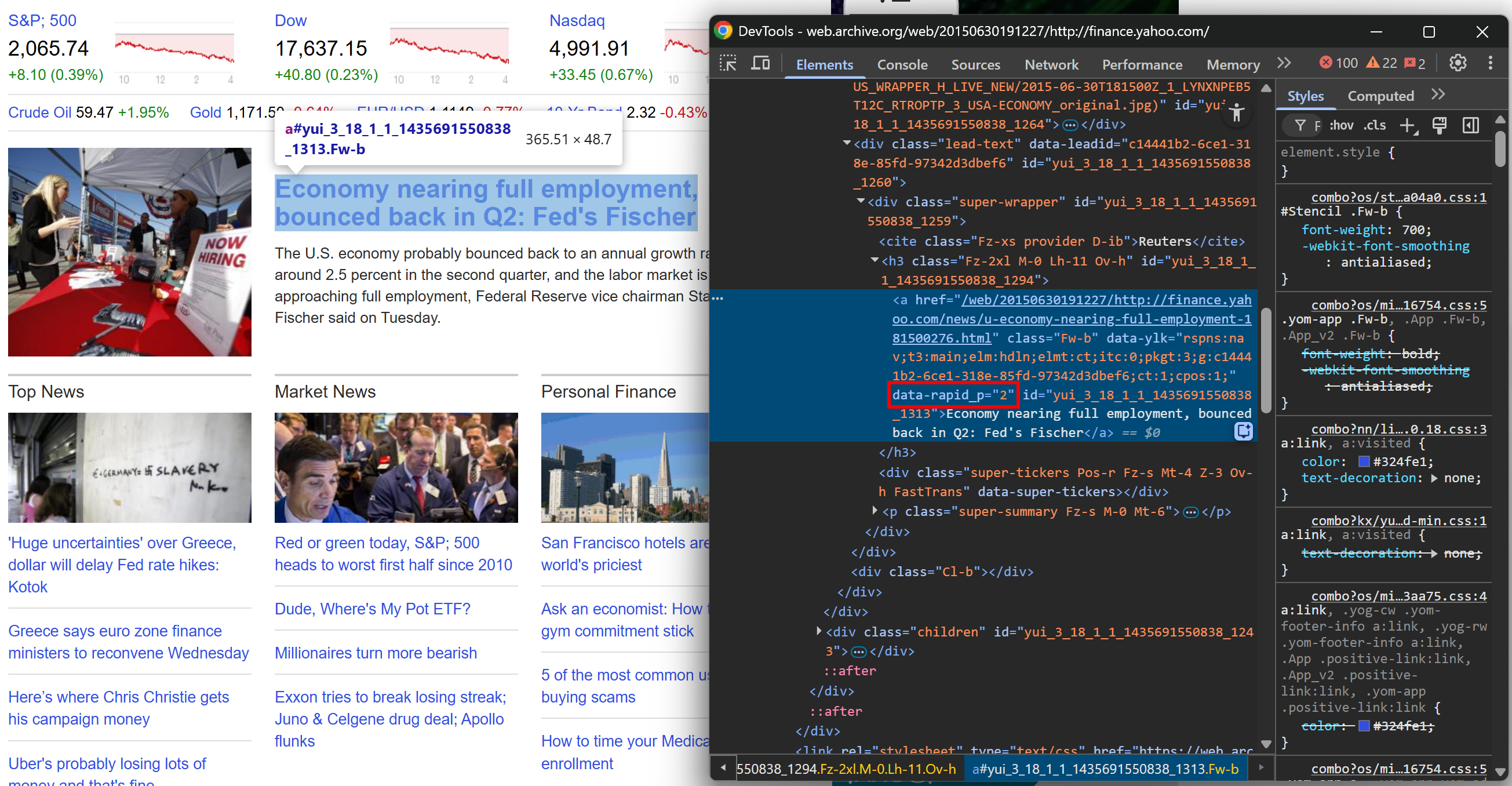
And the same attribute can be found in the 2015 version of the site on the top news card element:
Note, again, the same data-rapid_p HTML attribute
Finally, consider adding a fallback node selection logic. Start with very specific CSS selectors or XPath expressions, and move to more generic ones if the first attempt fails:
selectors = [
    "a[data-rapi_p]",                # Level 1: stable data-* attribute
    "a.titles-link",                 # Level 2: CSS class (might change)
    "a[href^='https://finance.yahoo.com/news/']"  # Level 3: generic URL pattern
    # ...
]

articles = []
for selector in selectors:
    elements = soup.select(selector)
    if elements:
        articles = [el["href"] for el in elements]
        print(f"Found {len(articles)} articles using selector: {selector}")
        break
These node selection strategies are enough to build a robust scraper that can survive most site updates.
👍 Pros:
Simple and intuitive adaptive web scraping logic.
Doesn’t require AI, special libraries, or complex logic.
Can involve boilerplate code, making the data parsing logic harder to follow.
Doesn’t work well against huge website changes.
Can lead to selecting the wrong HTML elements.
Before continuing with the article, I wanted to let you know that I've started my community in Circle. It’s a place where we can share our experiences and knowledge, and it’s included in your subscription. Enter the TWSC community at this link.
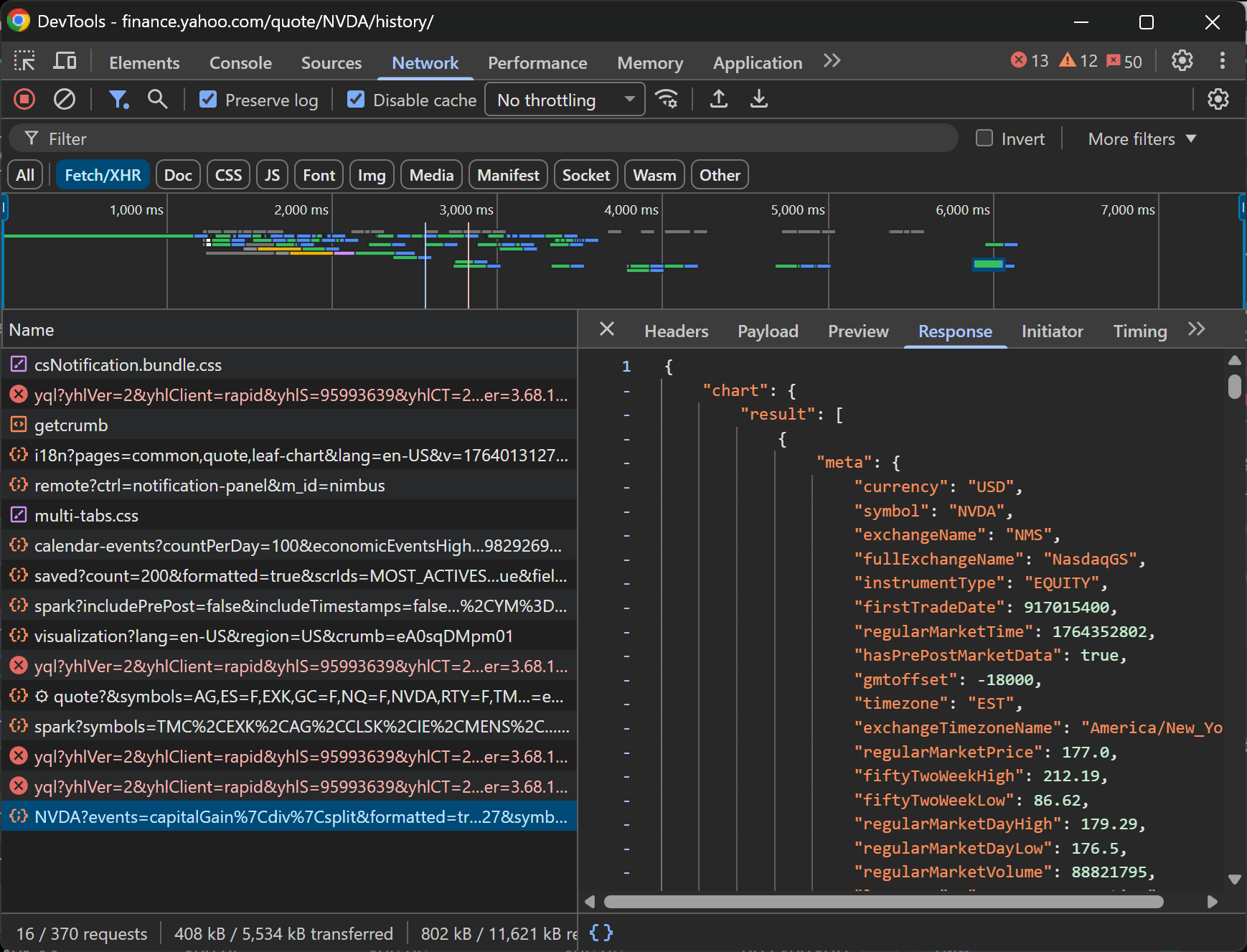
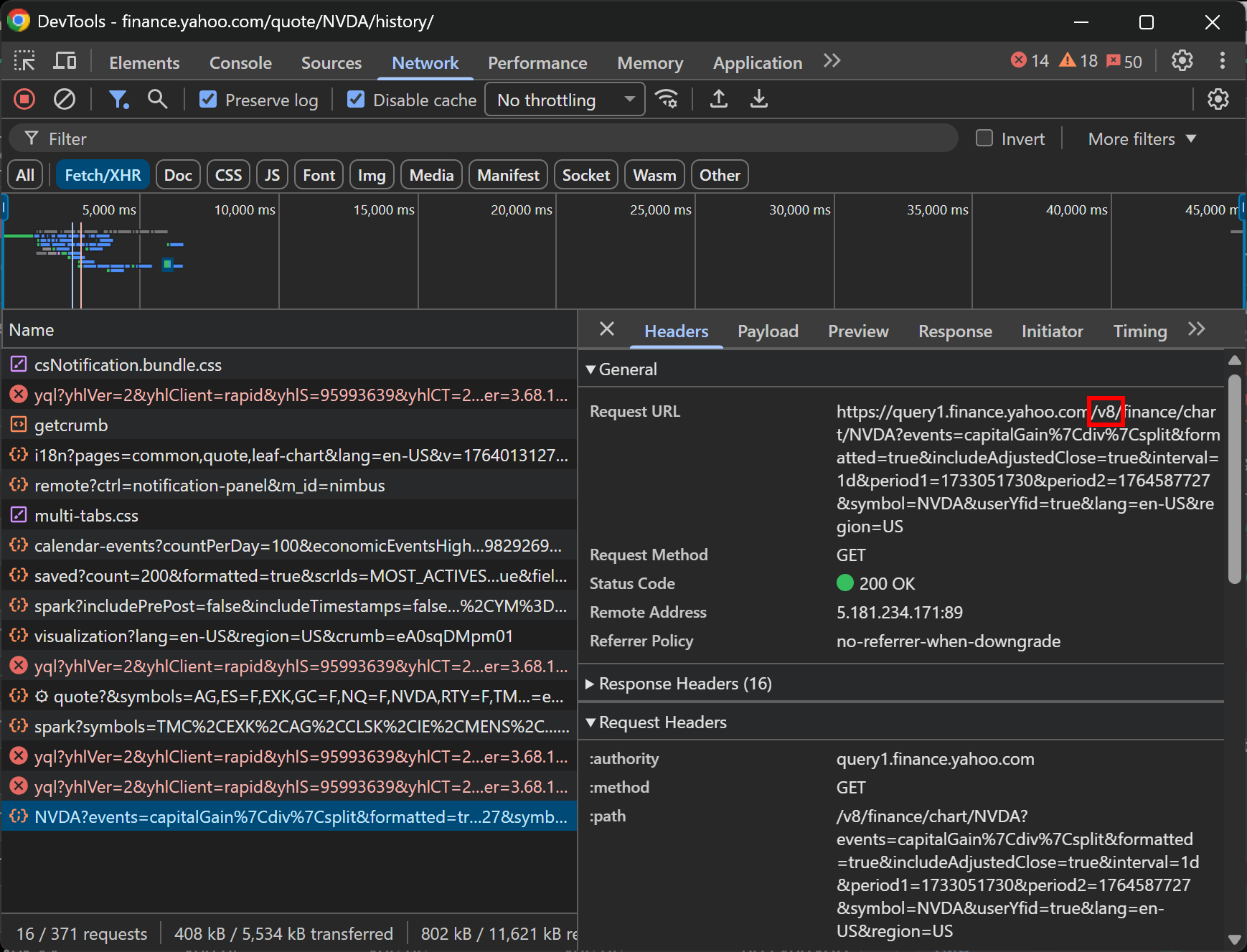
Most modern sites load some or all of their data dynamically via APIs using AJAX. Essentially, when the page renders in your browser, it connects to backend endpoints to fetch the data.
Those endpoints are publicly accessible, which means you can inspect the network requests, study them, and replicate the API calls directly:
Inspecting an API request made by a page via AJAX
The data returned by these API endpoints is more structured and stable than messy HTML, which cuts down on parsing headaches. Plus, even if the site’s layout changes, the APIs are typically versioned, so the endpoints you rely on can remain accessible long after the current page design has changed.
Even if the HTML layout changes, AI can understand the content and context of the page, making your scraping far more resilient. For more guidance, see how to build self-healing scrapers with AI.
Unfortunately (as always), there are trade-offs!
With free-form extraction, which means asking the AI to pull data without strict instructions, you gain flexibility but at the cost of reliability. AI can produce hallucinations or miss fields, so you still need to validate the data. Plus, the output structure can vary between runs.
from openai import OpenAI

client = OpenAI()

# HTML retrieval logic...
# html = ...

# Standard chat completion without strict schema
response = client.responses.create(
    model="gpt-5.1",
    input= f"Extract the main product details from this HTML: {html}",
)

# The output format here is unpredictable (could be JSON, text, or a list)
print(response.output_text)
On the other hand, forcing structured outputs (e.g., using a Pydantic model) keeps your output data consistent and predictable. The downside is that your scraper may miss new fields if the page adds extra elements, which reduces flexibility when the content evolves.
from openai import OpenAI
from pydantic import BaseModel

client = OpenAI()

class Product(BaseModel):
    name: str
    price: float
    sku: str
    # ...

# HTML retrieval logic...
# html = ...

# Using the .parse() method to enforce the Pydantic schema
response = client.responses.parse(
    model="gpt-5.1",
    input=[
        {"role": "system", "content": "Extract product information."},
        {"role": "user", "content": f"Parse this HTML: {html}"},
    ],
    response_format=Product,  # Ensure output matches Product model
)

# Parsed output guaranteed to match the Pydantic schema
product_data = response.output_parsed
print(product_data)
Keep in mind that AI and ML can also be applied to web crawling. Specifically, Crawl4AI utilizes machine learning to intelligently decide which pages to follow and when to stop, based on coverage, consistency, and saturation metrics.
👍 Pros:
Many tools available to build AI web scrapers, with little to no manual logic required.
Represents the go-to option for adpative web scraping in case of major website changes.
Can also be applied to web crawling.
👎 Cons:
Adds latency due to AI processing time.
Can lead to missing data, inconsistent results, hallucinations, and other known AI issues.
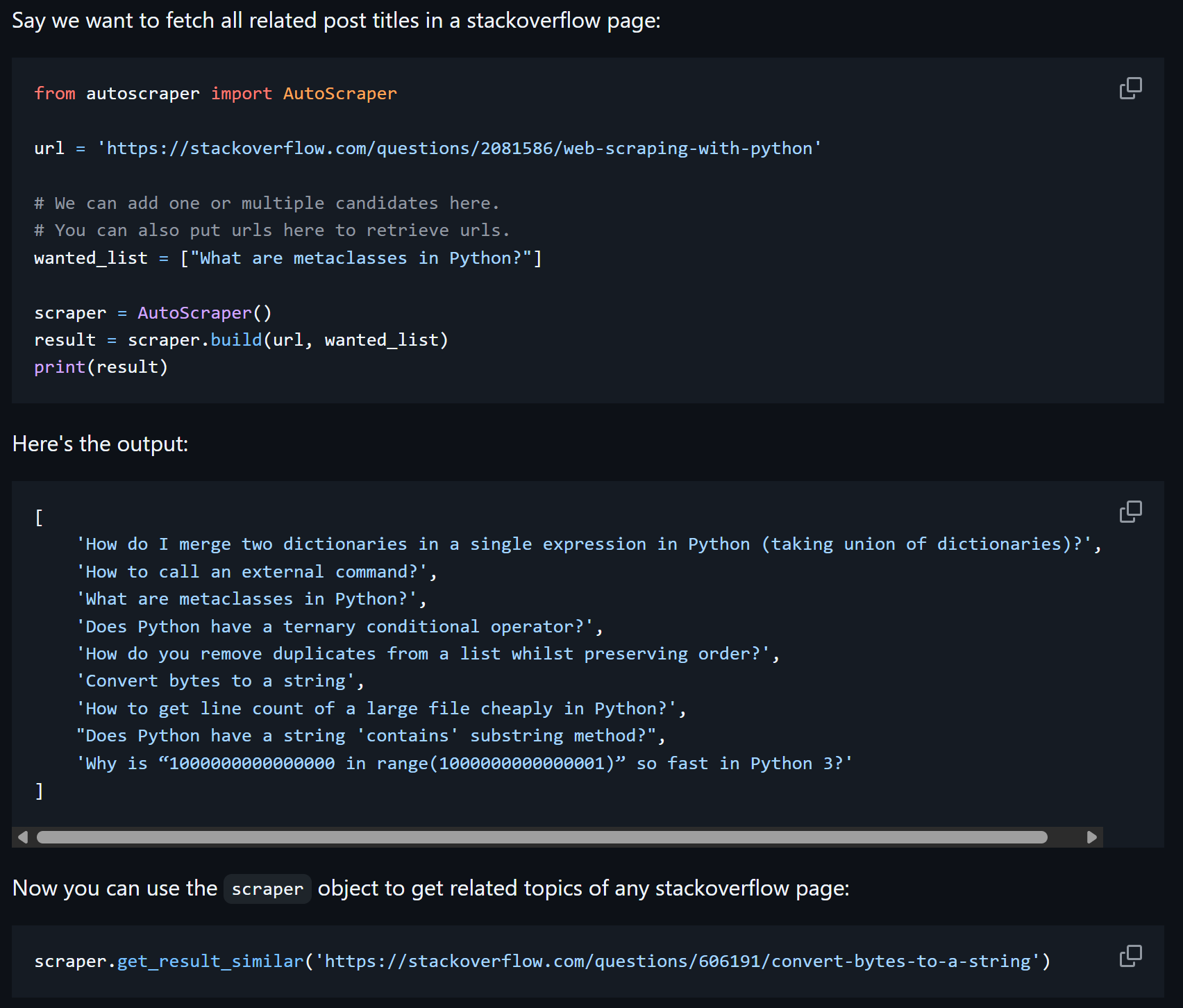
Rule-based scraping is a technique that involves learning from examples instead of manually coding every HTML selector. The idea is simple:
You give a few sample data points you want to extract from the page, like product prices, article titles, or stock values.
A smart algorithm automatically figures out the rules needed to locate and extract similar data from that page.
Once the scraper “learns” the pattern, you can reuse it on other URLs with a similar structure to extract the same type of information.
The most popular library implementing this approach to adaptive web scraping is AutoScraper. This solution also enables you to save and load these learned models to save time.
Rule-based scraping example from the AutoScraper docs
In the similarity-based approach to adaptive web scraping, the scraper doesn’t just extract data—it also remembers how it found it.
After scraping a website, the scraper saves detailed metadata for each element, including selectors, HTML tags, attributes, sibling elements, and its position within the DOM. That metadata acts as a unique fingerprint for each element, allowing the scraper to recognize it even if the page structure changes.
On subsequent runs, the scraper uses similarity-based algorithms to match elements with their previously saved counterparts. Even if classes, IDs, or the hierarchy of elements change, it can still locate the correct data by comparing properties such as tag names, text content, attributes, and relative DOM position.
The most widely used scraping library that implements that approach is Scrapling. In detail, it supports similary-based web scraping via the adaptive=True option:
from scrapling import Selector, Fetcher

# First run: scrape the page and store metadata for each element of interest
page = Selector(page_source, adaptive=True, url="your-target-site.com")
# Save metadata ("fingerprint") for this element so it can be found again later
element = page.css("#p1", auto_save=True)

# Time passes... (the website layout changes)

# Future runs: try to locate the same element again
element = page.css("#p1", auto_save=True)
# If the original selector fails because the page changed...
if not element:
    # ...fall back to similarity-based matching using saved metadata
    element = page.css("#p1", adaptive=True)
May end up choosing the wrong HTML element if many elements are similar.
The Web Scraping Club is a reader-supported publication. To receive new posts and support my work, consider becoming a free or paid subscriber.
Conclusion
In this post, I’ve outlined the most reliable ways to implement adaptive data-parsing logic in your web scrapers. As you’ve seen, AI isn’t the only option. Quite the opposite, there are several effective strategies and algorithms that help you stay resilient against website changes.
If I missed any other adaptive scraping techniques, let me know. Also, feel free to share your thoughts or questions in the comments. Until next time!





Nice article, but I wanted to point out one thing.
Scrapling can replace AutoScraper in this comparison as it does the same things under a different name.
Without many details, a direct comparison can be found here in the benchmarks script, but it’s explained in the docs too:
https://github.com/D4Vinci/Scrapling/blob/2e5152f7905dcb701849bcfd708c2af221ed1551/benchmarks.py#L110