The web scraping industry has evolved very fast in recent years. The fact that rotating proxies is no longer enough to guarantee success is a clear sign of how advanced anti-bot systems have become.
Lots of tools have emerged to solve the issue of browser fingerprinting, which, for example, is one of the primary reasons for blocks even when using high-quality residential proxies. So, the need companies have for stable, scalable data collection makes anti-detect solutions essential for survival in the current status of the industry.
In this article, you’ll discover Dolphin{anty}: A powerful anti-detect browser that lets you orchestrate hundreds of unique, isolated browser profiles. You’ll learn its strengths, why you should consider it for your scraping or multi-accounting projects, and how it works with a practical guide.
Let’s dive into it!
Before proceeding, let me thank NetNut, the platinum partner of the month. They have prepared a juicy offer for you: up to 1 TB of web unblocker for free.
An antidetect browser is a specialized web browsing tool designed to mask a user’s digital fingerprint, allowing them to appear as a distinct, unique visitor to websites and tracking systems. Standard browsers like Chrome or Firefox broadcast a user’s hardware and software data. An anti-detect browser, instead, enables users to customize and spoof these parameters for every session.
In the context of web scraping, web scraping professionals use this technology to bypass anti-bot measures that rely on browser fingerprinting to identify and block automated traffic. Anti-detect browsers can also be used in “multi-accounting” strategies. You can use them to create isolated browser profiles, each with its own unique fingerprint, cookies, and proxy IP. The common use case is that a single user can manage hundreds of social media, e-commerce, or ad accounts simultaneously without triggering security flags that would normally link the accounts together and lead to mass bans.
A successful data pipeline is made not only by the right tool to use, but also from the right IP address. Proxy providers like Decodo help you achieving your scraping goals.
What is Dolphin{anty} and Why Consider it for Your Web Scraping Projects?
Dolphin{anty} is an anti-detect browser that allows you to manage hundreds of unique, isolated browser profiles for web scraping and multi-accounting. You can use it via its desktop application or programmatically, as it provides a flexible API for deep integration with your scripts.
The best part of using it is that you can orchestrate wide scraping operations without worrying about browser fingerprinting. Forget about immediate IP bans, CAPTCHAs triggered by suspicious metadata, or complex cookie management. Dolphin{anty} handles the masking of your digital identity for you very simply. Also, thanks to its built-in “Scenarios” builder and synchronizer, it can automatically replicate human-like actions across multiple profiles simultaneously. So, say goodbye to manual warm-up routines and the fear of losing accounts to anti-fraud systems.
The top reasons why you should consider it for your projects are the following:
Advanced anti-detect capabilities: If you’ve been scraping for a while, you know that standard headless browsers often leak metadata that triggers anti-bot defenses. Dolphin{anty} solves this by providing real, unique digital fingerprints for every profile. It mimics user behaviors at a granular level, allowing you to bypass sophisticated detection systems without the constant headache of being blocked.
Mass profile management: Managing a few accounts is easy, but scaling to hundreds or thousands is a different beast. Dolphin{anty} is built for scale. It allows you to orchestrate hundreds of isolated browser profiles from a single interface. Whether you are managing a massive farm of accounts for data collection or need to segment your scraping tasks, the tool provides the infrastructure to keep everything organized and efficient.
Flexible API integration: For those who prefer code, Dolphin{anty} offers a robust API that integrates deeply with your existing Python or Node.js pipelines. This allows you to automate profile creation, launch browsers programmatically, and integrate the anti-detect capabilities directly into your custom scraping infrastructure.
For your ethical scraping activity, you need IPs with good reputation. For this reason, we’re using a proxy provider like our partner Ping Proxies, that’s sharing with TWSC readers this offer.
Dolphin{anty} is packed with features designed to make multi-accounting and scraping easier. The main features you should know about it are the following:
Real fingerprint generation: The core of Dolphin{anty} is its ability to provide genuine device fingerprints. Instead of just blocking trackers, it creates a unique digital identity for every profile you run. In practice, it manages over 20 parameters—from WebRTC to Canvas—so your scrapers look exactly like real users on real devices.
Built-in Automation: You don’t always need to be a coding wizard to automate tasks. Dolphin{anty} offers a “Scenarios” builder that lets you create automated workflows visually. Whether it’s warming up accounts or parsing data, you can set these scripts to run automatically. And for those who prefer code, the flexible API allows you to integrate these profiles directly into your existing scripts.
Profile synchronizer: This is a game-changer if you need to perform the same action across multiple accounts. The Synchronizer allows you to perform an action in a “master” profile, and the tool automatically repeats that exact action across all other selected profiles in real-time. This saves you a massive amount of time on routine interactions.
Team collaboration: If you work in a team, you know that sharing browser sessions and cookies can be a nightmare. Dolphin{anty} simplifies this by allowing you to transfer profiles, cookies, and proxies to colleagues in just a few clicks. You can also manage permissions, ensuring that team members only have access to the functionality they need.
Smart profile management: When you are dealing with hundreds of profiles, organization is key. The tool provides a highly intuitive interface where you can use tags, statuses, and notes to sort and find your profiles instantly. It’s built to help you navigate a large farm of accounts without getting lost in the chaos.
In this section, you will see how easy and fast it is to use Dolphin{anty}. Get ready for the tutorial!
Setting Up Dolphin{anty}
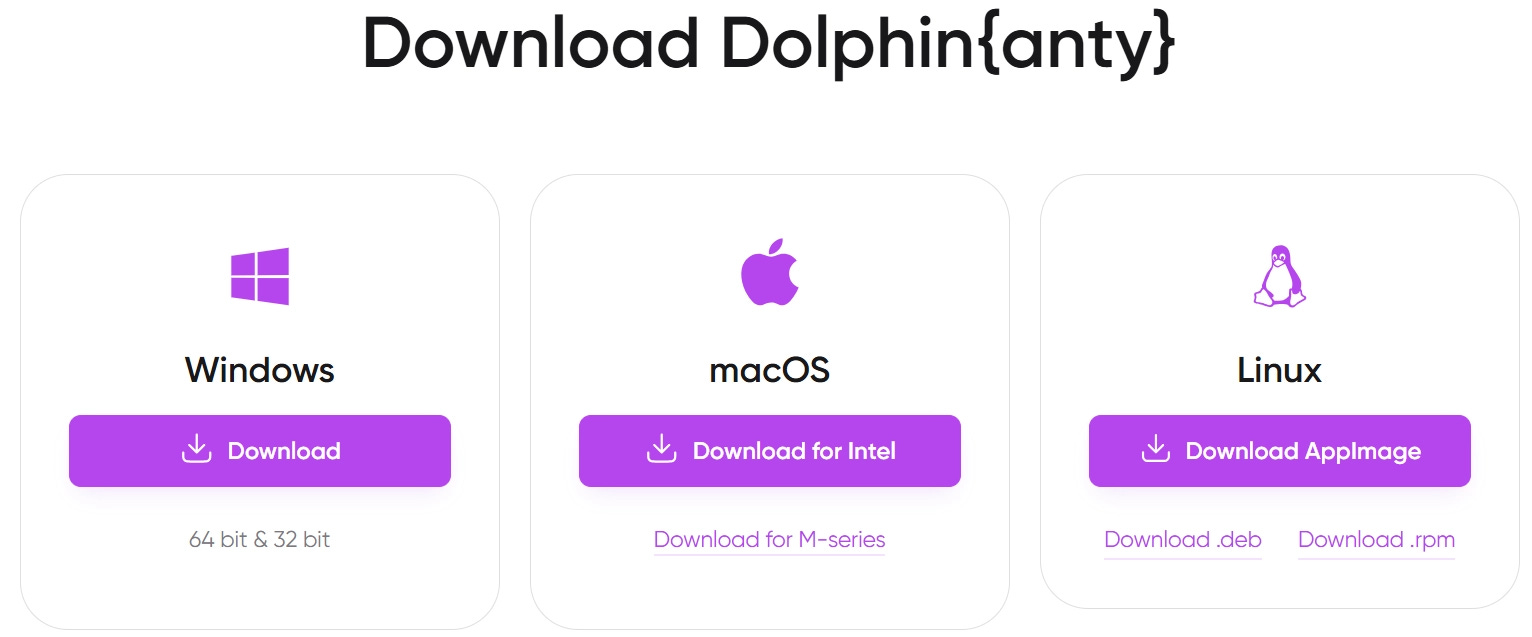
First of all, you need to create a new login. After creating a new account on Dolphin{anty}, the system will ask you to download the software. As you can see from the image below, it supports all the major Operating Systems:
Dolphin{anty} supports all major operating systems
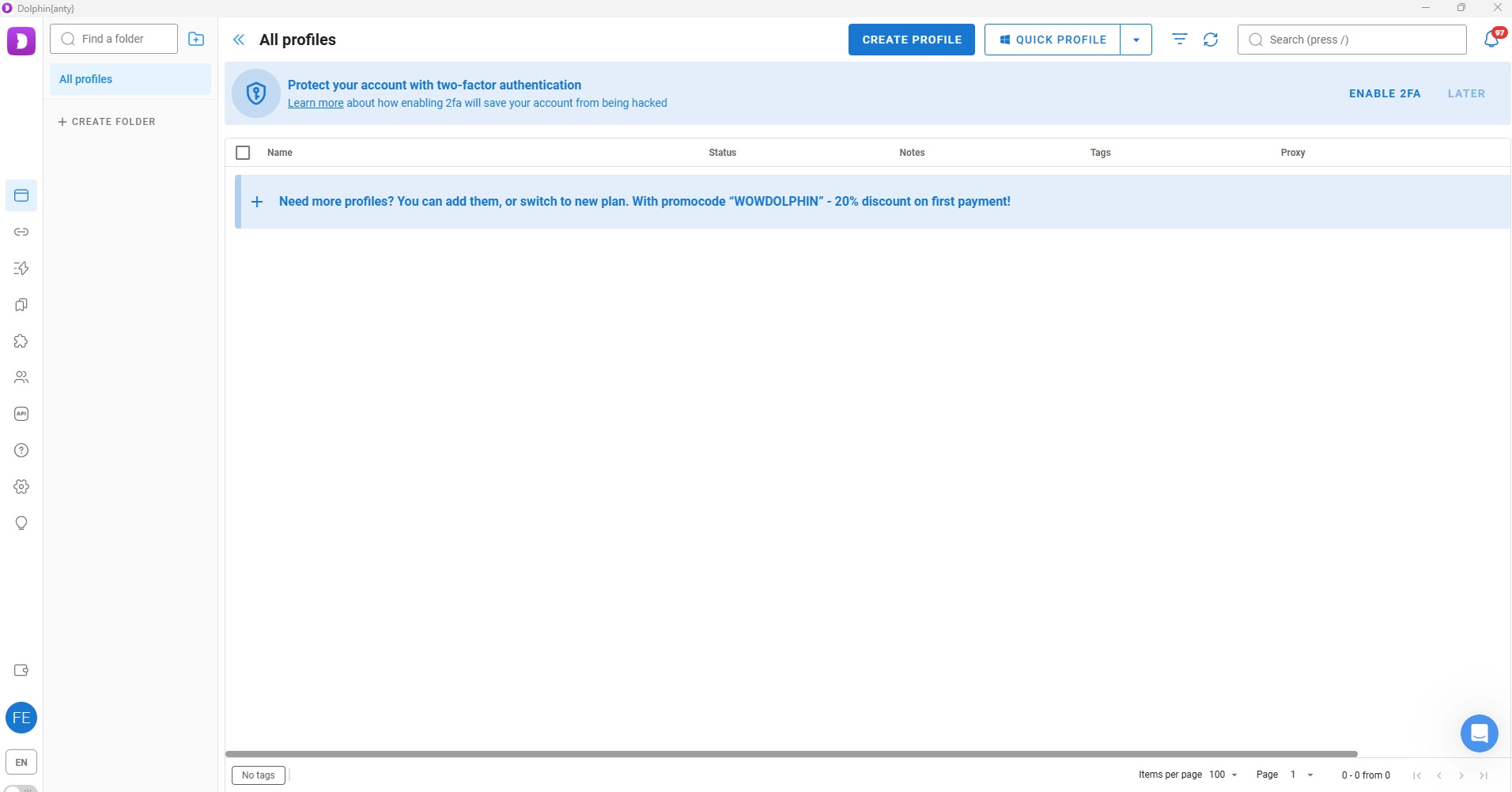
Below is how Dolphin{anty}’s interface appears after you installed it on your machine:
Dolphin{anty}’s first interface
Good. Everything is set up. Time to create new profiles!
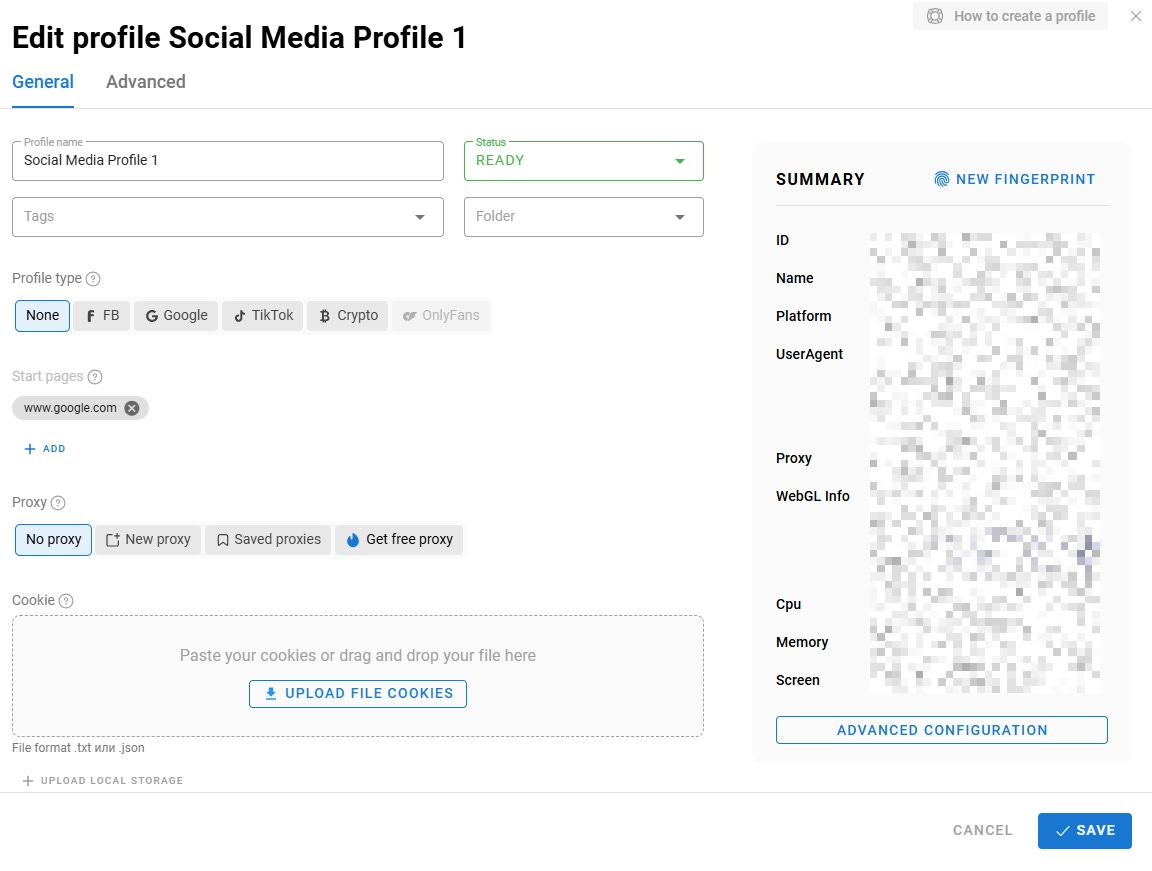
Before using Dolphin{anty}, you have to create a new profile. To do so, click on CREATE PROFILE and fill in the fields:
Creating new profiles in Dolphin{anty} ty
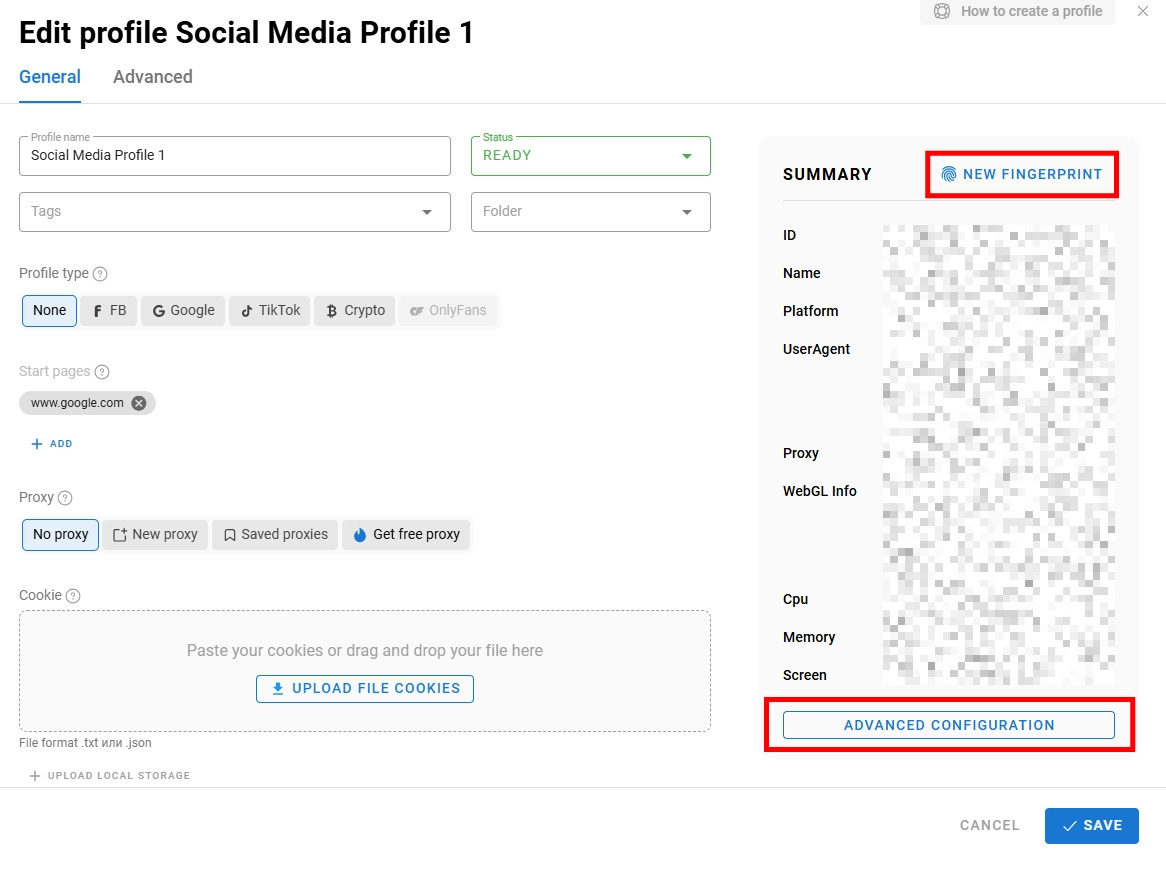
Profiles are the core of Dolphin{anty}. This is where, for example, you can change the fingerprinting for your anti-detect strategies. To do so, you only need to click on NEW FINGERPRINT, and the tool will change all the fingerprinting data for you. And if the standard fingerprinting is not sufficient, you can manage advanced configurations:
Changing fingerprint configuration in Dolphin{anty}
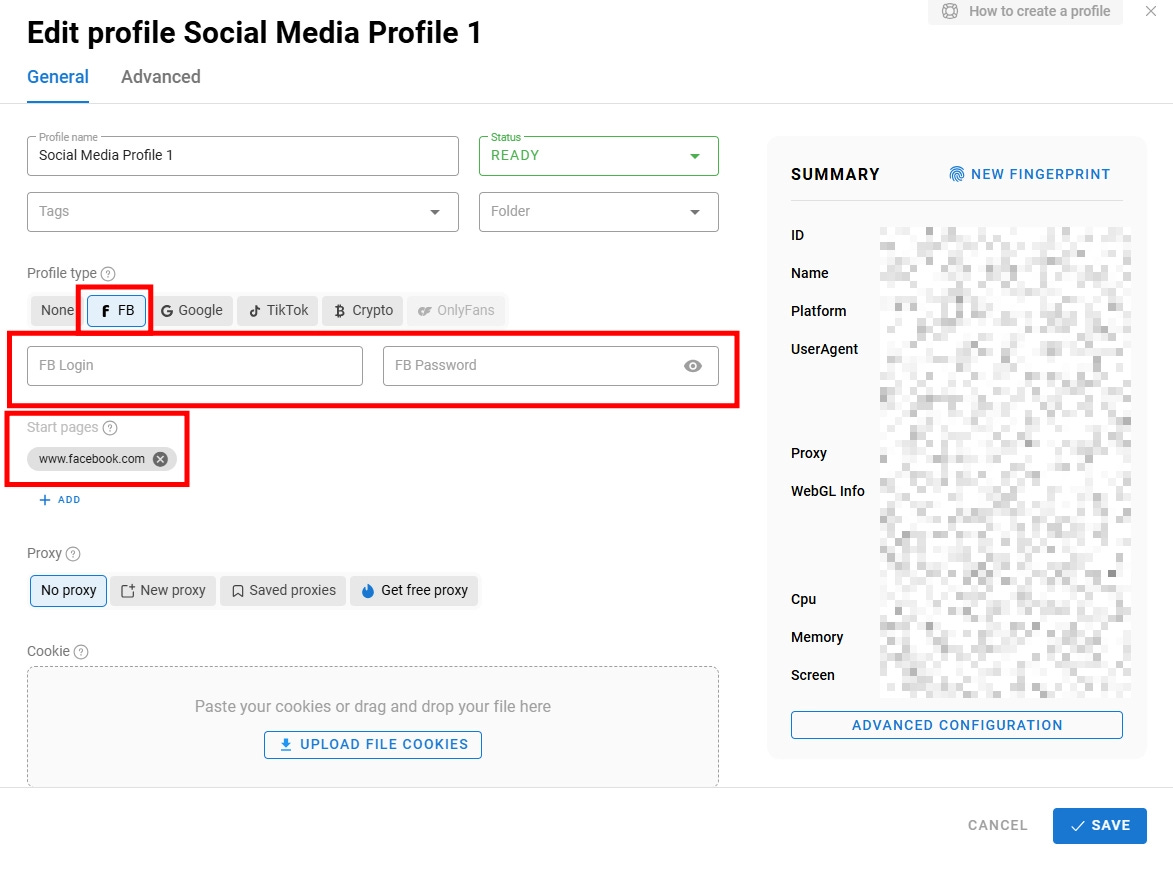
Also, if your use case needs to use a specific social media like Facebook, you can set Facebook’s URL as the starting page and the credentials to log in to a profile you need to manage:
How to set up your social media profile’s login with Dolphin{anty}
When everything is set up, click on SAVE, and your profile is completed! You are now ready to use Dolphin{anty} via UI or code.
The Web Scraping Club is a reader-supported publication. To receive new posts and support my work, consider becoming a free or paid subscriber.
Use Dolphin{anty} Via The UI
The power of anti-detect browsers rely in allowing you to create different profiles and letting you use the browser with one instance, but different profiles. So, after you created the profiles, click on START to launch the instances:
How to launch instances with Dolphin{anty}
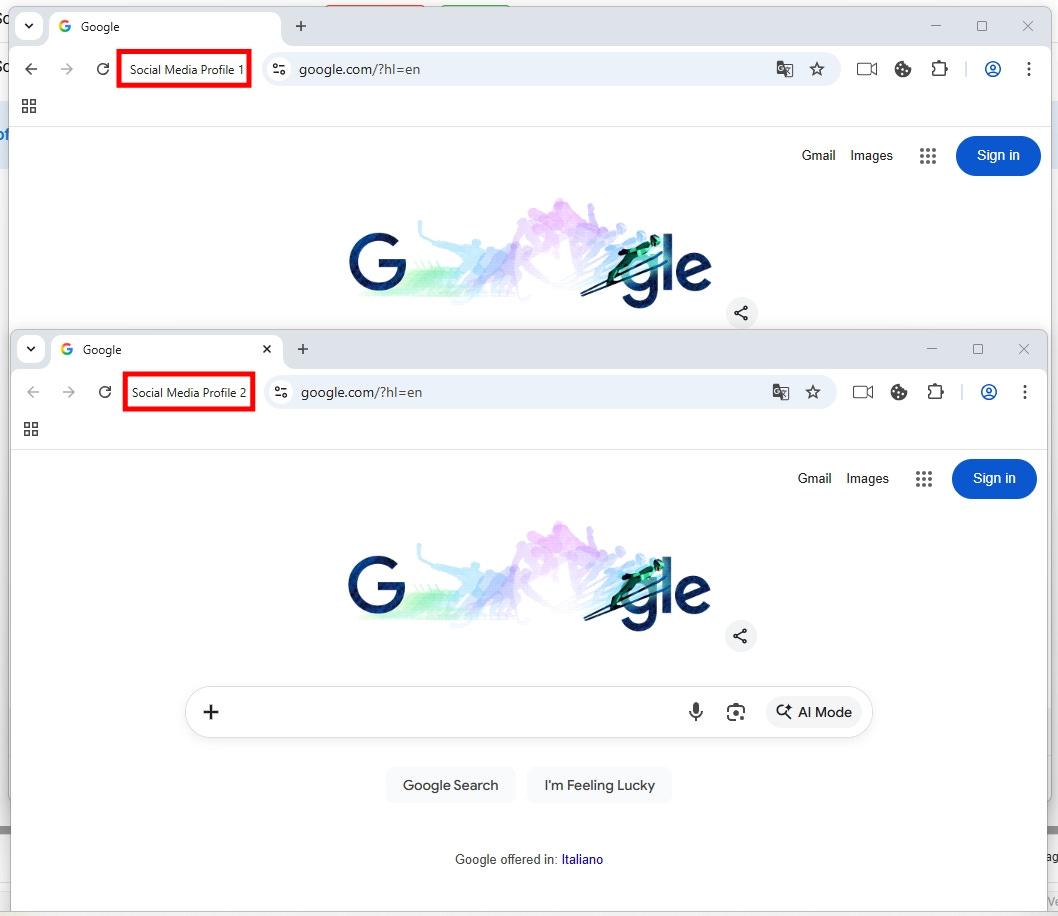
Dolphin{anty} will launch a new browser instance, allowing you to manage as many profiles as you have created and activated. Below is the expected result:
Launching an instance with two different profiles with Dolphin{anty}
That’s it for using Dolphin{anty} via UI!
Use Dolphin{anty} Via Code
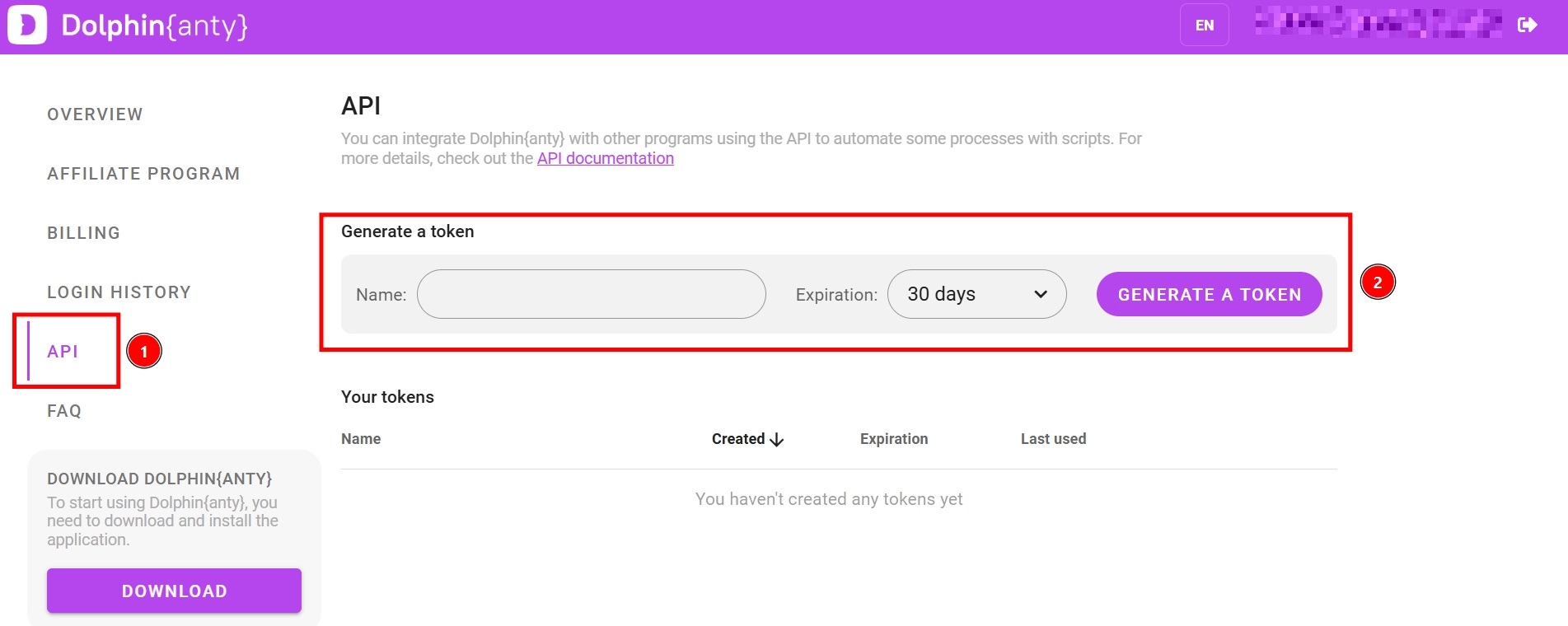
Before using Dolphin{anty} via code, you have to create an API key. To do so, navigate through the API panel in the web app:
Creating an API key in Dolphin{anty}
Now you can connect to a profile through a port generated at startup and automate the browser using tools like Puppeteer, Playwright, Selenium, and others.
Basic automation you can do includes the following:
Start a profile via API with DevTools Protocol enabled.
Connect to the profile’s port using a browser tool.
Run your own automation script through the open connection.
Dolphin{anty} allows you maximum flexibility, so you can use your favourite programming language. For example, below is how you can write an authorization script:
Like any tool, Dolphin{anty} has its strengths and weaknesses. Here is a breakdown of what you need to know before deciding if it fits your stack.
👍 Pros:
Top-tier fingerprinting: The ability to generate real, unique fingerprints for every profile is its biggest selling point. It goes beyond simple user-agents, making your scrapers look genuinely human.
Built-in automation tools: The “Scenarios” builder and the Synchronizer are massive time-savers. You can automate routine warm-up tasks or replicate actions across dozens of profiles without writing a single line of code.
Team-centric design: If you work with a team, the ability to transfer profiles and share them instantly is invaluable. It removes the friction of sharing session data manually via files or text.
👎Cons:
REST API complexity: This is a significant friction point for developers. Unlike other solutions that offer native SDK wrappers, Dolphin{anty} relies only on REST API calls for automation. This adds “boilerplate” complexity compared to simply importing a library.
Resource intensive: Running multiple browser profiles with full fingerprinting requires significant system resources. You will need a powerful machine if you plan to run dozens of concurrent sessions locally.
Conclusion
In this article, you discovered Dolphin{anty}, a flexible anti-detect browser that can be used both via UI and via code. As you’ve learned, it comes packed with interesting features that can speed up your processes. In particular, we found that the “Scenarios” feature is the one that actually makes it stand out.
So, let’s discuss in the comments: Were you already using Dolphin{anty} before reading this article? What’s your experience with it?