The web scraping industry has evolved very fast in recent years. The fact that web scraping professionals needed to pivot their careers from scripts to agents is only one of the facts that confirm how resilient this industry is. In particular, the scraping industry has changed not only due to AI, which is relatively recent, but also due to developments in infrastructure, bot detection, and more.
Lots of tools and libraries for the main programming languages have indeed driven web scraping to significant growth. The need companies have for data also makes such growth the actual reason for existing.
In this article, I’ll talk about Kadoa: A tool that lets you create resilient scraping workflows in minutes. I’ll show you its strengths, why you should consider it, and how it works, with a practical guide.
Let’s dive into it!
Before proceeding, let me thank NetNut, the platinum partner of the month. They have prepared a juicy offer for you: up to 1 TB of web unblocker for free.
Kadoa is a web scraping tool that automatically and programmatically extracts web data at scale. You can use it either via the UI or via code, as it has SDKs and provides you with REST APIs.
The best part of using it is that you can just paste the target URL and the tool retrieves the data for you. Forget about anti-bot measures, fingerprinting issues, or proxy management: Kadoa does all of that for you very simply. Also, thanks to its AI engine, it can automatically recognize the structure of the data you want to scrape from a target website. So, say goodbye also to CSS selectors and any other strategy you use to go beyond the DOM using LLMs.
Using the right tool is just the first steps for a successful data extraction pipeline. Having a reliable proxy provider like Decodo on your side improves the chances of success.
Why Consider Kadoa for Your Web Scraping Projects?
The top reasons why you should consider Kadoa are the following:
Scrape via workflows: Kadoa’s UI is built to help you set scraping workflows step-by-step. Insert your target URL(s), define the data schema (or let AI make the work for you), and choose to scrape all the available pages or to remain on page and see the agent work for you.
Write code only if you need it: Other than the UI, Kadoa provides you with Python and JavaScript SDKs and a wide set of REST APIs you can call. This allows you to create workflows via UI, but to manage and call them via code if you need to.
Integrated data quality management: Before starting the scraping process of your target data, Kadoa allows you to manage data quality. In practice, it allows you to set data quality rules or to manage the rules it provides you, thanks to its AI agent.
Easy proxy management: If you’ve been scraping for a while, you know that you have low chances of successfully scraping the majority of the content you need without using proxies. Using proxies is not a very big issue if you are used to it and if you already have a favourite provider. However, Kadoa simplifies proxy management. It already provides you with a list of countries you can choose from and, under the hood, it manages everything that’s needed to integrate proxies in your workflow.
Scheduling feature: There are cases where you need to scrape the same target data from time to time. Or, eventually, you’d like to be notified when data in a target page has changed. Kadoa provides both these features. You can choose to schedule your workflow to scrape at precise time intervals. You can also choose among different notifications, one of which is getting notified when data is changed.
Kadoa’s Main Features
Below is a list of Kadoa’s top features to help better understand its potential:
Simple and intuitive UI: Kadoa’s UI is simple and intuitive. It allows you to create workflows in minutes. Every scraping workflow is subdivided into steps, and Kadoa provides you with different screens. In a matter of a few minutes, you can define your preferred setup, insert the target page(s), and leave it scraping for you.
Chrome extension: Other than the UI, Kadoa provides you with a Chrome extension. If you are a Chrome user, this feature allows you to define everything you need directly on the target page, then trigger the workflow to let Kadoa’s agent start scraping.
Code integrations: If you are a developer or if you simply need to invoke your workflows via code, Kadoa offers you two possibilities. It provides you with Python and JavaScript SDKs in an open-source repository, so that you can use custom code to invoke your scrapers. Also, if you like to use code but prefer REST APIs, Kadoa provides you with several endpoints.
Scraping suitable for structured or unstructured data: One of the difficult aspects you may encounter when manually scraping websites is defining how to grab unstructured data. This is one of the typical use cases where you could use AI to detect patterns in data in your scraping projects. The good news is that you don’t need to come up with imaginative solutions. Kadoa automatically retrieves unstructured data for you thanks to its AI engine.
Data schemas definition: The tool provides you with a feature that allows you to define recurrent data structures. This can be helpful when you retrieve similar data from different websites. If you leave its AI engine to automatically define the data structure, in such cases, you could lose consistency across similar data.
Proxy and anti-detection features: Forget about anti-bot measures and proxy management. Kadoa manages anti-bot solutions under the hood. It also provides you with a predefined list of locations you can choose from, and it will automatically set coherent proxies.
Error handling: It provides you with advanced error handling management. Common cases are when the target site goes offline, is under maintenance, or encounters a technical issue. When this happens, Kadoa detects the problem, it notifies you, and automatically retries the data extraction. If recovery still fails, its support team is notified and investigates.
Integration capabilities: The software allows you to integrate with several third parties. One interesting one is the integration between n8n and Kadoa, which allows you to get your scraping automation workflow a step forward.
Pricing model and usage graphs: Kadoa offers a free tier option, for which you can use 500 credits. Its pricing model is based on credit consumption, and it provides you with a UI section where you can see a graph of the consumption.
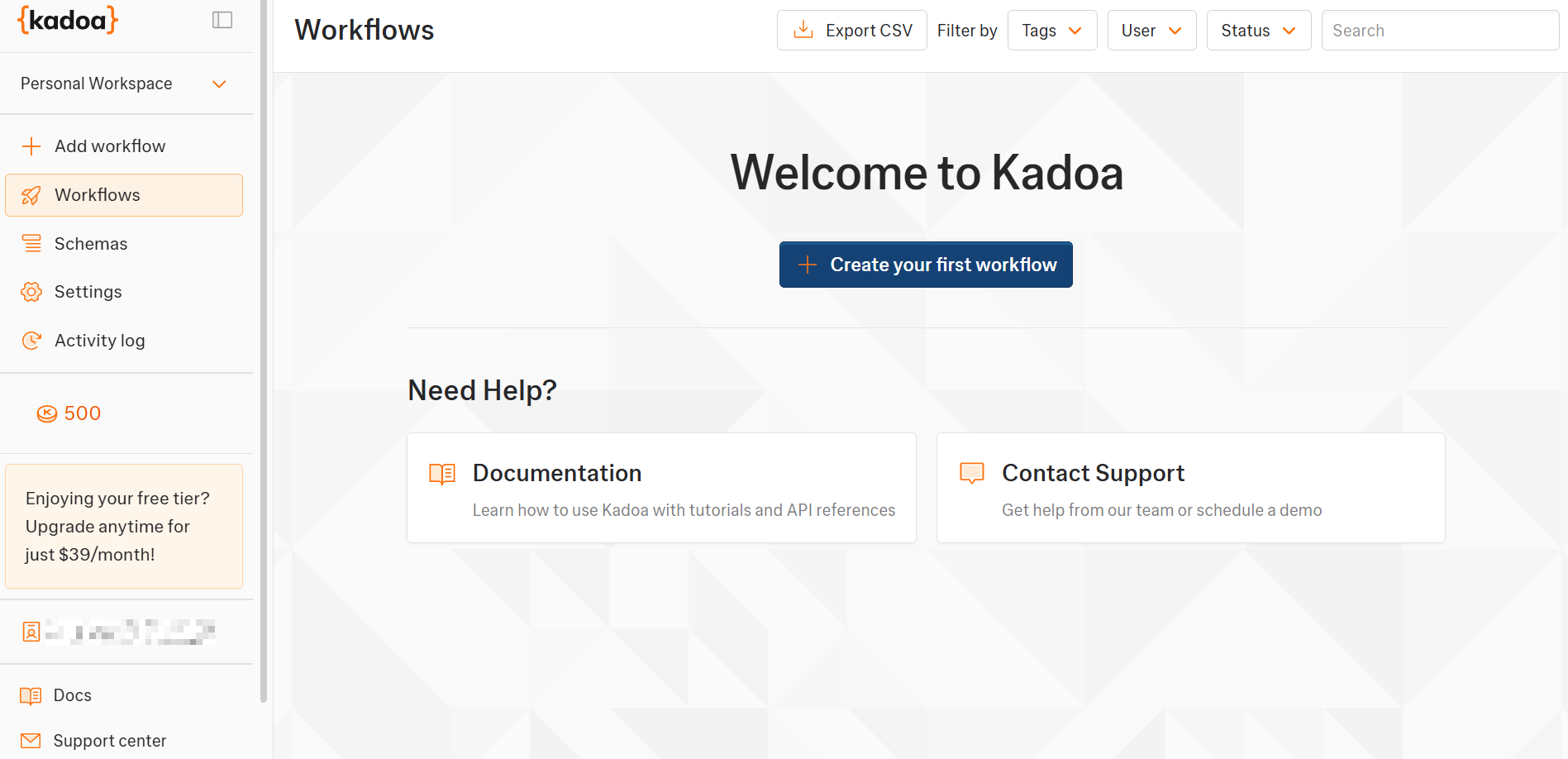
Before starting the actual workflow, log in to Kadoa. Below is the first access page you will see:
Kadoa's first access page
Perfect! You are now ready to create your first scraping workflow with Kadoa.
Step #1: Create a New Workflow
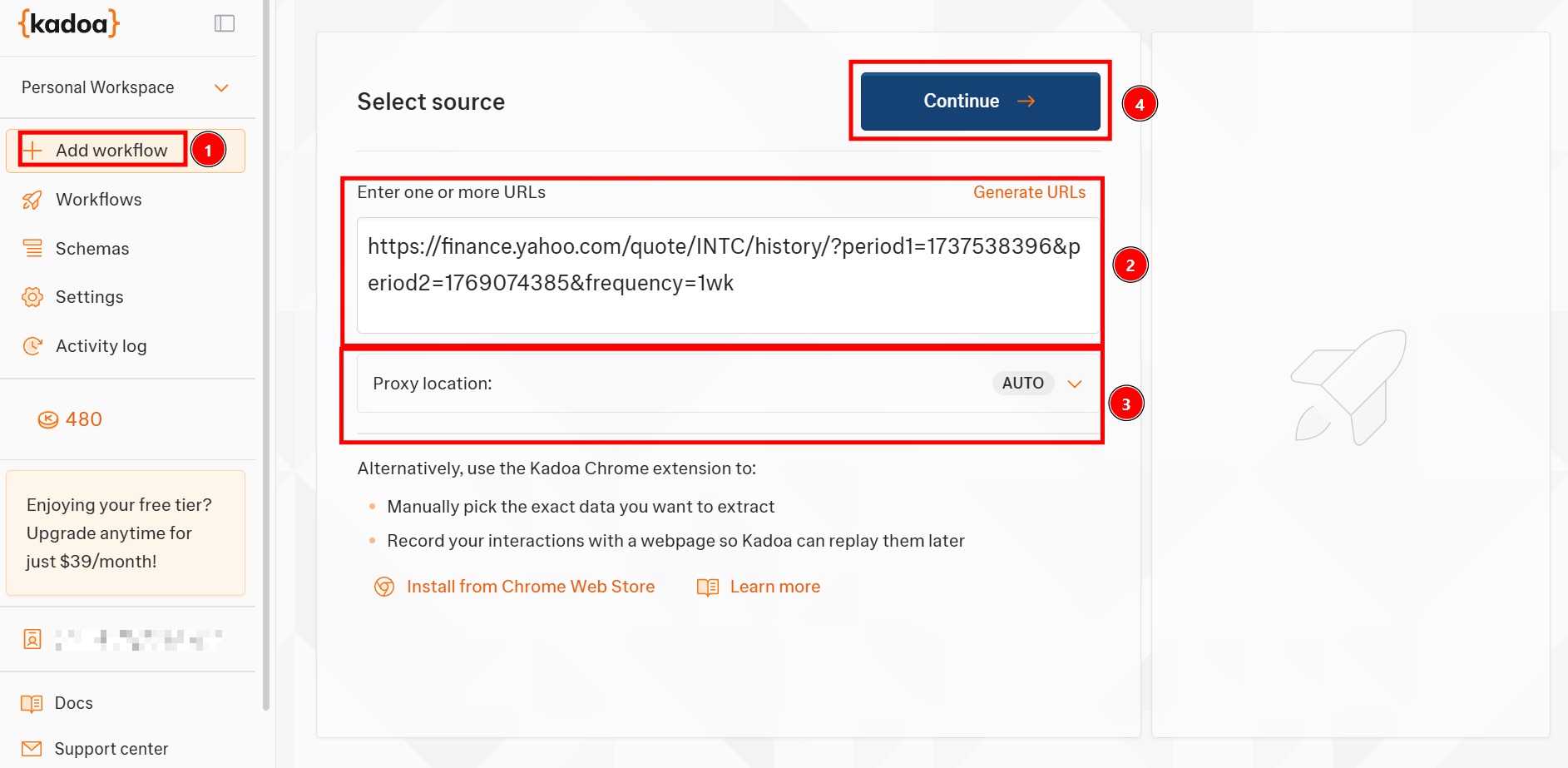
From the main page, click on Add workflow to create a new one and paste the target URL. The Proxy location box allows you to select a country where proxies are localized; leave it to AUTO to let the tool automatically manage it. Click on Continue to proceed with the next step:
A new workflow in Kadoa
Note that inside the Enter one or more URLs box, you have to insert the target page. If the target page is more than one, you can insert all the target pages you are interested in.
Alright, you created a new workflow in Kadoa. Let’s proceed with the next step and customize it!
Step #2: Define the Data Schema
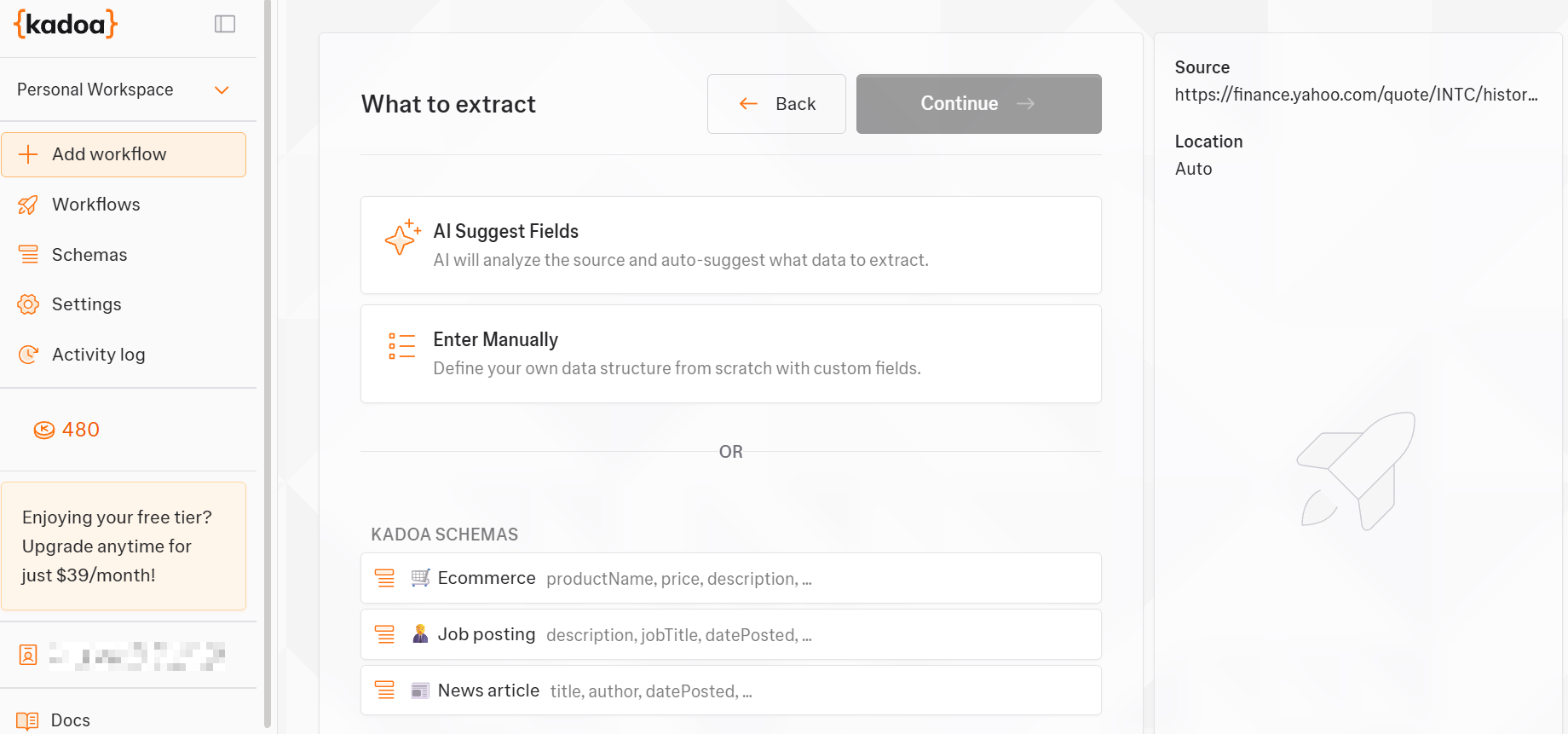
As the next step, define the data schema:
Define the data schema in a Kadoa workflow
If you want to insert the schema manually, Kadoa already provides you with some predefined schemas. For this tutorial, I’ve chosen to let AI do the job. So I selected AI Suggest Fields.
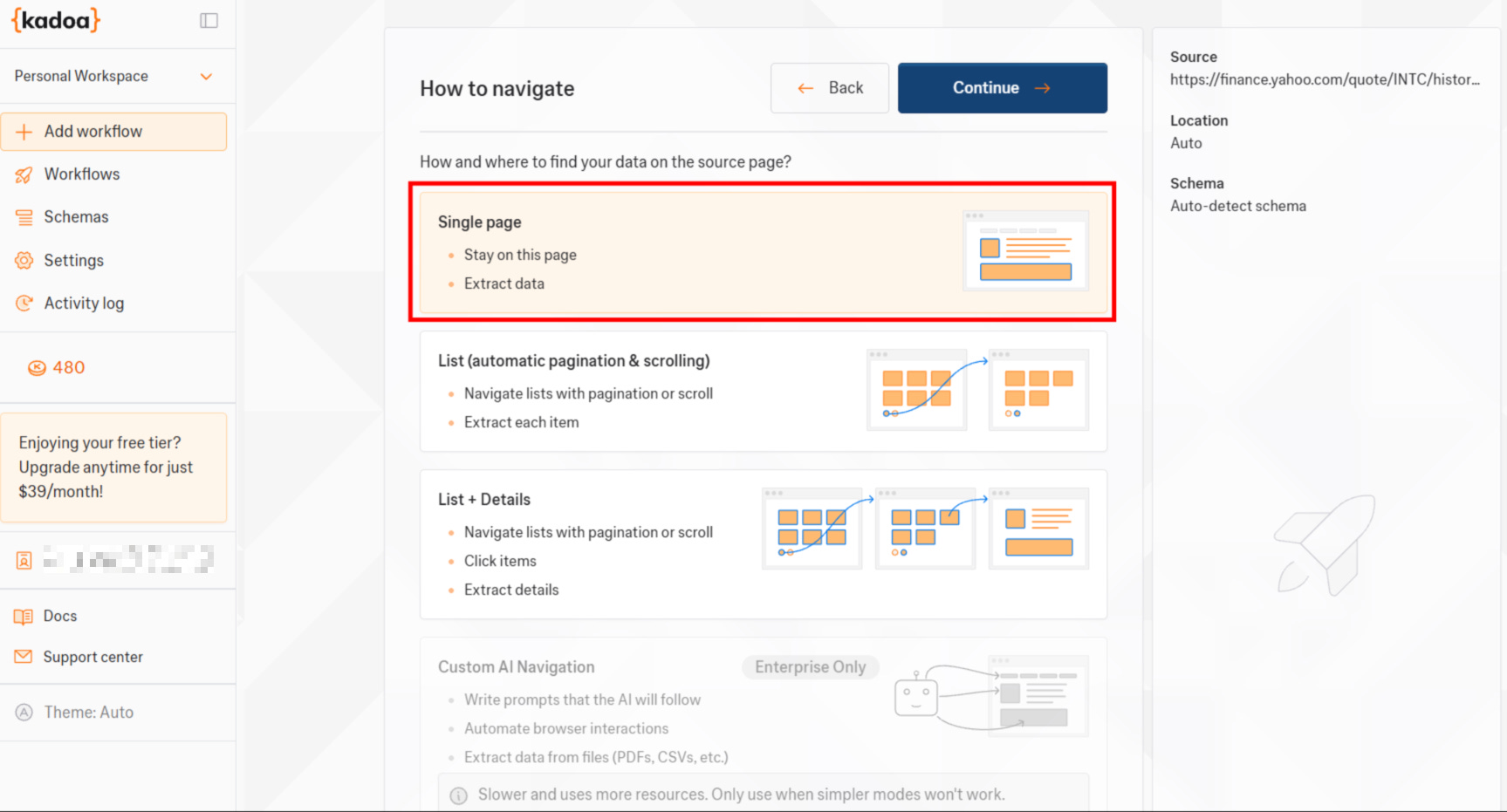
The system, then, asks you how you want to navigate the data. For the sake of this example, I decided to scrape only the current page from the target one, but you can also choose among three different options:
Scraping data on a single page in Kadoa
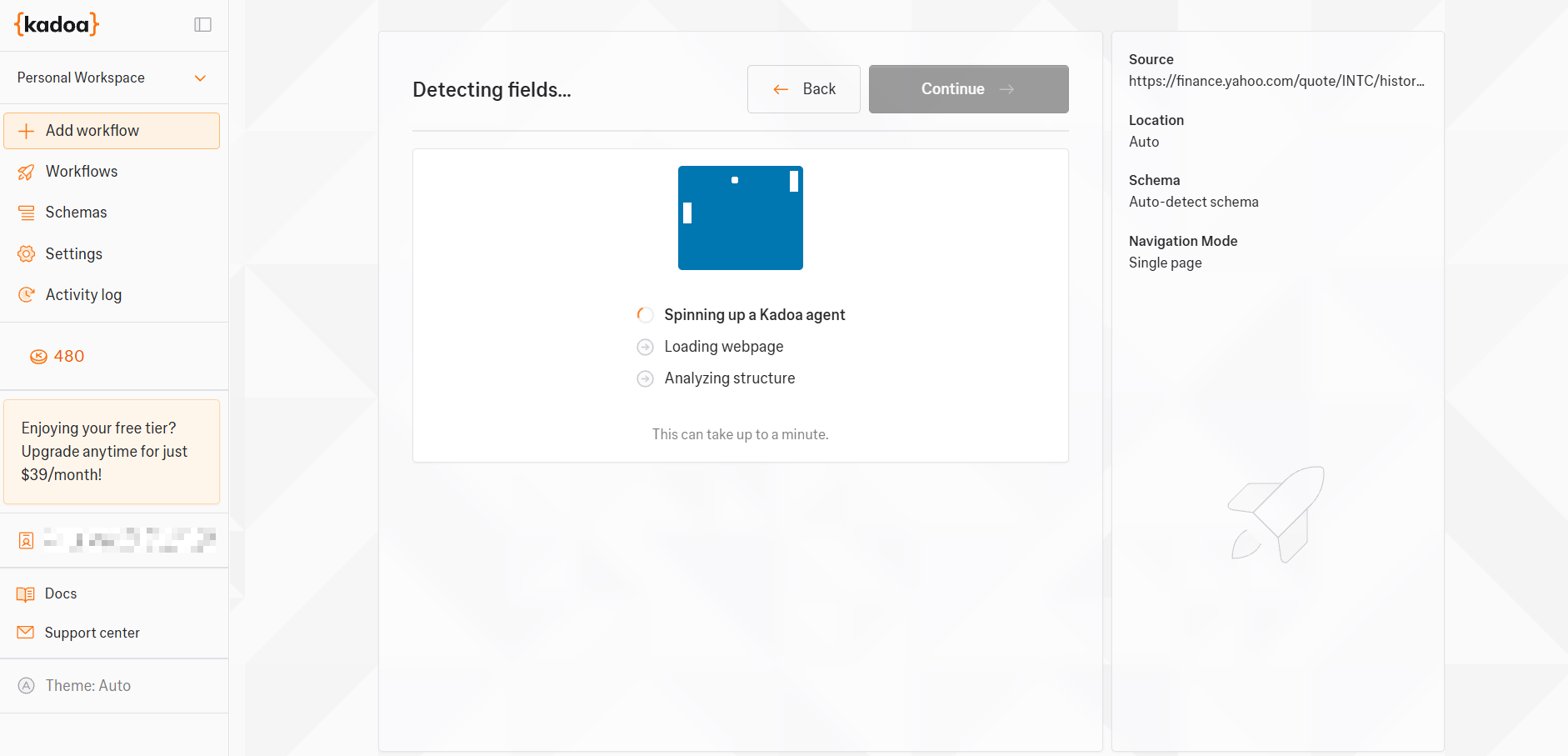
After clicking on Continue, the agent will start doing its job:
Kadoa’s AI agent working
Step #3: Review Extracted Fields and Schedule the Workflow
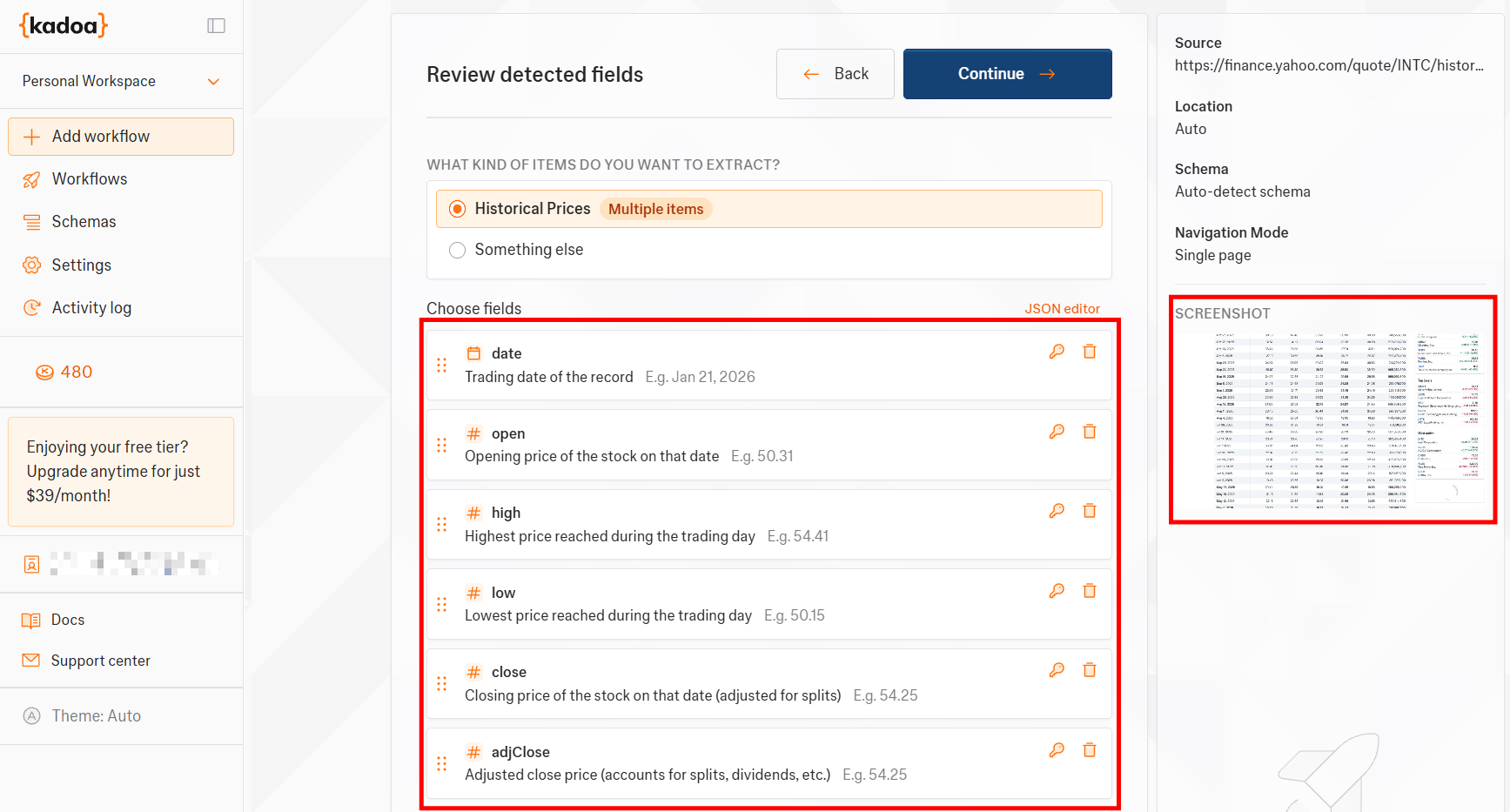
Because I let AI work, the agent automatically tries to extract the data from the target page. But before proceeding, Kadoa asks for your review:
The proposed extraction data schema by Kadoa’s AI agent
As you can see from the previous image, the agent has correctly detected the data to extract from the target page. Also, this job is finely improved as the tool provides you with a screenshot of the data it will extract, so that you can visualize it even better.
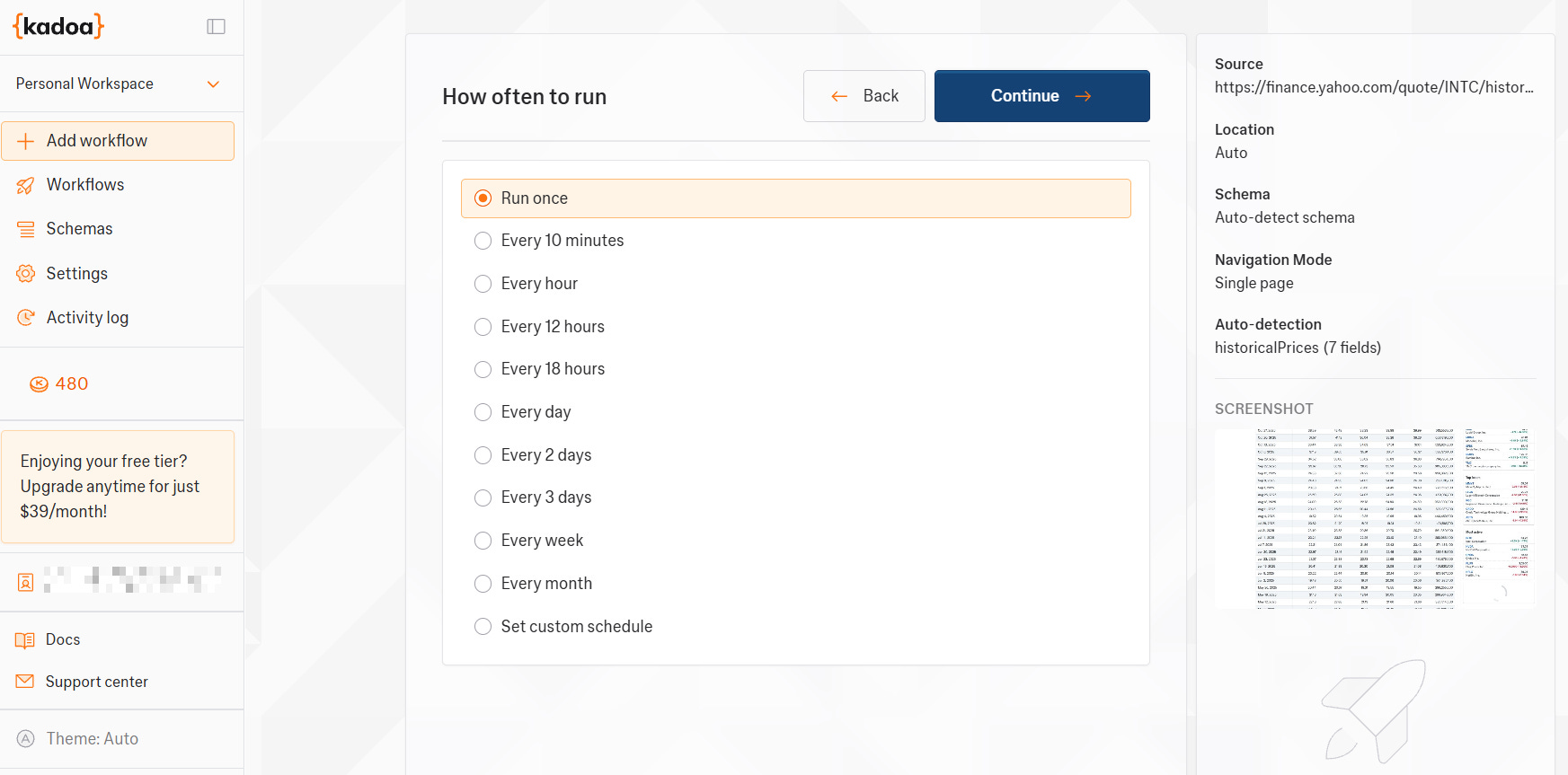
In the next step, you have to define the scheduling:
Scheduling workflows in Kadoa
For the sake of this example, I decided to run the workflow only once. But, as you can see, you can choose among several scheduling options.
Step #4: Set Notifications and Final Details
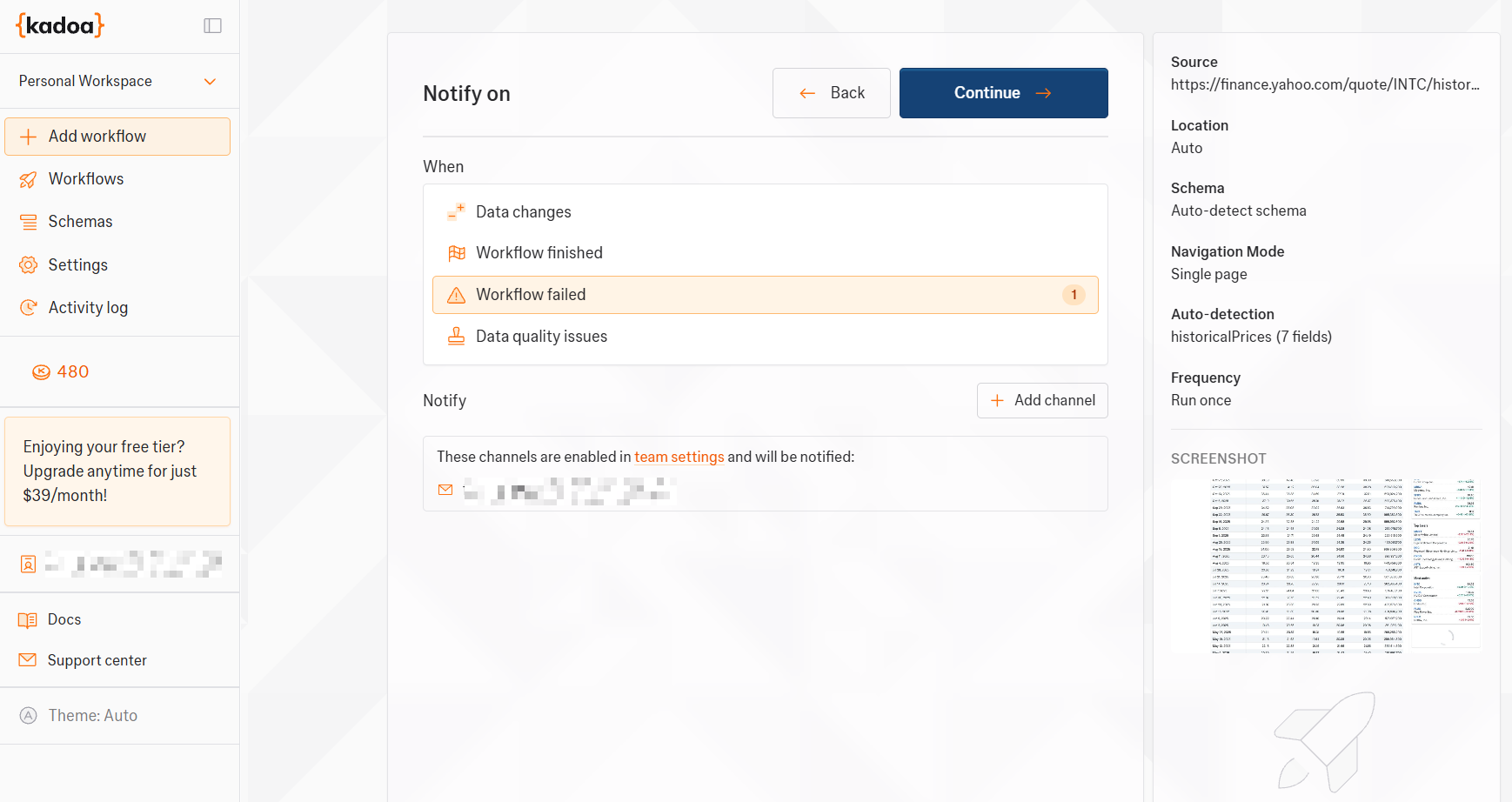
As the next step, define the way you want to be notified:
Setting up notifications in Kadoa
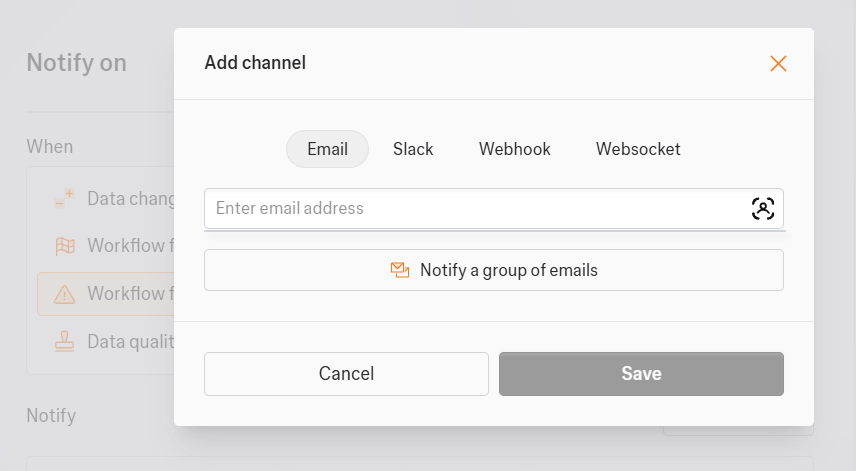
In this case, I decided to be notified via email if the workflow fails. You can add different notification channels by clicking on Add channel:
Adding notification channels in Kadoa
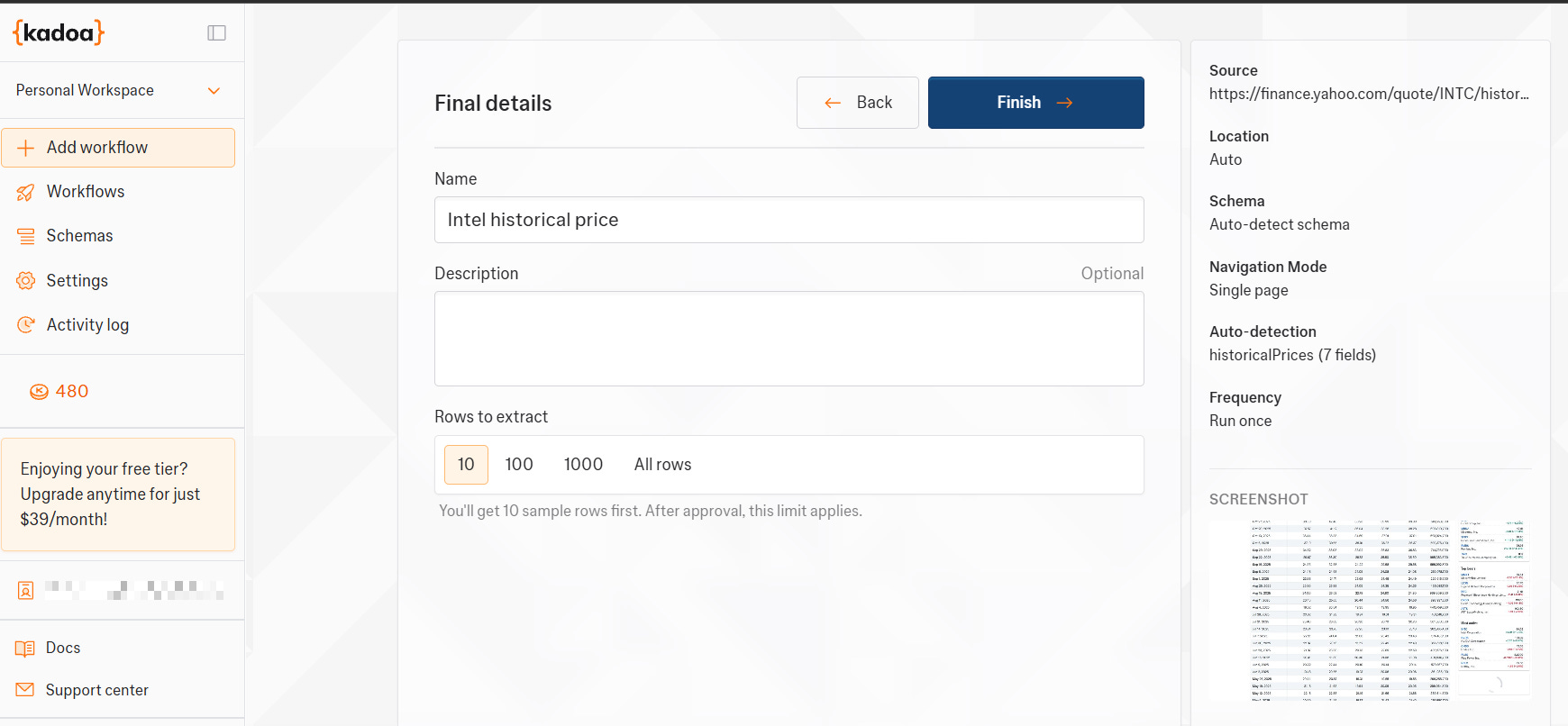
Next, define the latest details of your scraping workflow:
Define your workflow’s latest details
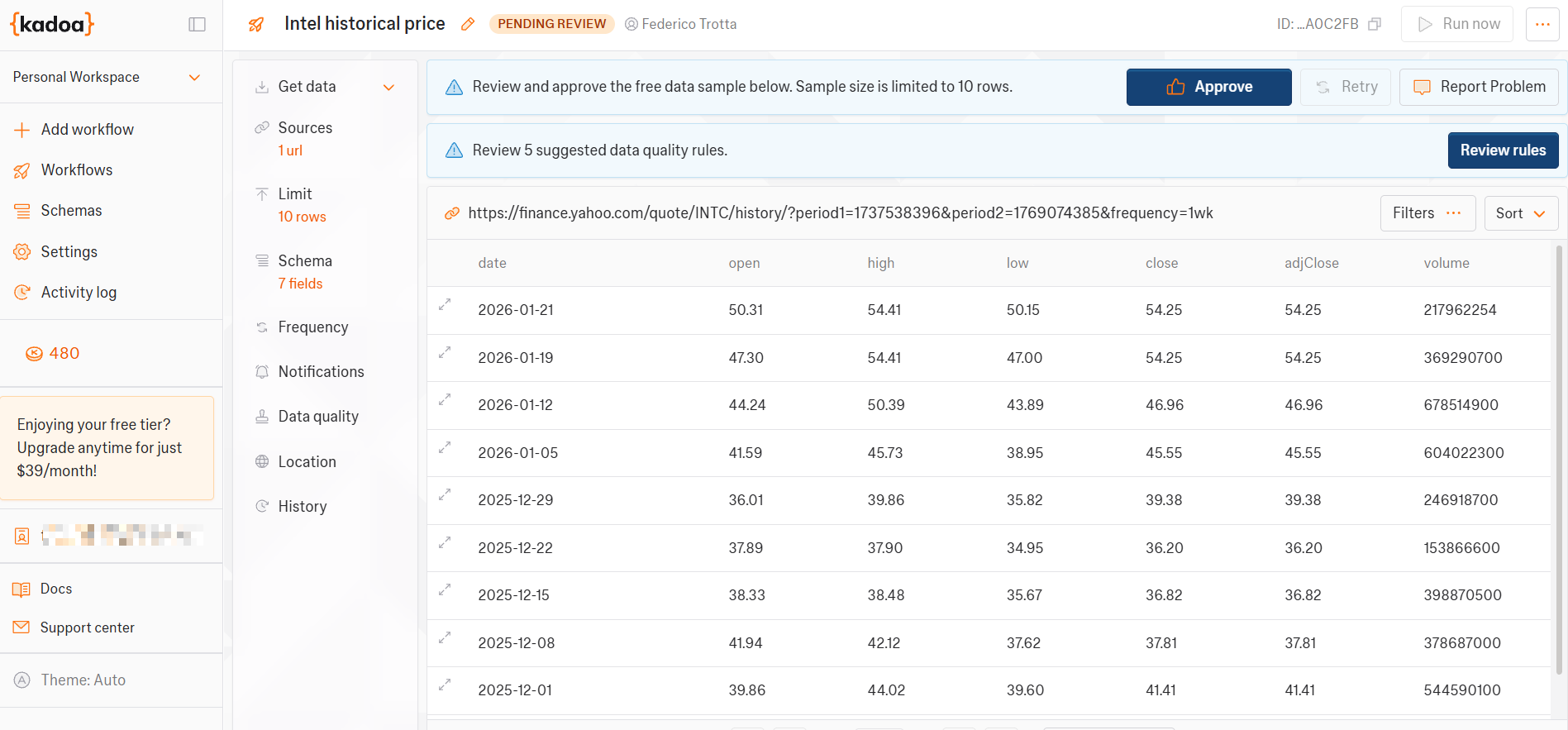
Before starting with the actual scraping, the system asks you to approve the sample data it proposes to you or to review the data quality rules:
Decide whether to review data quality rules or not
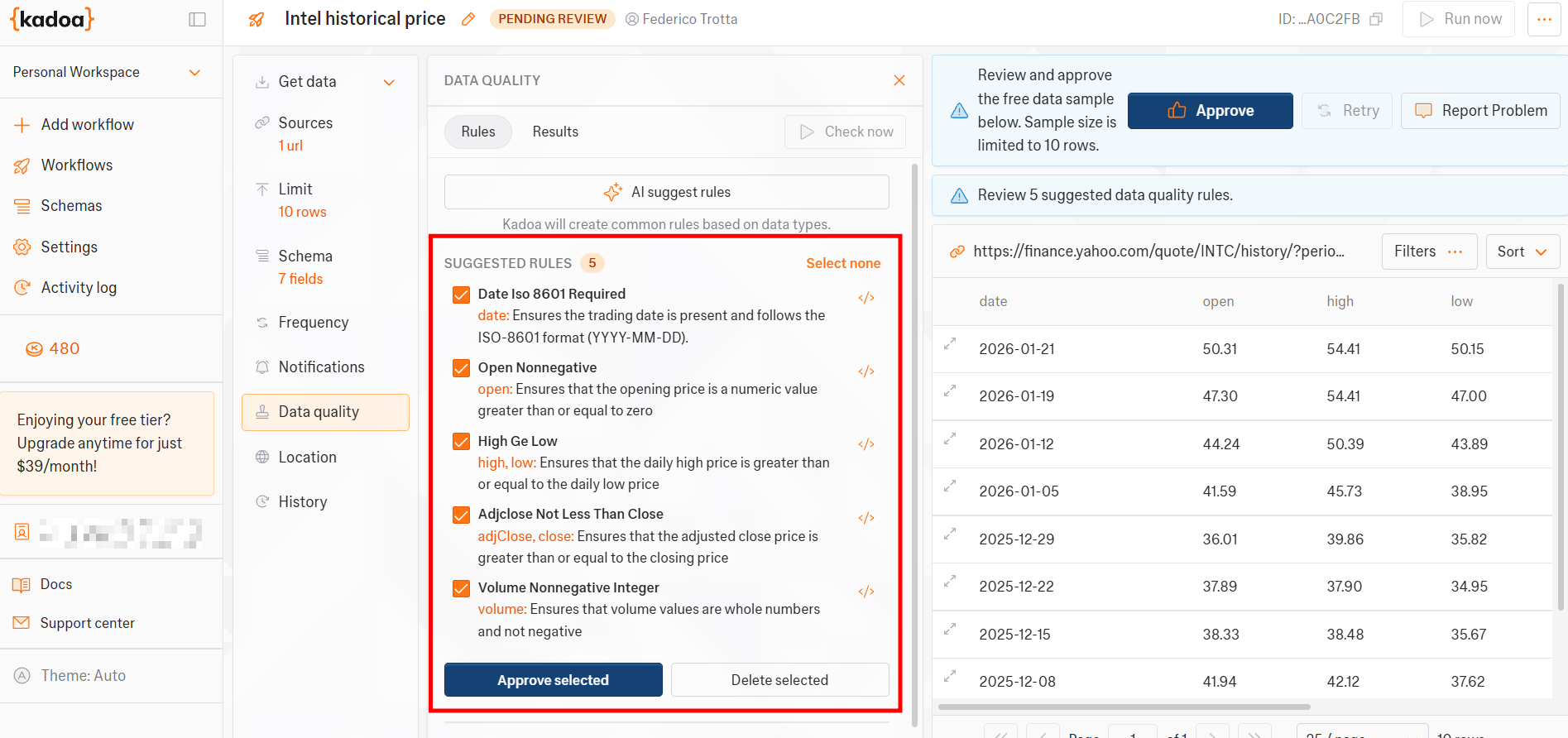
By clicking on Review rules, the tool provides you with automated data quality rules. You can select them if you think this will improve the quality of the scraping result:
Reviewing data quality rules in Kadoa
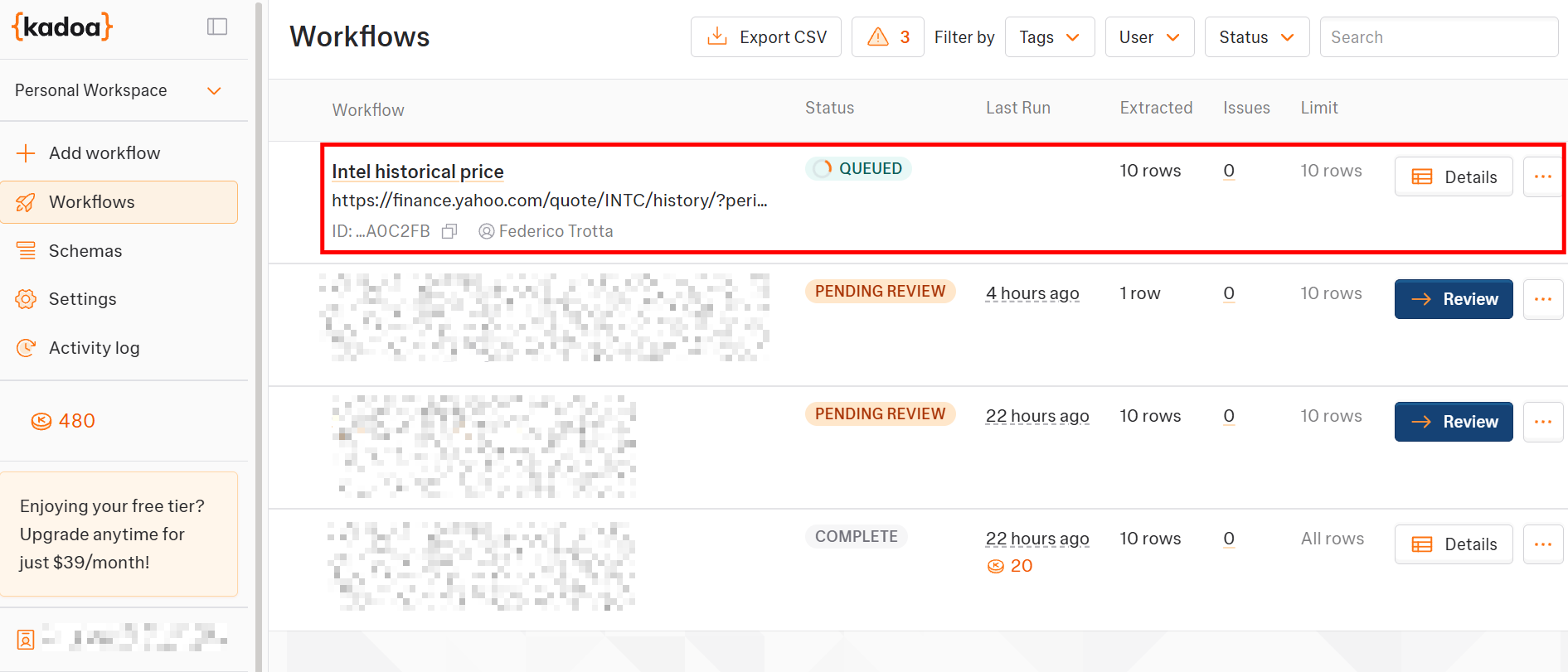
When you are done reviewing quality rules, click on Approve. The actual scraping workflow will start and will be queued:
New Kadoa’s workflow queued
Et voilà! You have launched your first scraping workflow with Kadoa.
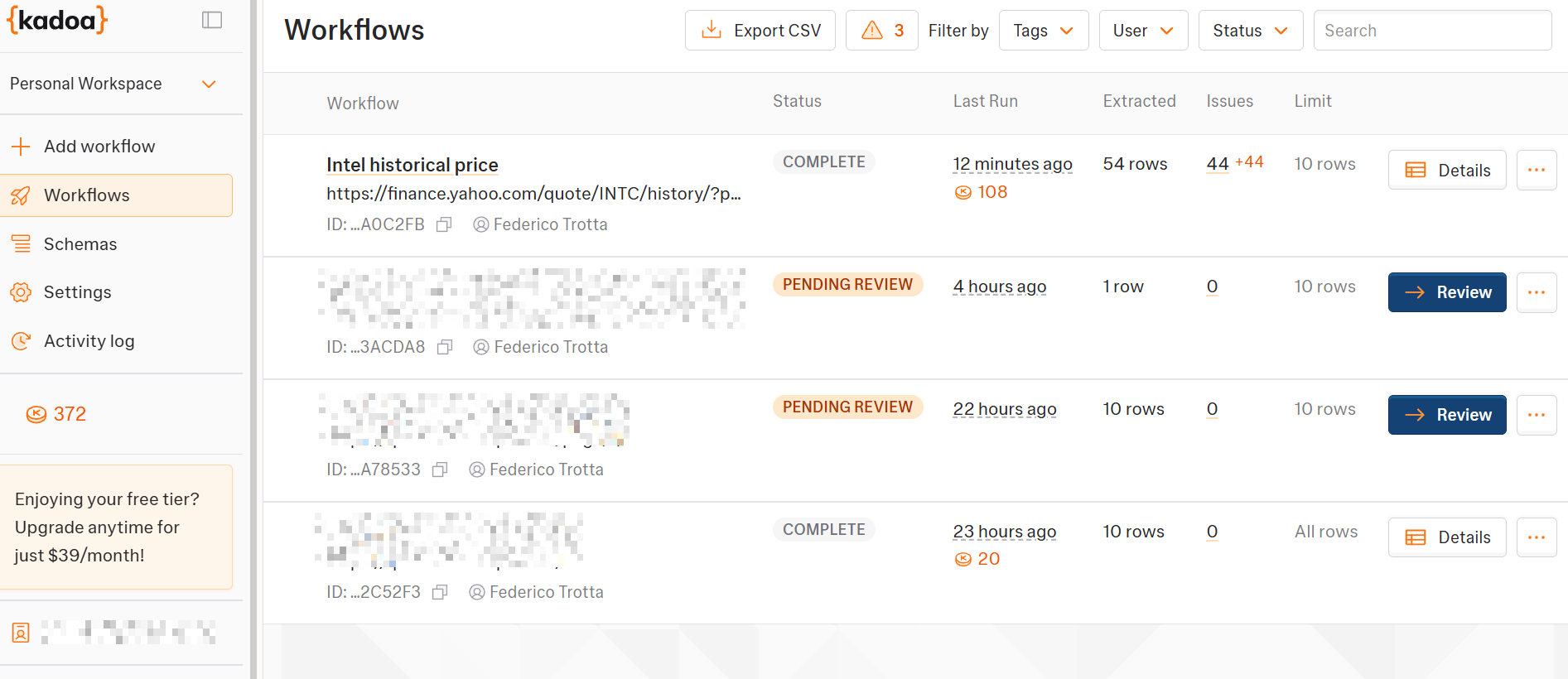
The workflow section reports all the workflows you created, their status, and the token consumption for each scraper:
Kadoa’s workflows summary and statistics
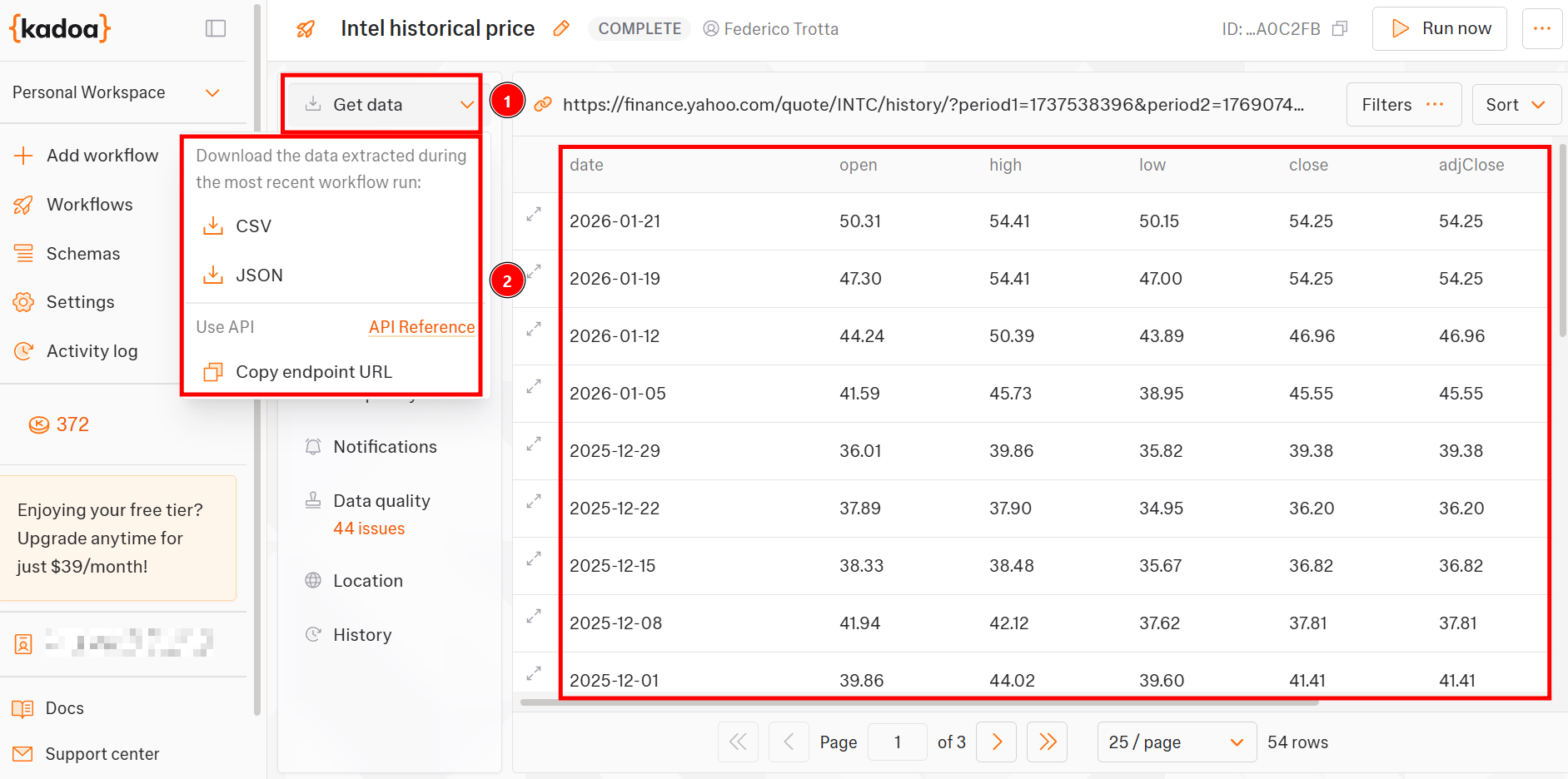
By clicking on one workflow, you can see the data it retrieved and can decide the format you want to download it:
Visualizing and retrieving scraped data in Kadoa
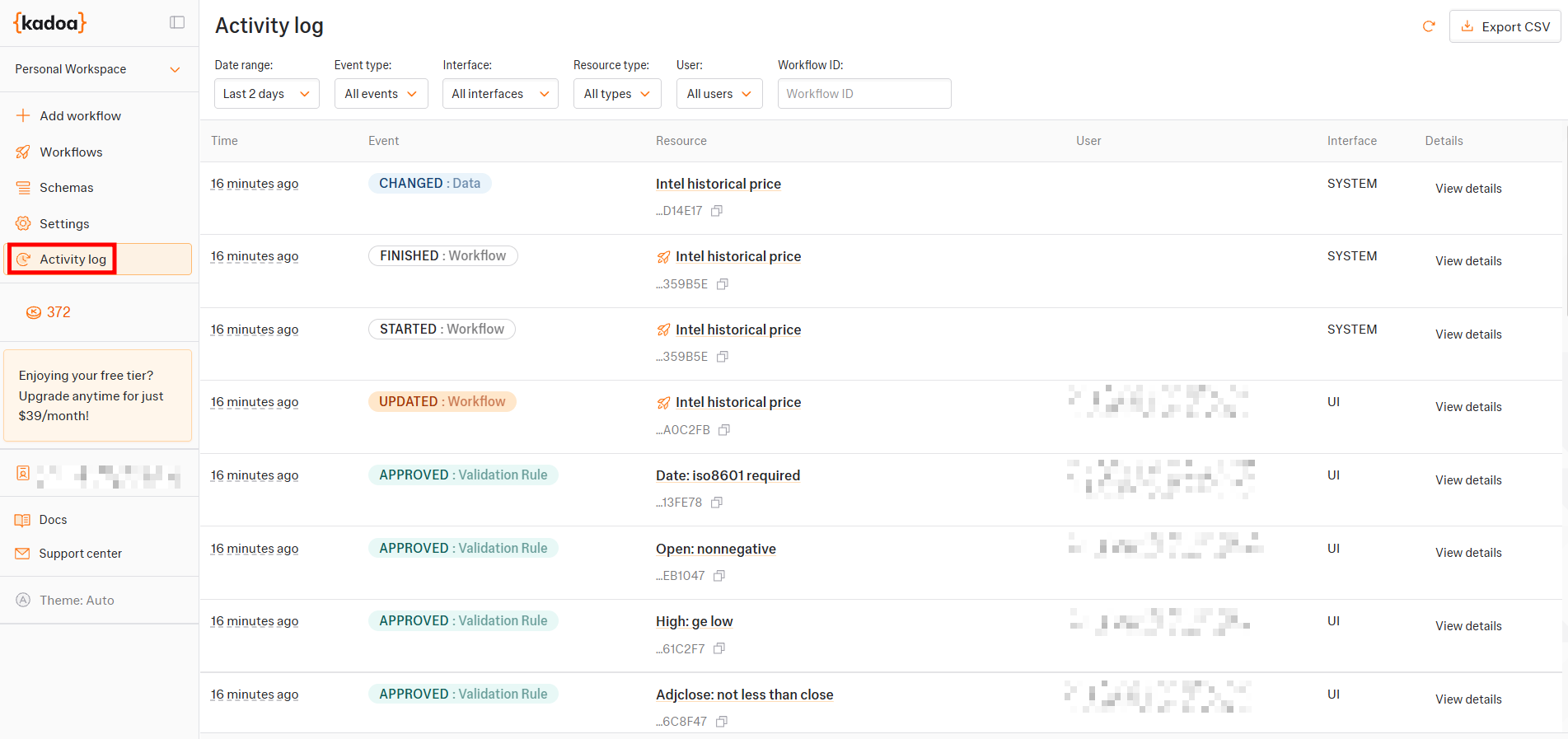
The Activity log page reports detailed logs of every action occurred to your workflows:
Kadoa’s logs page
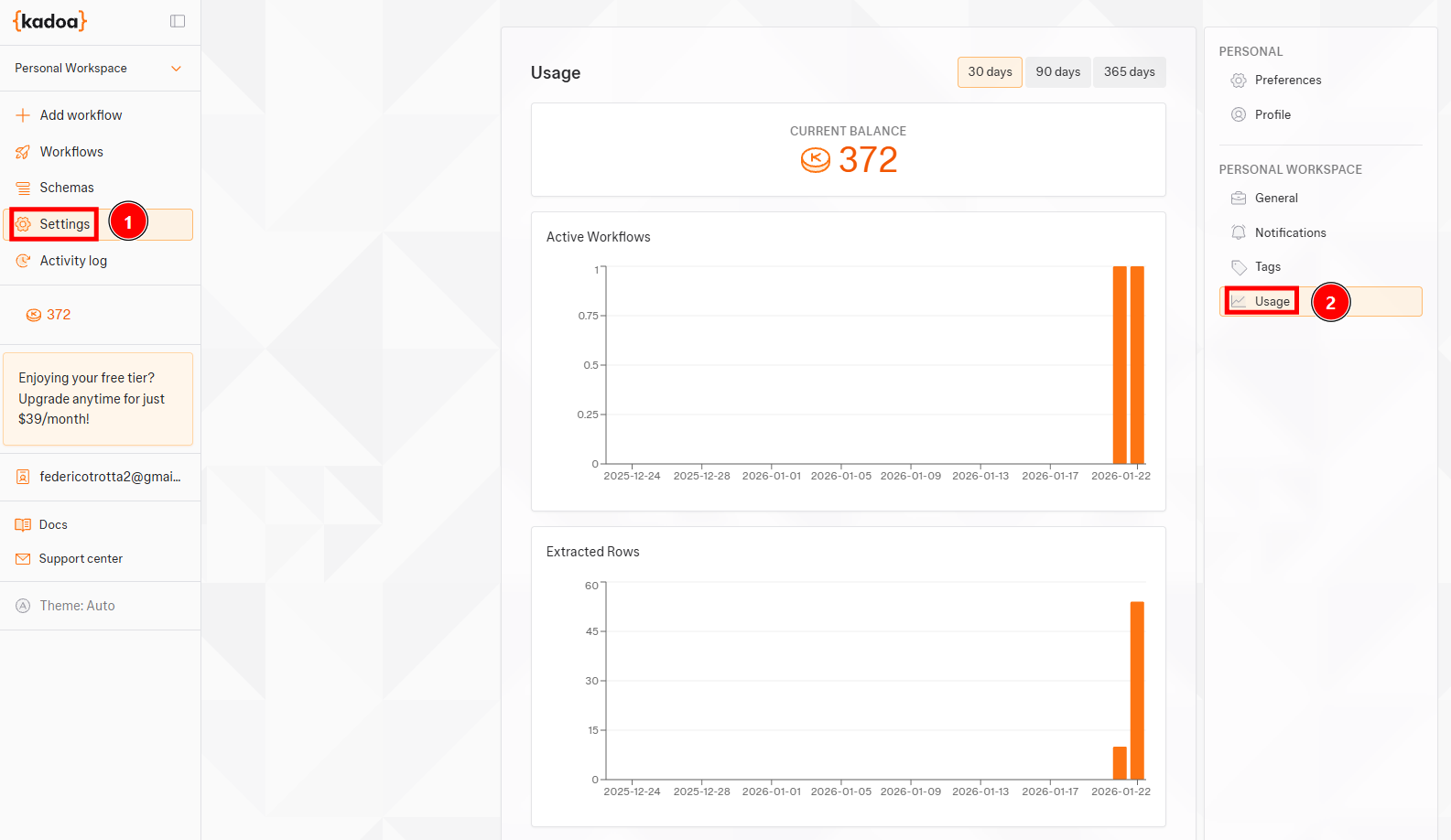
The Usage page reports graphs of the trend in terms of active workflows and the number of rows extracted for workflow, as well as the remaining total tokens on your plan:
Kadoa’s tokens usage page
The Web Scraping Club is a reader-supported publication. To receive new posts and support my work, consider becoming a free or paid subscriber.
workflowId : Is the ID of the workflow you want to schedule.
<api-key>: Is your KadoaAPI key.
The actual date you want your workflow to start the scraping task. You have to use the ISO format for the date in UTC.
Kadoa: Final Comments
After analyzing and testing the tool, I can say the following are its main advantages and disadvantages:
👍 Pros:
Ready for AI integration. You can download the scraped data or integrate it into your AI projects directly via API.
Suits all the user needs, as it provides APIs, SDKs, and the UI.
Supports structured output formats, including JSON.
Offers virtually unlimited scalability on the side of infrastructure management and the number of URLS to scrape.
Focuses on data quality before scraping, not later.
👎 Cons:
Currently, it supports only 5 proxy locations.
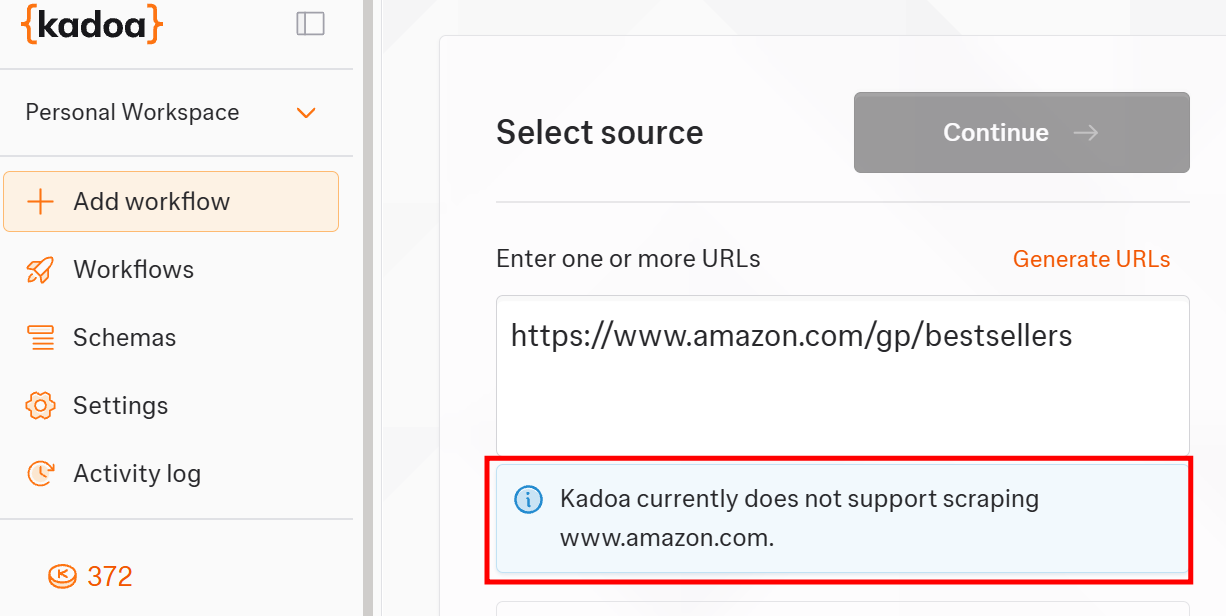
You can’t scrape all the websites you’d like:
Unsupported scraping URL in Kadoa
Conclusion
In this article, I’ve presented Kadoa: An AI-powered scraping tool that helps you simplify your scraping projects. As you’ve seen, this is a ready-to-use tool that creates scraping workflows in minutes via UI and also supports code.
Let us know in the comments: Did you know this tool before? Have you already tested it?