Every scraping team that survives long enough develops the same disease. Someone figures out how to bypass Cloudflare’s latest challenge, writes it up in Notion, and moves on. Three months later, a teammate runs into the same problem, spends two days reinventing the solution, and documents it in a Google Doc. Meanwhile, the original Notion page has become outdated because Cloudflare changed its challenge flow, and nobody updated it.
We have seen this pattern in every scraping operation we have worked with. The knowledge exists. It is just scattered across wikis, Slack threads, internal repos, and people’s heads. The real problem is not documentation; it is retrieval. People write things down. They just cannot find them when it matters.
Before proceeding, let me thank NetNut, the platinum partner of the month. They have prepared a juicy offer for you: up to 1 TB of web unblocker for free.
In THE LAB #77, we explored the concept of RAG (Retrieval-Augmented Generation) applied to scraped data and showed how to build a basic knowledge assistant using FAISS. That was a proof of concept. This time we are going deeper. We are showing the production system we actually built and use daily, and we are explaining the reasoning behind each design choice: why markdown, how embeddings work, which chunking strategy actually performs better, and what role auto-tagging plays in retrieval.
After reading this article, we hope you will understand the mechanics well enough to build the same system for your team.
For your scraping needs, having a reliable proxy provider like Decodo on your side improves the chances of success.
At TWSC, we have published around 300 articles over the past four years. Tutorials, reverse-engineering deep dives, tool comparisons, anti-bot analysis. When we sit down to write a new article, we need to remember what we have already covered, find previous work to link to, and check whether a technique we are about to describe was already explained in a past issue. Doing this by memory or by searching Substack’s archive stops working after the first hundred articles.
We also follow what the broader community publishes. Projects like Crawl4AI, which appeared on Hacker News, show that the need to ingest web content into structured, LLM-ready knowledge bases is shared across the industry. The tools for crawling and extracting content keep getting better, but the retrieval side, finding the right piece of information in a growing archive, still requires a purpose-built system.
So we built one. Here is what the complete pipeline looks like:
Three stages, each independent and replaceable. You scrape content from your sources. You process and embed it. You search it.
If your team writes in Confluence instead of Substack, you swap the scraper. If you prefer Qdrant over pgvector, you swap the vector store. The architecture remains the same.
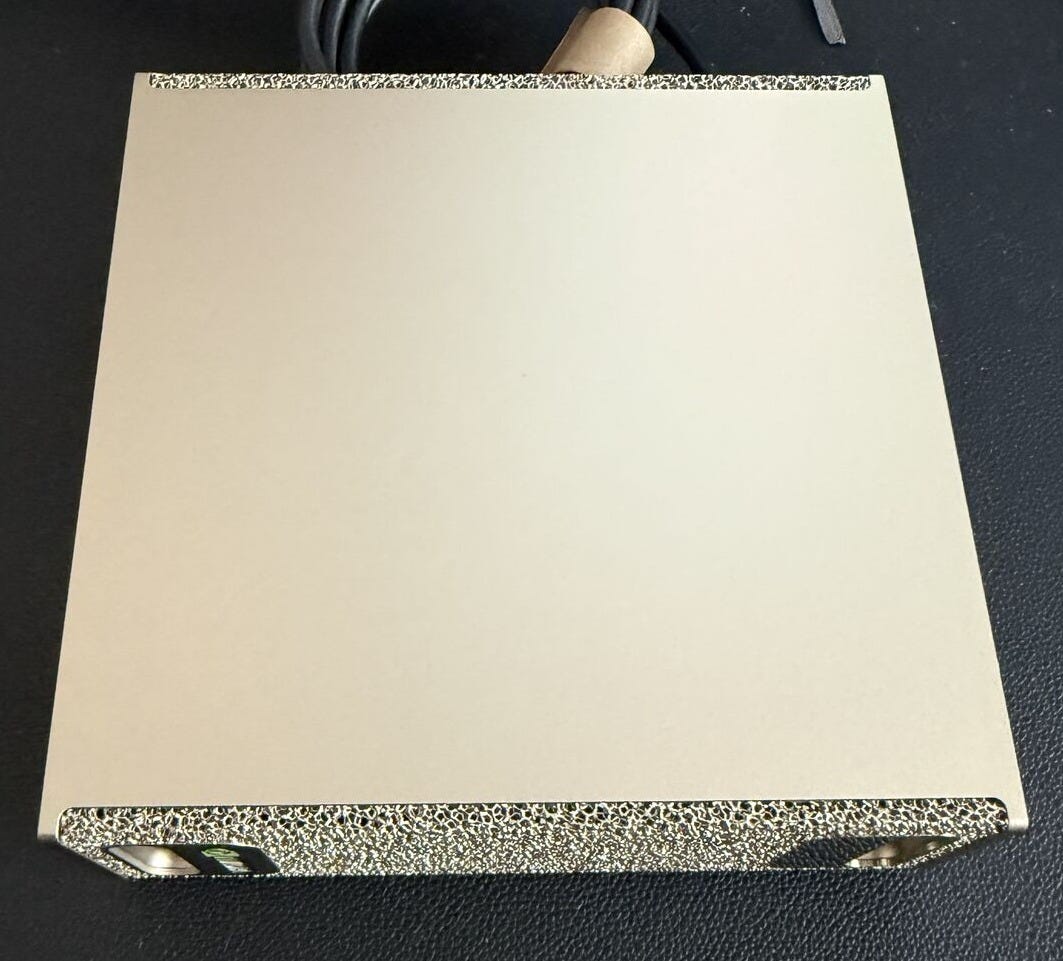
And here’s the hardware used for most of the steps, from embedding to the storage and retrieval: my DGX Spark.
Playwright handles browser-based scraping for our own Substack articles. Substack serves content dynamically and requires authentication for premium posts, so a plain HTTP client is not an option.
Algolia API (via Hacker News) provides structured search over HN stories. No scraping needed: HN exposes its full search index through public endpoints.
ScrapegraphAI and Firecrawl convert external article URLs into clean markdown. ScrapegraphAI is the primary extractor, Firecrawl is the fallback.
sentence-transformers with the intfloat/e5-large-v2 model generates 1024-dimensional embeddings. We will explain why we chose this model later in the article.
PostgreSQL with pgvector stores embeddings and handles similarity search. We chose it over dedicated vector databases because we already need PostgreSQL for metadata, and pgvector with HNSW indexing handles our scale without adding infrastructure.
Docker Compose ties everything together as three containers: PostgreSQL, the API server, and the indexer.
The first design choice we had to make was what format our knowledge base would store. We had content from Substack (HTML), Hacker News links (various formats), and potentially Confluence, Google Docs, or Slack in the future. We needed a common representation.
We chose markdown for three reasons.
First, markdown preserves document structure without carrying rendering noise. An HTML page contains navigation bars, ad slots, JavaScript, CSS classes, and layout dividers. None of that is content. When you convert to markdown, you keep headings, paragraphs, code blocks, links, and lists. Everything the embedding model needs, nothing it would choke on.
Second, markdown is readable by humans and machines alike. When something goes wrong in the pipeline, you can open a markdown file and immediately see what the system is working with. Try doing that with a serialized HTML DOM or a JSON blob from an API response.
Third, YAML frontmatter is a natural fit for markdown and gives us a structured metadata header without mixing it into the content. Each file gets an `id`, `type`, `title`, `publish_date`, `topics`, and `visibility` field. This metadata drives filtering at search time and never enters the embedding model. The separation is important: embeddings capture meaning, frontmatter captures facts.
There are two paths to get content into markdown. You can build your own converter using open-source libraries, or you can use commercial services that handle extraction and conversion for you. In this article we show both approaches deliberately. For our own Substack articles, we built a converter from scratch with BeautifulSoup and markdownify. It costs nothing, we control every detail, and it works because we know the source HTML structure intimately. For external content discovered on Hacker News, we use commercial services like ScrapegraphAI and Firecrawl instead, because every URL leads to a different site with a different HTML structure. Building custom converters for thousands of unknown domains would be impractical. The trade-off is clear: when you control the source, build your own; when you are scraping the open web, commercial extraction services save an enormous amount of development time.
Our Substack HTML-to-markdown converter is deliberately simple. It strips scripts, styles, buttons, navigation, and footers, then converts the remaining HTML:
The final output for each document looks like this:
---
id: a1b2c3d4e5f6...
type: twsc_article
title: "THE LAB #94: Using Cookies and Session Persistence"
slug: the-lab-94-using-cookies-and-session
canonical_url: https://substack.thewebscraping.club/p/the-lab-94-using-cookies-and-session
publish_date: 2025-11-15
visibility: premium
topics:
  - browser-automation
  - cloudflare
  - scraping-infra
---

[article body in markdown]
Scraping your own content
The first source we built was a scraper for our own Substack articles. The pattern applies to any CMS: discover URLs, authenticate if needed, extract content, convert to markdown with frontmatter.
URL discovery and authentication
Most publishing platforms expose a sitemap. We fetch it, filter for article URLs (Substack uses /p/ in the path), and track the lastmod date to detect changes:
def fetch_sitemap(sitemap_url: str) -> list[dict]:
    req = Request(sitemap_url)
    req.add_header("User-Agent", "Mozilla/5.0 ...")
    with urlopen(req) as response:
        content = response.read()

    root = ET.fromstring(content)
    ns = {"sm": "http://www.sitemaps.org/schemas/sitemap/0.9"}

    articles = []
    for url_elem in root.findall("sm:url", ns):
        loc = url_elem.find("sm:loc", ns)
        lastmod = url_elem.find("sm:lastmod", ns)
        if loc is not None and "/p/" in loc.text:
            articles.append({"url": loc.text.strip(), "lastmod": lastmod.text or ""})
    return articles
Substack gates premium content behind authentication. We handle this with a persistent Playwright browser context that stores cookies across runs. On the first run you log in manually; after that, the saved session keeps you authenticated. For cron jobs, we verify the session by loading a known premium article and checking if the full content appears.
We try multiple CSS selectors for extraction because Substack has changed its DOM structure over time. The extracted HTML goes through the markdown converter we showed earlier.
Ingesting external sources: Hacker News
Continue reading this post for free, courtesy of Pierluigi Vinciguerra.