SearchApi, the popular provider of web scraping APIs for retrieving data from search platforms (and more), has recently released an official remote MCP server. In this complete walkthrough, I’ll guide you through what the SearchApi Web Search MCP server offers, how to use it, and the scenarios it covers. Follow me!
Give your AI a web data layer – Decodo’s Web Scraping API turns any site into clean, structured data your models can actually use.
Before exploring the new MCP offering, let me first introduce you to the world of SearchApi!
What Is SearchApi?
SearchApi is an online service that provides multiple scraping APIs. It allows you to get data from a wide range of websites, with a strong focus on major search engines.
SearchAPI endpoints provide programmatically access to real-time data from Google, Bing, and YouTube, as well as platforms like Amazon, Airbnb, Zillow, TikTok, and many others. It handles the underlying infrastructure for you, while also taking care of proxy rotation and bot protections.
Main APIs
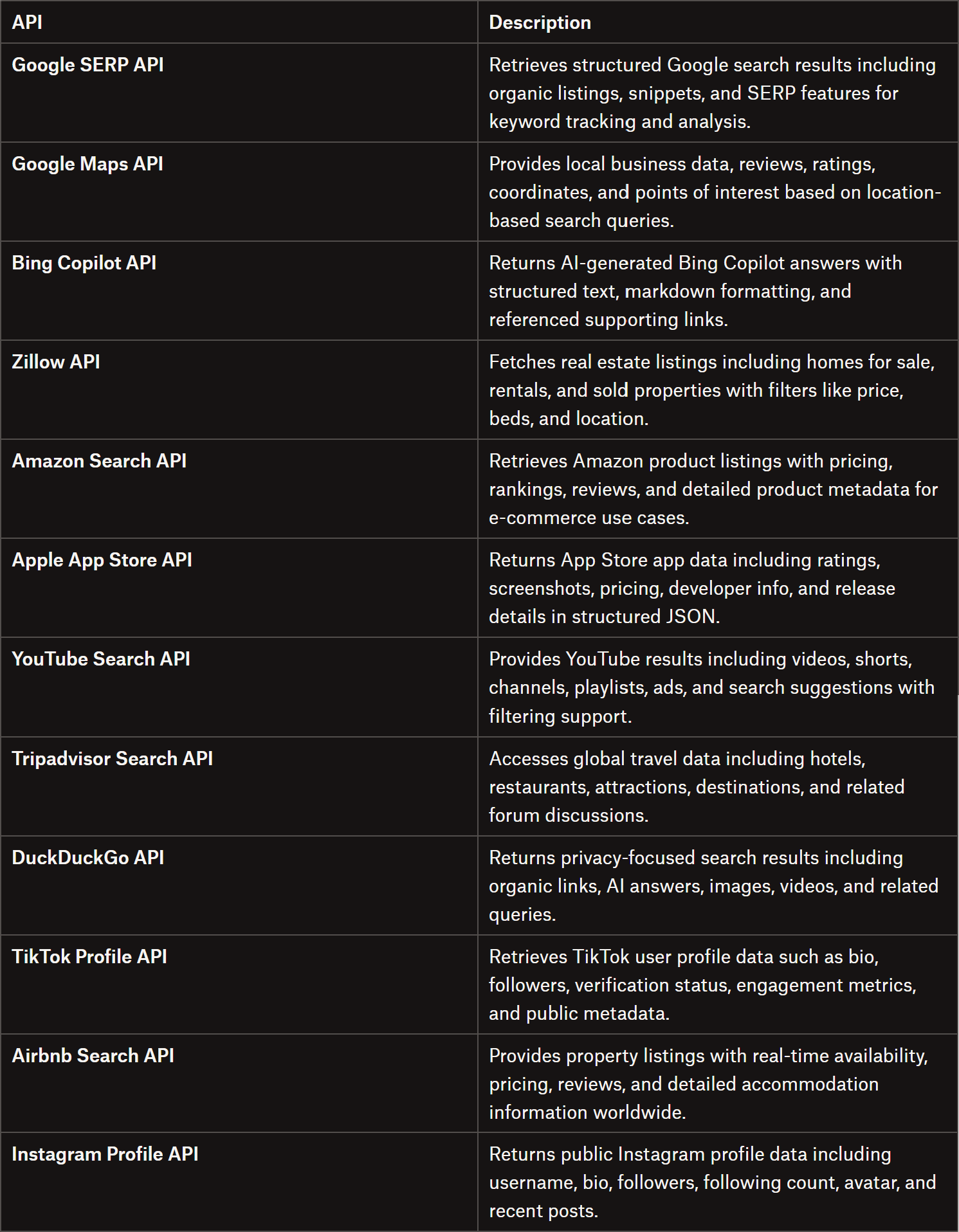
Below is a table of some of the most relevant SearchApi endpoints:
The main SearchApi endpoints
To discover all endpoints, visit the official documentation. On each API page, you can also access the OpenAPI specification, as well as download the Postman collection.
Pricing Plans
SearchApi follows a pay-per-success pricing model built around monthly subscription plans. These range from developer-level access ($40/mo) to high-throughput enterprise tiers ($5,000/mo), each including monthly search quotas and 99.9% SLA guarantees.
Pricing decreases with scale, starting at around $4 per 1,000 searches and going down to about $1 per 1,000 at higher volumes. A free trial is also available, offering 100 free requests before committing to a paid plan.
Introduction to the SearchApi Web Search MCP Server
As a web scraping enthusiast, chances are you’re already familiar with scraping APIs or SearchApi itself. So, since the company has recently launched a new MCP server product (called Web Search MCP), let me focus on that!
How It Works
Web Search MCP enables AI models to connect to SearchApi’s endpoints via a unified interface.
It’s a remote-only MCP server that operates over Streamable HTTP. That means you can’t install it locally. Instead, it runs as a hosted service that your AI client connects via an MCP URL. The server also supports OAuth 2.0, enabling secure authentication.
Thanks to the OAuth support, you can connect SearchApi to your AI tools through a simple “Connect” flow. This way, the AI client can act on the user’s behalf without ever handling or storing the user’s API key or password. Access can be revoked at any time from either the SearchApi dashboard or the connected AI platform, giving you full control over permissions.
Your AI assistant sends requests to the MCP server, which processes them, executes the required actions, and returns structured results in real time. This setup removes the need to manage local infrastructure or dependencies while keeping integration straightforward.
SearchApi’s Web Search MCP server can be connected to any tool that supports remote MCP servers via Streamable HTTP, including Claude Desktop, Claude Code, Cursor, and many others. It’s also available as an official Claude connector.
Pricing follows the same pay-per-success model as the regular SearchApi APIs, with each MCP tool invocation counting as a single API request. Web Search MCP supports up to 10 MCP integrations per account. Also, standard SearchApi rate limits apply.
How to Use the SearchApi Web Search MCP Server in a Real-World Scenario
To showcase the SearchApi Web Search MCP Server, I’ll configure it in Claude Code (though any other compatible MCP tool will work as well) and use it in a sentiment analysis workflow. The goal is to retrieve the latest reviews for a restaurant and let the AI analyze them.
Follow the instructions below!
Prerequisites
To follow along with this section, make sure you have:
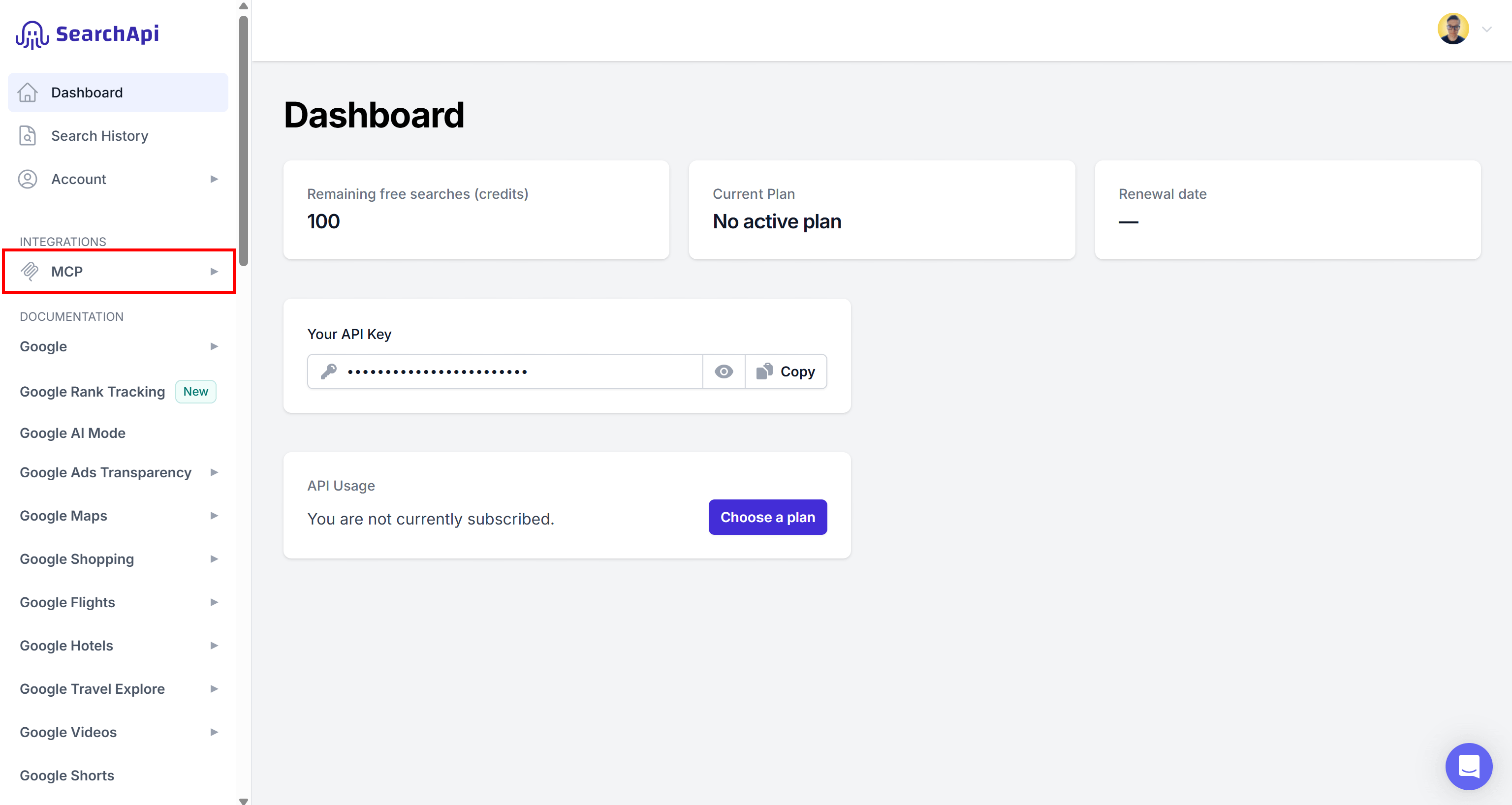
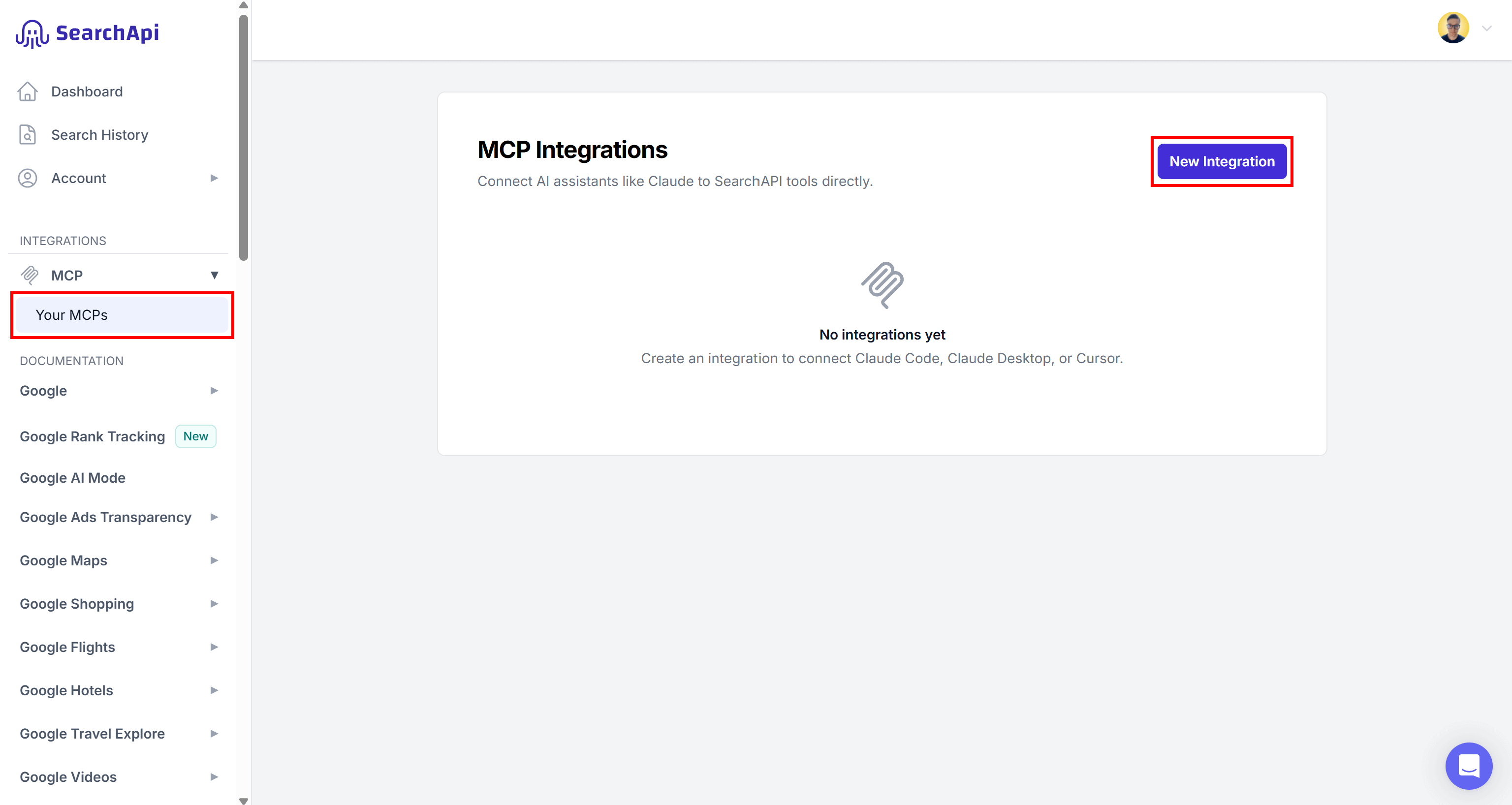
Next, select “Your MCPs” and click “New Integration”:
Pressing the “New Integration” button
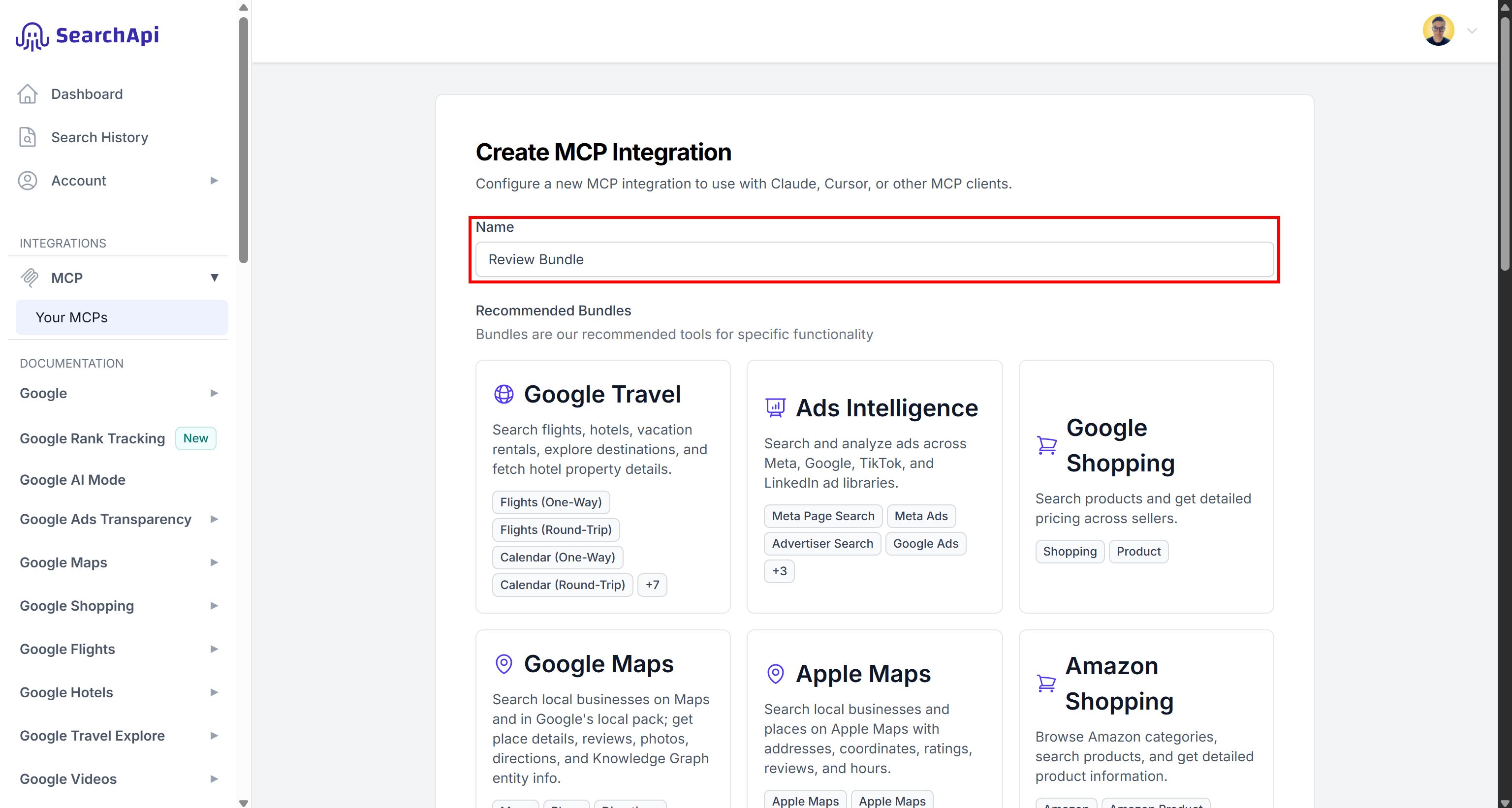
You’ll be taken to the page for creating a new SearchApi Web Search MCP integration. Start by giving your integration a name (e.g., “Review Bundle”).
Giving your SearchApi Web Search MCP integration a name
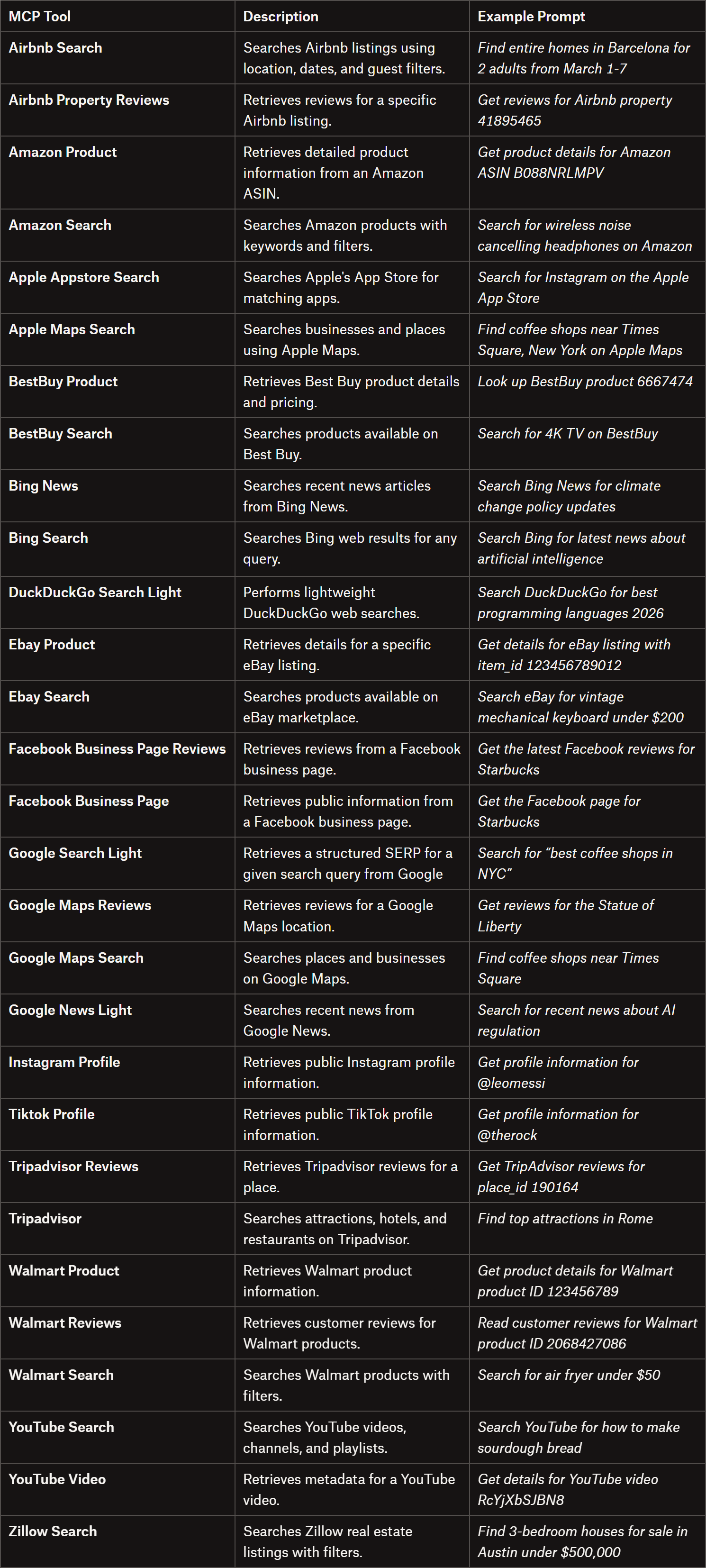
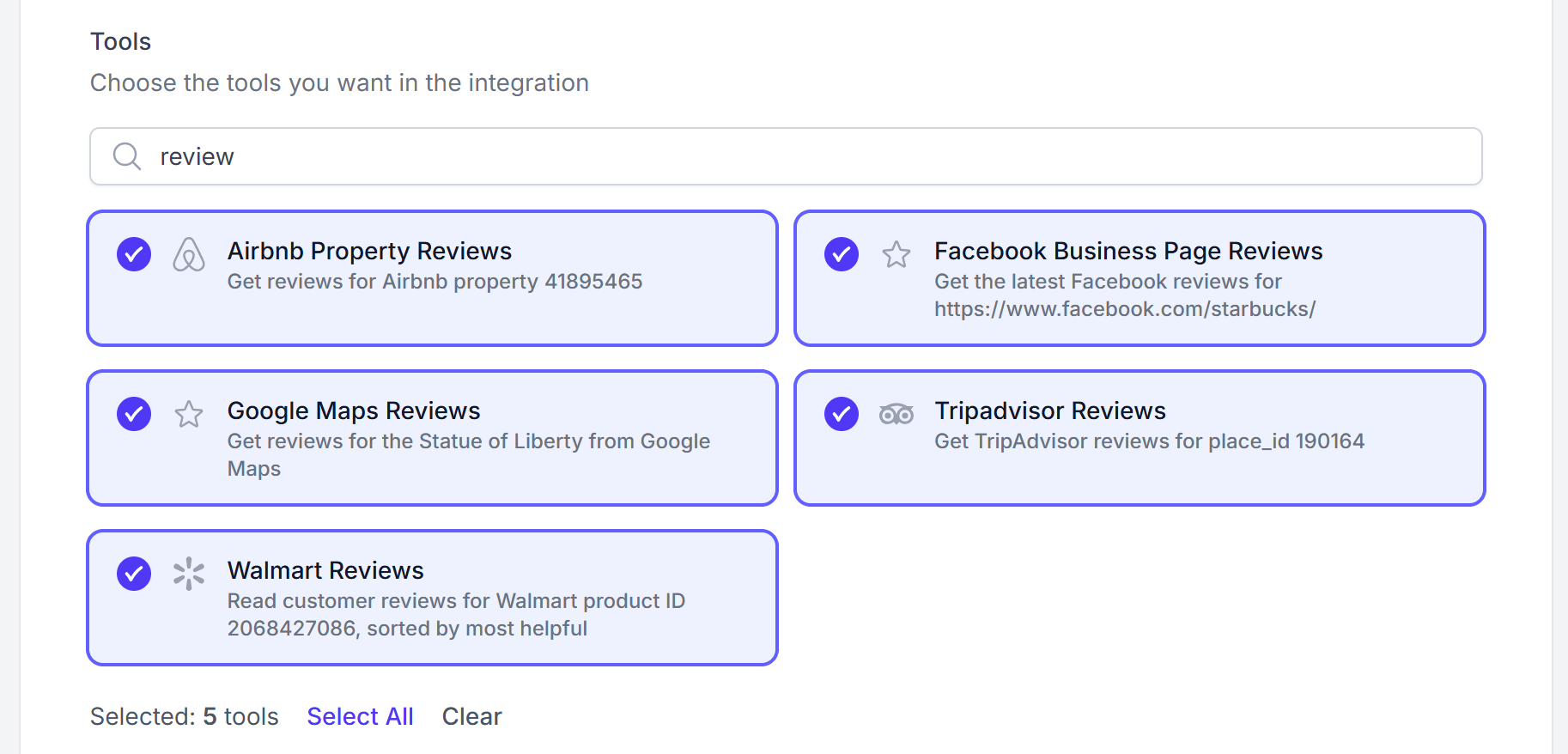
Next, either select one of the recommended tool bundles or customize your own. To do so, scroll down, search for “review,” and add all review-related tools:
Airbnb Property Reviews
Facebook Business Page Reviews
Google Maps Reviews
Tripadvisor Reviews
Walmart Reviews
Selecting the review scraping tools
Now, most review tools require a page URL, place ID, or another entity identifier. To retrieve those automatically, you’ll also need some search tools.
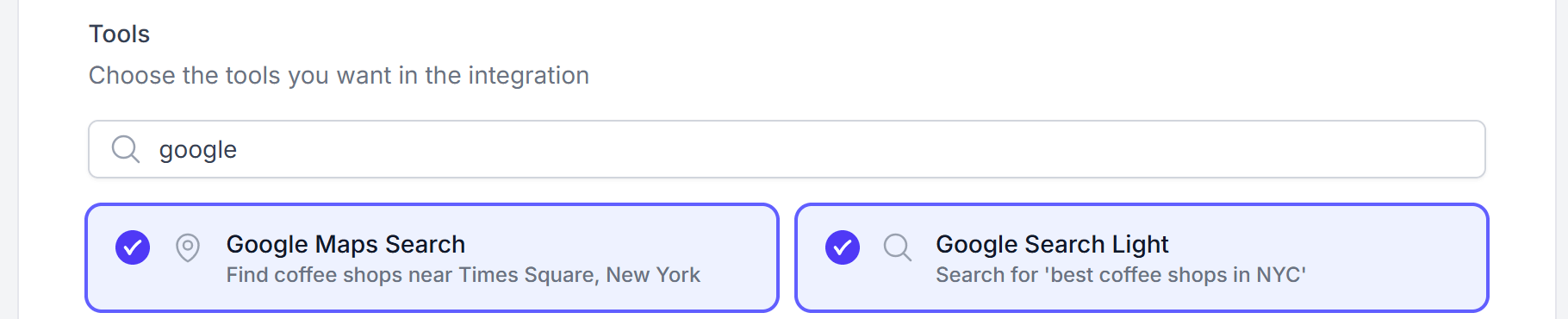
For that reason, search for “Google” and add:
Google Maps Search
Google Maps Reviews
Selecting the search tools
The “Google Search Light” tool is fundamental. From the returned search results, AI finds the relevant page URL (e.g., the Tripadvisor page for a specific restaurant), which typically already contains the required identifier or can be used to derive it. This ID or URL can then be passed directly to the corresponding review tools to fetch detailed reviews and structured data.
Once you’ve selected all the required tools, click “Create Integration” to generate your SearchApi MCP integration. You’re now ready to connect it to your AI client. Cool!
Step #2: Configure Your SearchApi MCP URL in Claude Code
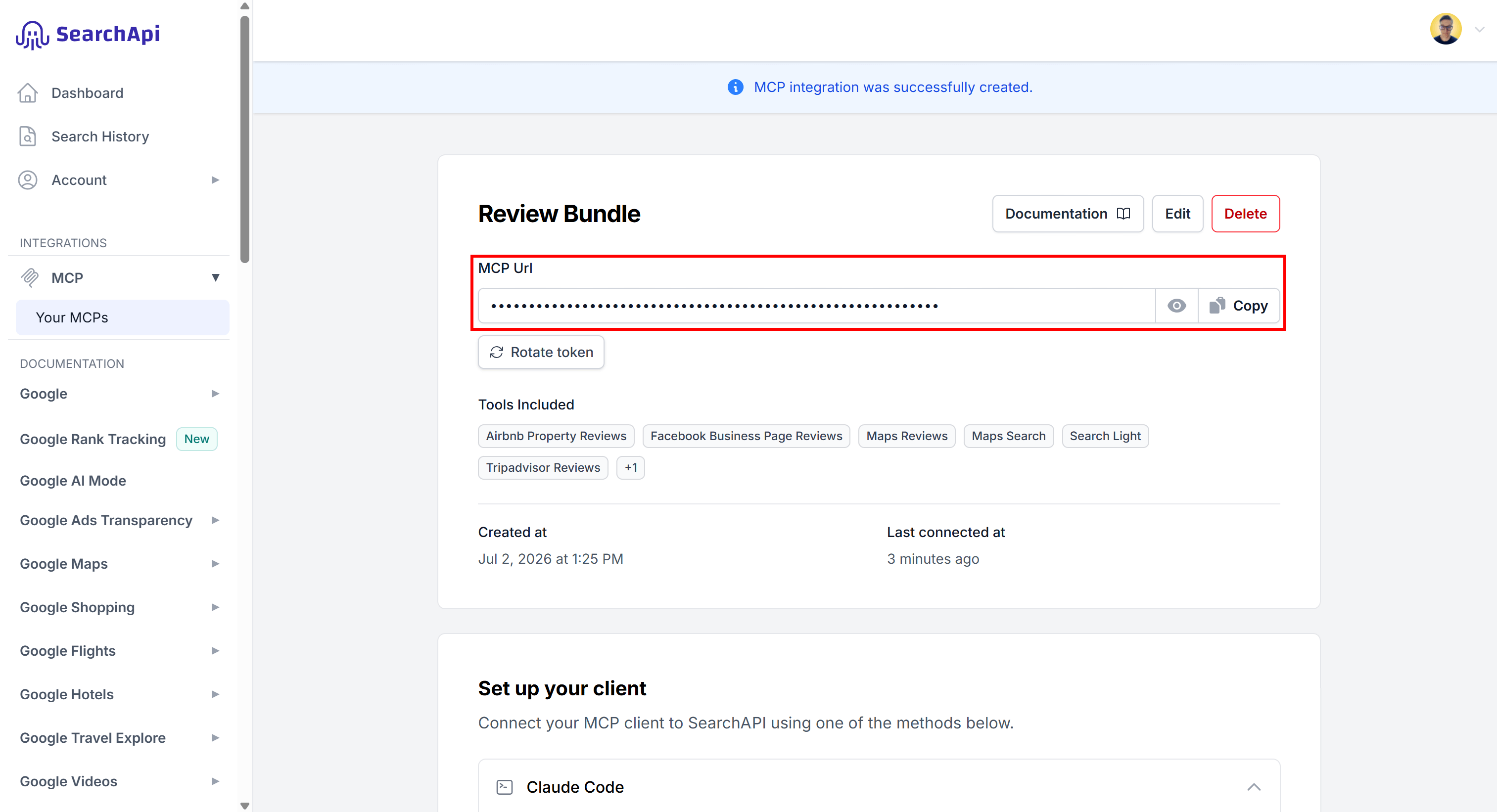
After creating the MCP integration, you’ll be redirected to your SearchApi MCP page. Here, you can find your MCP URL along with setup instructions for Claude Code, Claude Desktop, and Cursor.
<YOUR_SEARCHAPI_MCP_TOKEN> is a unique token generated by SearchApi. It identifies your specific MCP integration and is used for authentication.
Note: For enterprise integrations and agent platforms that require delegated access, OAuth authentication is the recommended approach.
Next, add the MCP server called review_bundle to Claude Code using this command:
claude mcp add review_bundle "<YOUR_SEARCH_API_URL>" --transport http
Make sure to replace the <YOUR_SEARCH_API_URL> placeholder with the URL you copied from the dashboard. Amazing!
Step #3: Verify That the MCP Integration Works
Begin by launching Claude Code:
claude
Then run the command below:
/mcp
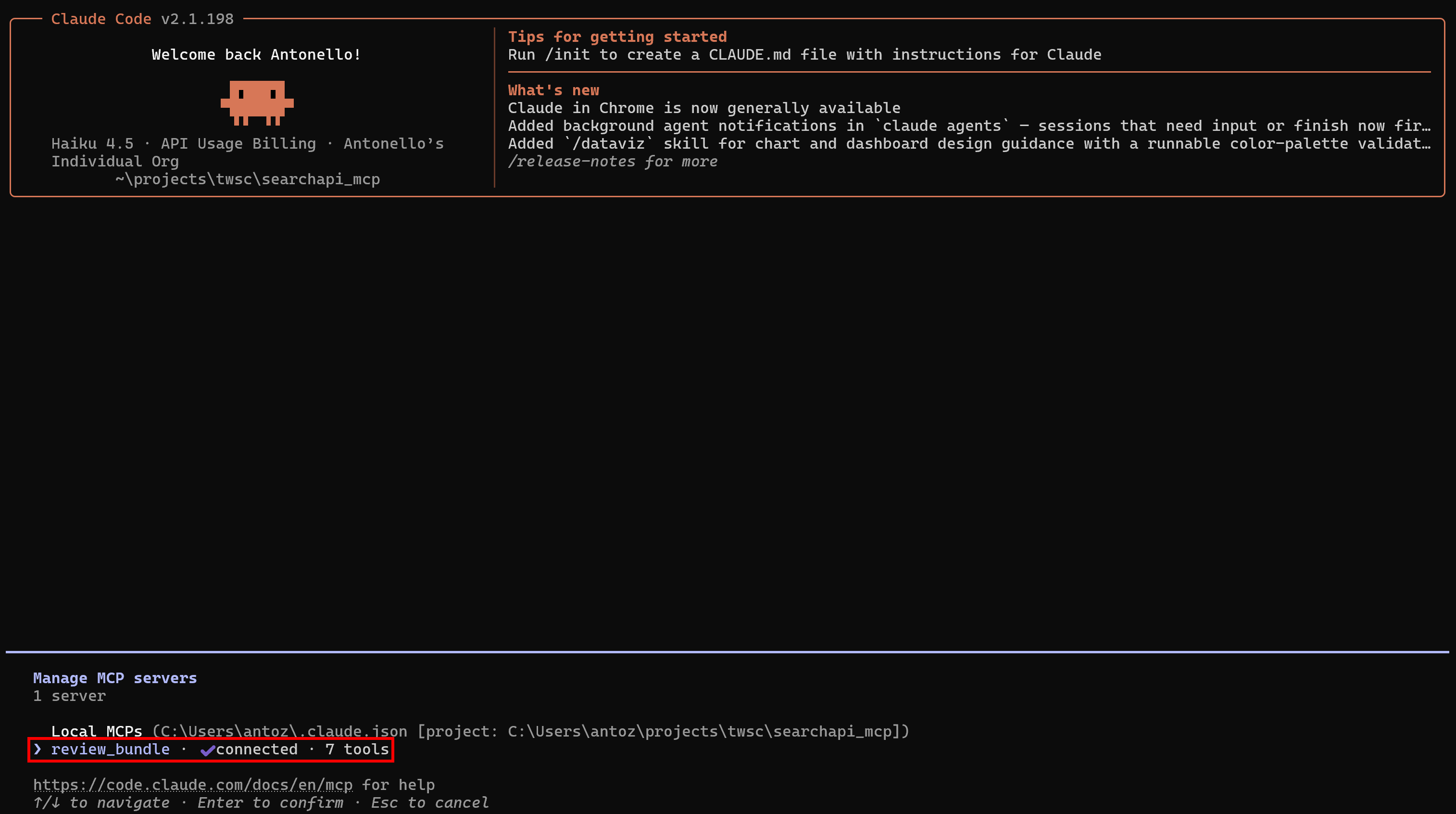
This will list all available MCP servers, including review_bundle:
Note the “review_bundle” MCP server
Select the review_bundle server, then choose “View tools”. You’ll see all 7 configured tools:
Note the 7 available tools
This confirms that your Claude Code environment has successfully connected to the remote SearchApi Web Search MCP tools. Perfect!
Step #4: Test the Workflow
To verify that the MCP integration works for review scraping, try a sentiment analysis prompt like this:
Get the latest reviews for Sottocasa Pizzeria Harlem in New York from Google Maps and Tripadvisor. Then, generate a sentiment analysis report in Markdown that includes quotes from the retrieved reviews, and save it as reviews.md.
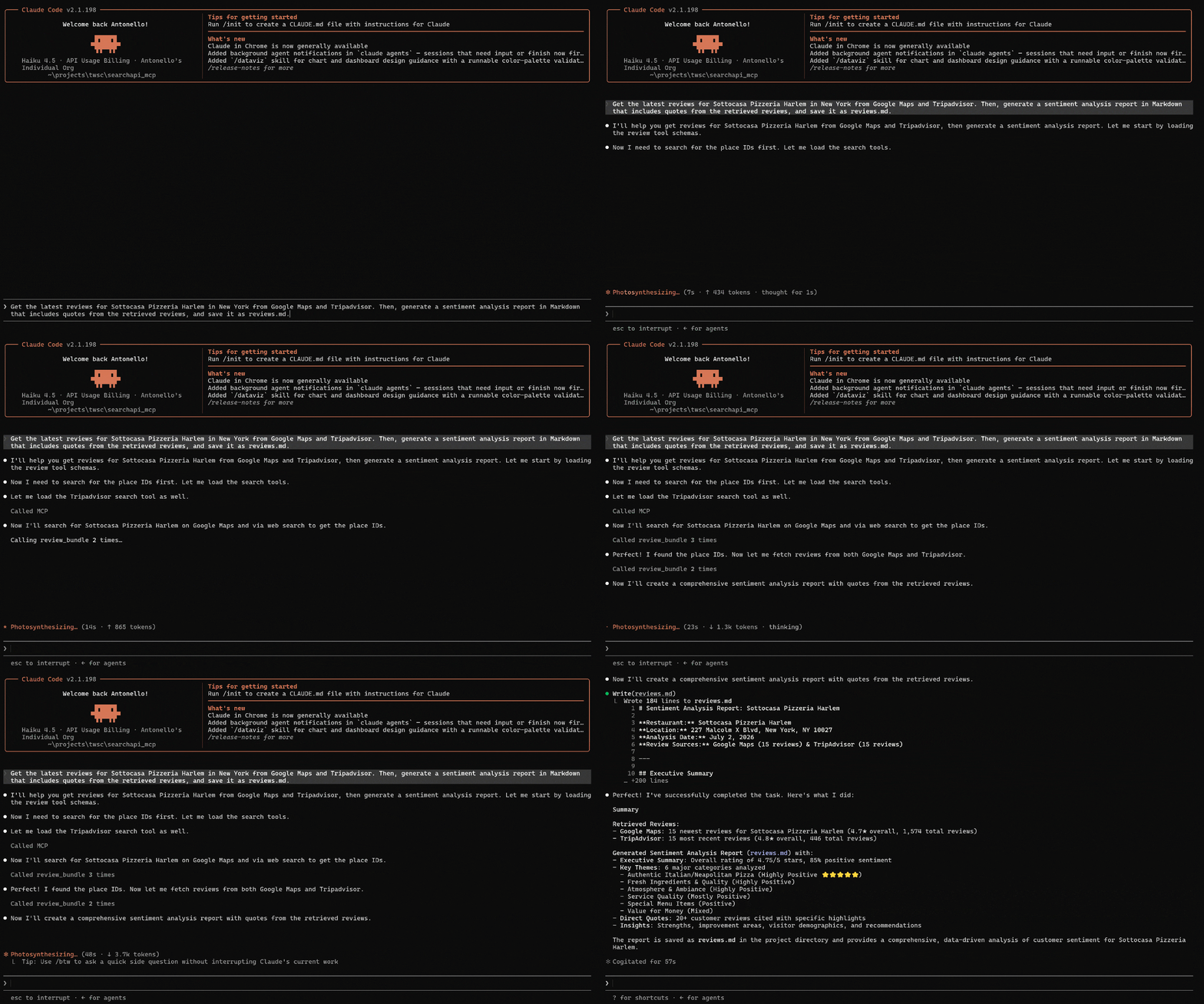
Execute the prompt, and you should see something like this:
Prompt execution in Claude Code
This is what Claude Code did:
Understood that it first needed to retrieve place IDs.
Used google_maps_search and google_light_search to find the Google Maps ID and Tripadvisor ID for the restaurant, respectively.
Called tripadvisor_reviews to fetch the latest 15 reviews using the Tripadvisor ID, and google_maps_reviews to fetch 15 recent reviews using the Google Maps ID.
Aggregated the retrieved reviews in JSON format and generated a structured Markdown sentiment analysis report with supporting quotes.
Exported the final output to reviews.md.
Important: Claude’s built-in Fetch and Web Search tools may not reliably achieve this goal due to anti-bot protections on platforms like Google and Tripadvisor.
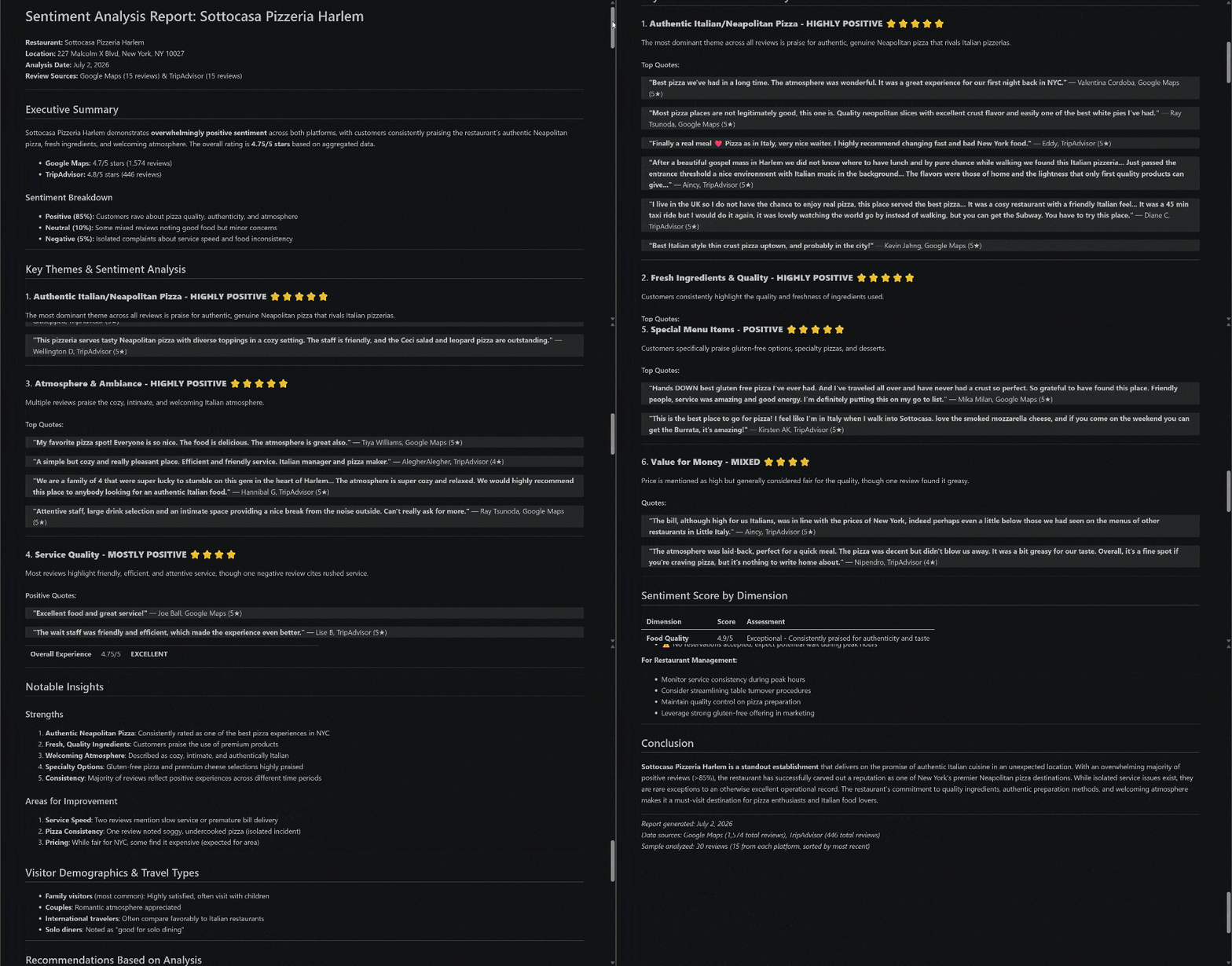
The final result is a reviews.md file containing a sentiment analysis based on the latest 15 Google Maps reviews and 15 Tripadvisor reviews for the selected restaurant:
The final “reviews.md” report
Notice how the report includes direct quotes from relevant reviews and real-world insights extracted from them. Mission complete!
[Extra] Analyze the Output of the Web Search MCP Tools
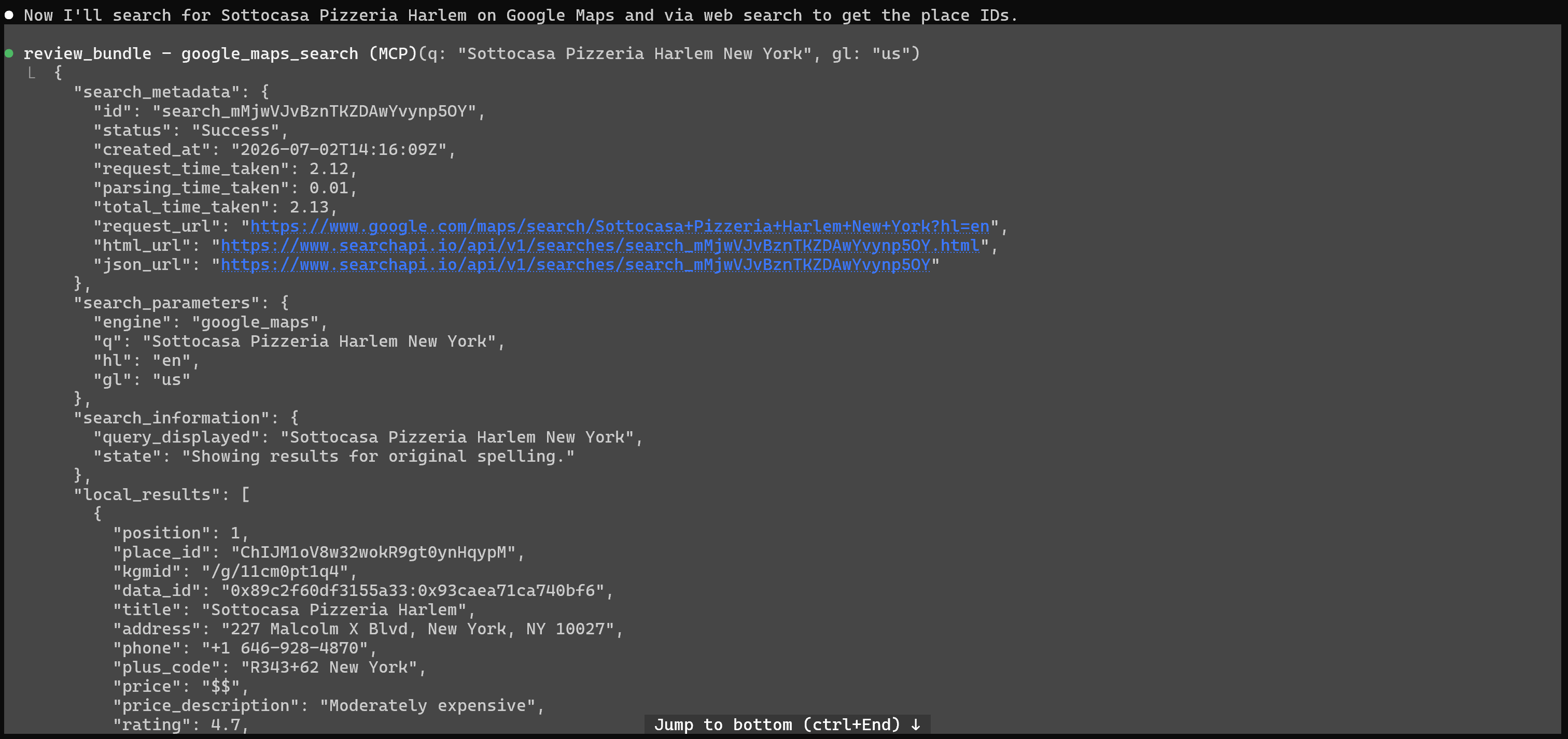
Expand the MCP tool calls made by Claude Code, and you’ll see:
The “google_maps_search” tool call
Notice the use of Google Maps Search to retrieve the Google Maps ID of the target restaurant.
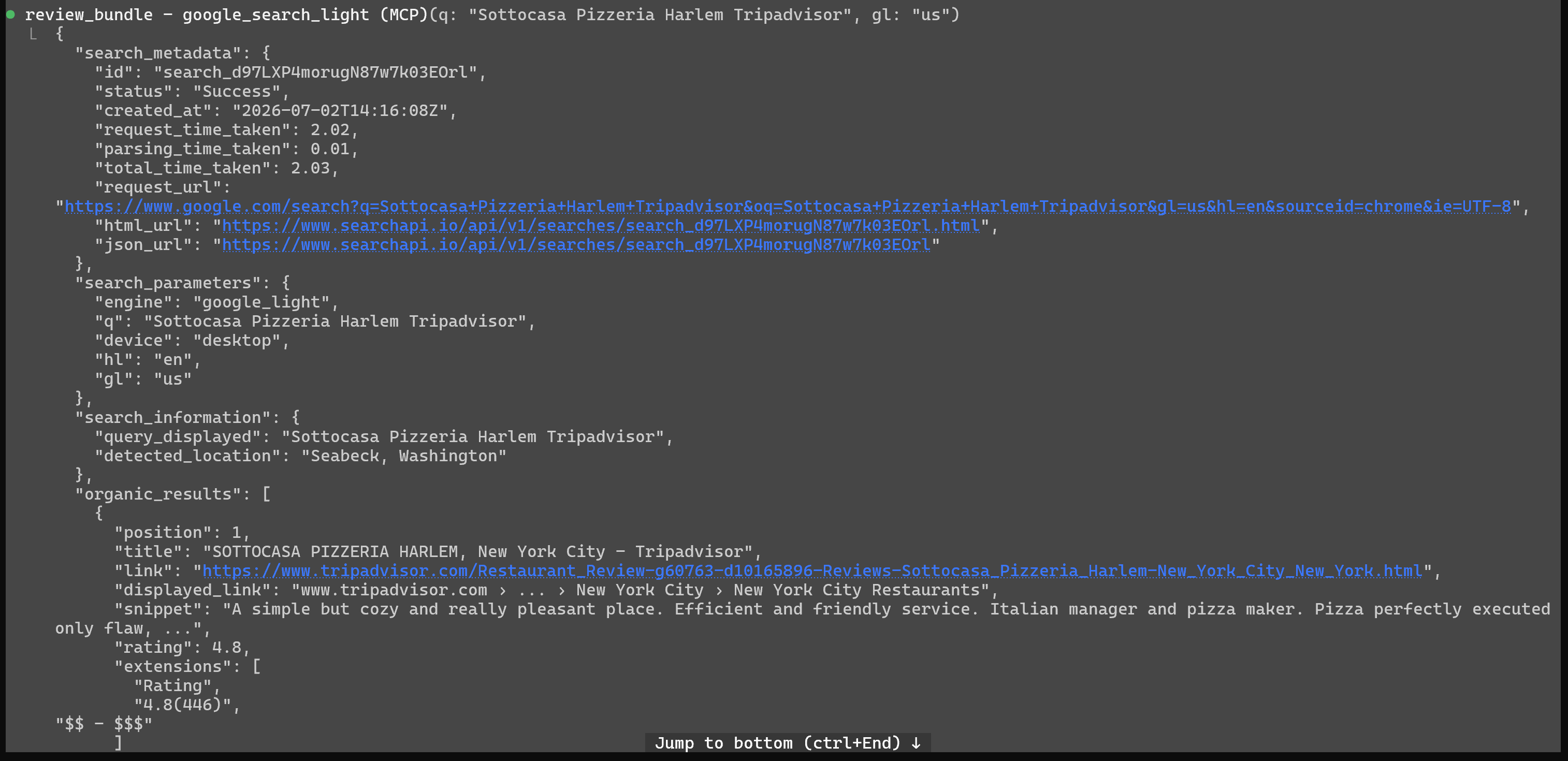
Similarly, expand the Google Search Light tool call to inspect the JSON SERP returned by SearchApi for the “Sottocasa Pizzeria Harlem Tripadvisor” query in the US:
The “google_search_light” tool call
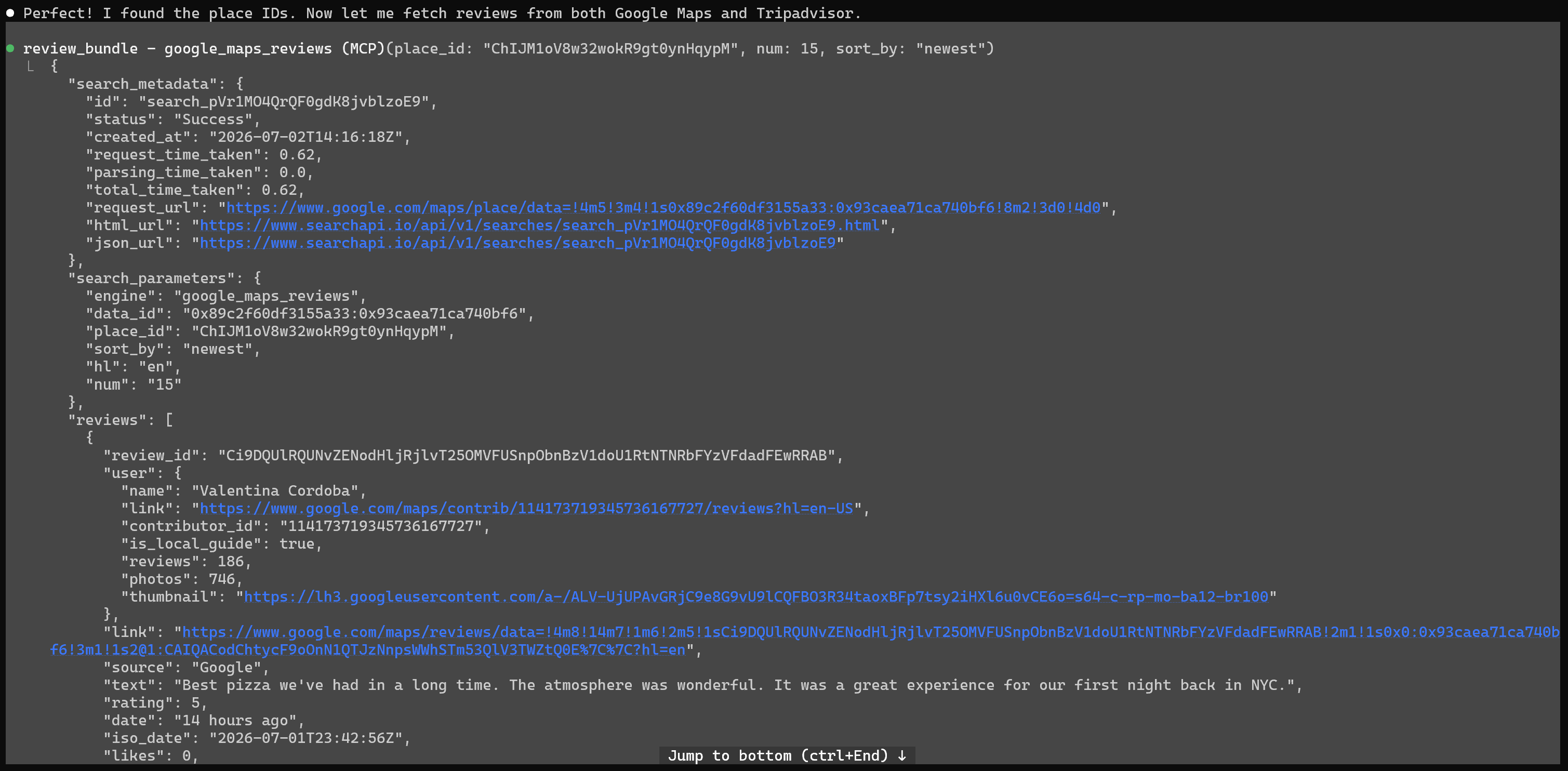
Next, focus on the Google Maps review scraping step:
The “google_maps_reviews” tool call
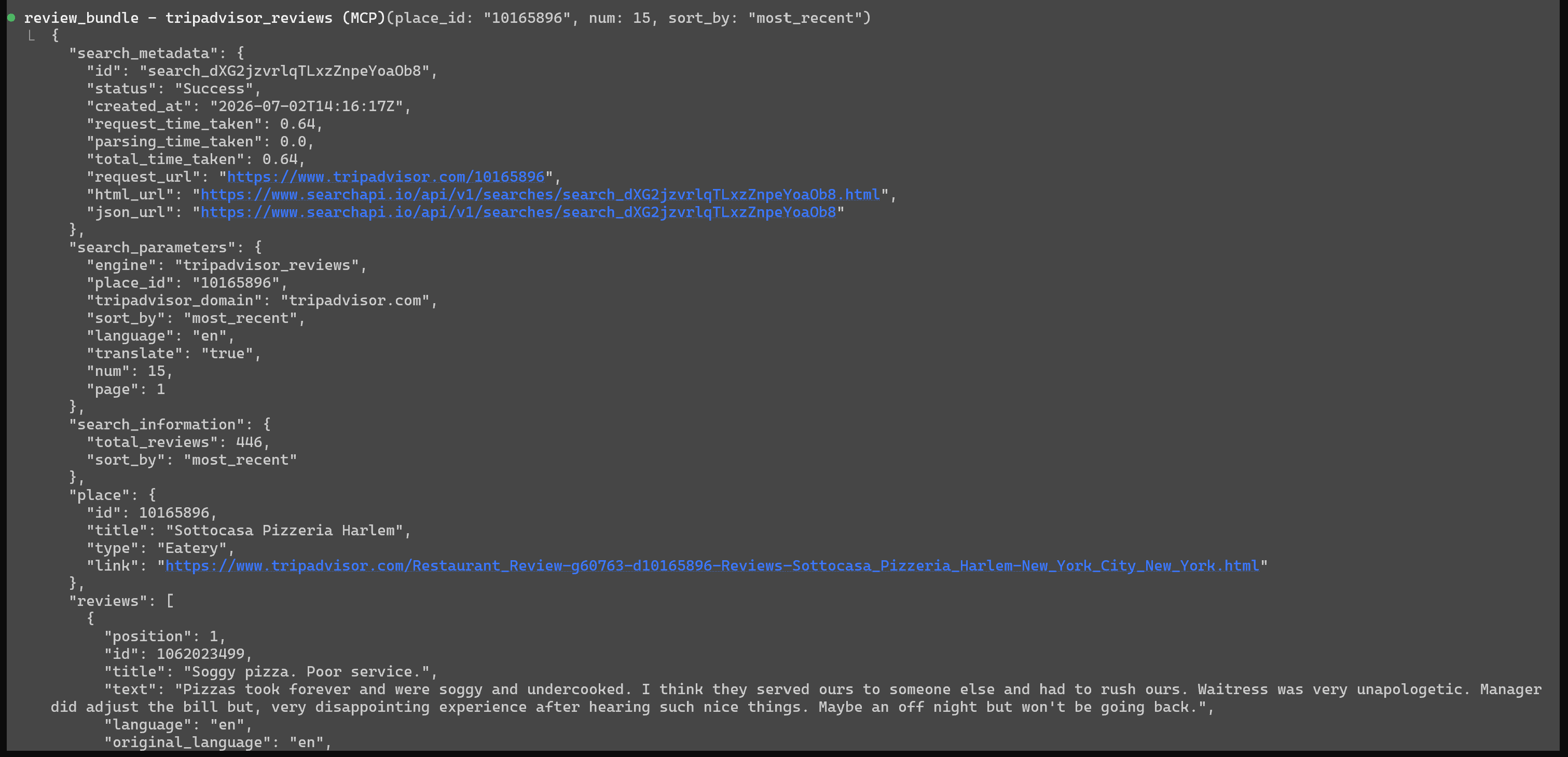
Note how this returns results in a structured array field (reviews) containing all relevant review data. The same pattern applies to the Tripadvisor review tools:
The “tripadvisor_reviews” tool call
This demonstrates how the SearchApi Web Search MCP enables Claude Code to complete sentiment analysis tasks by providing real-time scraped review data from multiple platforms, returned in a structured format that is easy to process and analyze.
Beyond review scraping and sentiment analysis, SearchApi’s Web Search MCP unlocks a wide range of use cases. These include:
Travel planning and price optimization: Search flights, hotels, and vacation rentals while comparing prices and availability across dates. AI agents can recommend optimal travel windows and cost-efficient itineraries.
Market and ad intelligence monitoring: Analyze ads across Meta, Google, TikTok, and LinkedIn to track competitor messaging, creative strategies, and campaign activity in real time.
E-commerce product research and comparison: Retrieve product listings, pricing, and reviews across Amazon, Walmart, eBay, Best Buy, and Google Shopping to build product comparison or recommendation systems.
Local business discovery and mapping agents: Use Google Maps and Apple Maps to find places, extract reviews, generate directions, and build location-aware assistants for restaurants, services, or POIs.
Social media and brand intelligence tracking: Fetch public profiles from Instagram, TikTok, and Facebook to monitor influencers, competitors, or brand presence and engagement metrics.
News and trend monitoring agents: Search Google News to track breaking news, industry updates, and topic trends for real-time intelligence dashboards or alerting systems.
Educational and research assistants: Query Google Scholar to retrieve academic papers, legal opinions, and citations for research summarization and knowledge extraction.
The Web Scraping Club is a reader-supported publication. To receive new posts and support my work, consider becoming a free or paid subscriber.
Conclusion
I’ve personally tested MCP servers from various providers in the scraping industry, and the experience with SearchApi’s Web Search MCP has definitely been smooth.
I didn’t encounter any significant issues during setup, and the integration worked immediately. Across the MCP tools I tested, none of the requests failed, which is a strong indicator of reliability and overall quality.
I’d therefore recommend it as a solid solution for giving AI agents rich search capabilities across multiple platforms, especially for companies and developers with some budget (given the lack of a free plan).
I hope you find this post useful. If you have any questions, feel free to reach out in the comments below. Until next time!
Thanks for reading The Web Scraping Club! This post is public so feel free to share it.




Great article! Excited to build something on this.