
Browser Fingerprinting Deep Dive
How Detection Works and How Scrapers Adapt
This is a guest post written by the Infatica team. For an independent benchmark of proxy prices, visit our Proxy Pricing Benchmark tool.
If you’ve run a scraper at any real scale recently, you’ve felt the shift. The block didn’t come from too many requests per minute, and rotating to a fresh IP didn’t fix it. The page just quietly refused to load the data you came for. That’s fingerprinting doing its job, usually before your first byte of useful content arrives.
We keep hitting the same pattern. A pipeline that ran fine for months starts returning empty pages or CAPTCHAs, the proxy pool looks healthy, the rate limits are nowhere near tripped, and nothing in the logs explains it. What changed is not how many requests you send. It is how much the target now knows about the client sending them.
What browser fingerprinting is, and why it matters for scraping
Fingerprinting identifies and tracks a client from the unique combination of characteristics its browser and device expose, with no cookies, no login, and no explicit identifier required. It doesn’t ask “who is this user?” It asks “does this look like the same client as before, and does this client look real?”
The signals are individually boring. Browser version, OS, screen resolution, installed fonts, timezone, locale, how the device renders graphics. None of them identify you alone. Put them together and you get a profile distinctive enough to survive across sessions, IP changes, and incognito mode. For the defense side that’s a bargain, because one collection step feeds fraud detection, bot detection, rate limiting, and access control at once.
From IP-based blocking to identity-based detection
The traditional model was simple. Send requests, rotate IPs, stay under the rate limit. As long as each request looked like it came from a different address, you stayed under the radar.
Fingerprinting breaks that model cleanly. Rotate all the IPs you want, and if your browser fingerprint stays identical across them, you’ve just told the anti-bot that one client is hiding behind a dozen addresses. No real user does that. It is more suspicious than a single sticky IP would have been. The rotation you relied on becomes the tell.
How fingerprinting works under the hood
Modern systems don’t lean on one identifier. They build a layered profile across browser properties, device capabilities, rendering behavior, and network characteristics, then score how coherent the whole thing looks. The more consistent and ordinary the profile, the more trust it earns. That last part is the one most scrapers get backwards, and we’ll come back to it.
Passive signals

These come for free, straight from the HTTP request or a basic JavaScript query, with no heavy lifting required:
User-Agent string (browser, version, OS)
Accept headers (language, encoding support)
Screen resolution and color depth
Timezone and locale
Installed fonts and plugins
Active signals
Active fingerprinting runs JavaScript to pull things that are much harder to fake, because they depend on how the hardware actually behaves:
Canvas fingerprinting renders hidden graphics. Tiny differences in font rasterization, anti-aliasing, and GPU instructions produce a distinctive output.
WebGL fingerprinting probes the GPU and surfaces details about the graphics hardware and driver stack.
AudioContext fingerprinting reads the audio processing pipeline, which varies slightly across systems and adds more entropy.
These matter because they measure behavior, not claims. A User-Agent is just a string you can set to anything. A Canvas hash is the device answering for itself. Spoof the User-Agent but leave the Canvas output screaming “headless Chromium on a Linux server,” and the two halves of your story don’t match.
Network-level signals
Detection doesn’t stop at the browser. The network layer sanity-checks the rest of the profile:
IP address and ASN (who owns the network)
Geolocation consistency, checking IP against timezone against language
TLS fingerprinting (JA3, and increasingly JA4), the shape of your TLS handshake, which most HTTP clients get wrong in a recognizable way
HTTP/2 fingerprinting, the frame and settings ordering that Akamai in particular leans on
Connection reuse and timing patterns
A browser claiming to be mobile Safari in Spain, connecting from a datacenter ASN with a Python-default TLS handshake, has three independent signals contradicting each other. Any one is forgivable. Together they’re a verdict.
What makes a fingerprint suspicious

Most fingerprints aren’t obviously fake. They’re built from real values: common browsers, standard resolutions, familiar operating systems. What anti-bot systems hunt for is how those real values fit together.
The first giveaway is a mismatch between attributes. Real devices follow predictable patterns. Certain browsers cluster on certain operating systems, resolutions cluster around popular hardware, fonts and rendering align with the platform. A macOS Safari profile serving Windows fonts, or a mobile User-Agent reporting a 2560-wide desktop viewport, breaks that pattern. Each discrepancy is explainable on its own. Stacked together, they aren’t.
Then there’s rarity. A perfectly unique fingerprint feels like good privacy and is terrible for blending in. Real users fall into large, overlapping groups of near-identical configurations. A profile built from attributes that almost never co-occur is both easier to track and quicker to flag. This is the over-randomization trap, and it’s the most common self-inflicted wound we see. People randomize every parameter and end up with a device that has never existed on Earth.
Consistency over time counts just as much. Real users are stable, same device, same browser, broadly the same setup from one request to the next. When one fingerprint shows up on an IP in one region and then again on an IP in another, or when key attributes drift between sessions, it reads as synthetic. Several IPs sharing a single identity is a pattern normal traffic just doesn’t produce.
Automation leaves its own tells. Even a carefully configured environment leaks something: a missing or stubbed API, a navigator.webdriver flag left on, slightly different JS execution paths, rendering quirks that don’t match a real build. No single tell is fatal. Detectors collect the small ones until the picture tips toward automation.
Last comes behavior. A flawless fingerprint still falls apart under robotic behavior. Pages loaded instantly with no intermediate navigation, clicks landing with pixel precision, sessions that fire one request and vanish, all of it undercuts the identity. Online, your identity is as much how you move as how you look.
Why fingerprinting breaks the old playbook
For years the routine was simple. Rotate IPs, randomize headers, respect rate limits. It worked because defenses were built around request-level signals, mostly where traffic came from and how fast it arrived. Fingerprinting moves the decision from the isolated request to a persistent identity, and most of the old tricks stop paying off.
Stateless requests became stateful identities. The old model judged each request on its own. Block one IP, grab another, keep going. Fingerprinting adds continuity. Change the IP and the browser environment can still look identical, or inconsistent in ways that link the sessions together. Rotating IPs no longer resets who you are.
Header randomization stopped working too. Rotating User-Agents and tweaking Accept-Language used to add diversity. Fingerprinting doesn’t read those values in isolation. It checks whether they agree with each other. Spin up a new User-Agent on every request while your rendering and JS execution stay constant, and you don’t look like many users. You look like one unstable client lying about itself. Tools like Apify’s fingerprint-suite and BrowserForge exist because building a coherent set of headers and fingerprint values is harder than randomizing them.
Datacenter-only setups draw scrutiny. Datacenter proxies are fast, cheap, and easy to rotate, but once the network is part of the identity that stops being free. A datacenter ASN has a different shape than residential traffic, and pairing one with a fingerprint that claims to be a consumer laptop is a contradiction. It won’t always block you, but it raises the baseline scrutiny, and stacked with any other inconsistency it pushes you over the line. This is why residential and mobile proxies have become table stakes on harder targets, even though they only fix the network half of the problem.
Detection also moved earlier. Older systems often gave you partial access before a rate limit kicked in. Now the fingerprinting script usually runs the moment the page loads, sometimes before any real content is served. Fail the check and you never reach the data. You get a CAPTCHA, a soft block, or a clean-looking empty response.
How to build a setup that survives fingerprinting
The goal isn’t to be invisible. It’s to be unremarkable, an identity where every layer tells the same ordinary story.
Run a real browser engine
Lightweight HTTP clients can’t fake Canvas, WebGL, or AudioContext, because those depend on a real rendering pipeline. So most serious setups drive an actual browser with Playwright, Puppeteer, or Selenium.
Vanilla automation still leaks, which is where the patched ecosystem comes in. playwright-stealth and puppeteer-extra-plugin-stealth paper over the best-known tells. undetected-chromedriver and its async successor nodriver harden Selenium-style automation, and patchright is a drop-in patched Playwright aimed at the same goal. When you need full managed profiles, anti-detect browsers like Camoufox (open-source, Firefox-based, with fingerprint injection built in), Kameleo, GoLogin, Multilogin, AdsPower, and Dolphin Anty handle the consistency for you. None of these is a magic bullet, since anti-bots study them too, but they clear the low-level signals that plain Playwright fails on day one.
Keep each fingerprint internally consistent
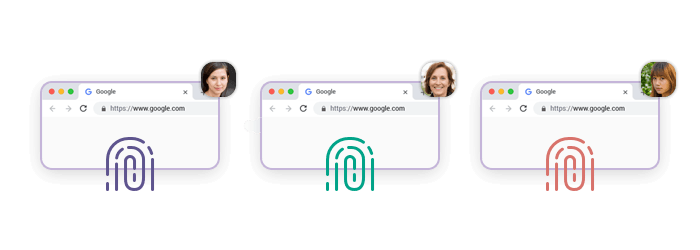
This is where over-randomization kills more scrapers than under-randomization ever has. Don’t change every parameter on every request. Give each session one stable, coherent identity, where the User-Agent matches the OS, the resolution matches the device class, and fonts, language, and timezone all tell the same story. If you generate fingerprints programmatically, lean on something built for coherence, like BrowserForge or fingerprint-suite, rather than rolling your own random values.
Align the fingerprint with the network
A fingerprint is never judged alone. Claim to be a mobile user in Spain while connecting from a datacenter in another region, and the whole session weakens. Treat proxies as part of the identity layer, not just a source of IPs:
Residential or mobile proxies to match real-user network conditions
Geo-targeted IPs so the IP, timezone, and language reinforce each other
Session-based (sticky) routing for continuity across a session
And don’t forget the handshake. If your browser fingerprint is flawless but your TLS fingerprint is a Python default, JA3/JA4 will give you away. curl_cffi, curl-impersonate, and tls-client exist to make that layer match the browser you’re pretending to be.
Treat sessions as isolated identities
Each session should behave like its own user, with its own fingerprint, its own IP, and its own cookies and local storage. Don’t reuse one fingerprint across several IPs at the same time, and don’t let session state bleed between identities. In practice that means pairing one fingerprint to one IP for the life of a session, then rotating both together, the way a real device and its connection move as a unit.
Make the behavior match the identity
A perfect fingerprint can’t save robotic behavior. Real users don’t teleport onto deep pages, strip the data, and disappear. They land somewhere shallow, navigate, pause, scroll. Adding delays that reflect reading time, and routing through intermediate pages instead of hammering endpoints directly, does more for credibility than another round of fingerprint tuning.
Know when to stop building it yourself
Maintaining all of this is real, ongoing work, and the targets keep moving. Browser hardening, fingerprint coherence, proxy alignment, session isolation, behavioral pacing, every layer needs upkeep. At some point the maintenance cost outweighs the control you get from it, and pushing these layers down into infrastructure starts to make sense.
That’s the niche a managed scraper API fills. Instead of hand-coordinating proxies, browser environments, and anti-detection logic, you hand off the identity layer and keep your code about the data. Infatica’s Scraper API is built for that hand-off, with fingerprinting, session management, and request routing handled underneath, so what you maintain is extraction logic rather than evasion logic. It isn’t the right call for every project, but when anti-detection upkeep starts eating your roadmap, it’s a trade worth weighing.
Where this actually bites
Fingerprinting decides what data you can reach, how trustworthy it is, and whether your pipeline survives at scale. Getting past IP filtering is step one. Holding a believable identity for the whole session is the real game, and it’s where most of the projects we see actually break.
Price intelligence and travel feel it first. Travel platforms are among the most aggressive adopters. Prices move by location, device, and browsing pattern, so a setup that trips the defenses sees prices real users never see, or different ones every session. A hotel-pricing comparison is only as reliable as the identities behind the requests.
Search results are another. Search engines read the context of a query, not only the query itself. Weak fingerprinting earns an instant CAPTCHA. To capture what real users in a given region actually see, the requests have to look like they came from real users in that region, on consistent devices.
E-commerce monitoring runs into the same wall, and we’ve watched it happen most often on the luxury retailers sitting behind Akamai. Retailers tune availability, pricing, and promotions by user profile, and they use fingerprinting to tell shoppers from bots. Get flagged and you see hidden or reordered listings, throttling, or temporary bans, small distortions that quietly poison competitor-pricing analysis over time.
Ad verification and market research depend on seeing exactly what a real user sees: ad placement, localized copy, device-specific variants. Fingerprinting interferes by serving fallback content, blocking certain placements, or masking geo-targeted campaigns. That’s fatal when you’re validating campaigns across regions.
Account-based platforms lean hardest on fingerprinting to spot unusual access. These setups tend to fail not on a single request but because the session itself stops looking trustworthy. A sudden device-profile shift, an IP-location jump, or off behavior can each trigger a security check or kill the session.
Conclusion
Fingerprinting changed the question. It used to be “where is this request coming from?” Now it’s “does this client hold together as a believable identity, request after request?” Browser attributes, network signals, and behavior all feed that judgment, and the old reflex of rotating IPs and randomizing headers actively works against you when the layers don’t agree.
The setups that hold up aren’t the ones that randomize the hardest. They’re the ones that look the most ordinary: one coherent fingerprint, matched to one plausible network, behaving like a real person, held steady for the length of a session. The closer your setup sits to how real users actually browse, the more reliable your data collection becomes, and the more boring, in the best way.
Thanks for the nice summary. We at Kameleo have been shipping stealth browsers for 7 years to ensure you can change your browser fingerprint, but you stay consistent and stay under the radar. We support 5 different fingerprint OS: Windows, MacOS, Linux, Android, iOS
And 4 different browsers: Chrome, Edge, Firefox, Junglefox
All emulated in 2 different custom-built browser to ensure all fingerprint changes come from c++ level: Chroma, Junglefox
Mor info: https://kameleo.io/